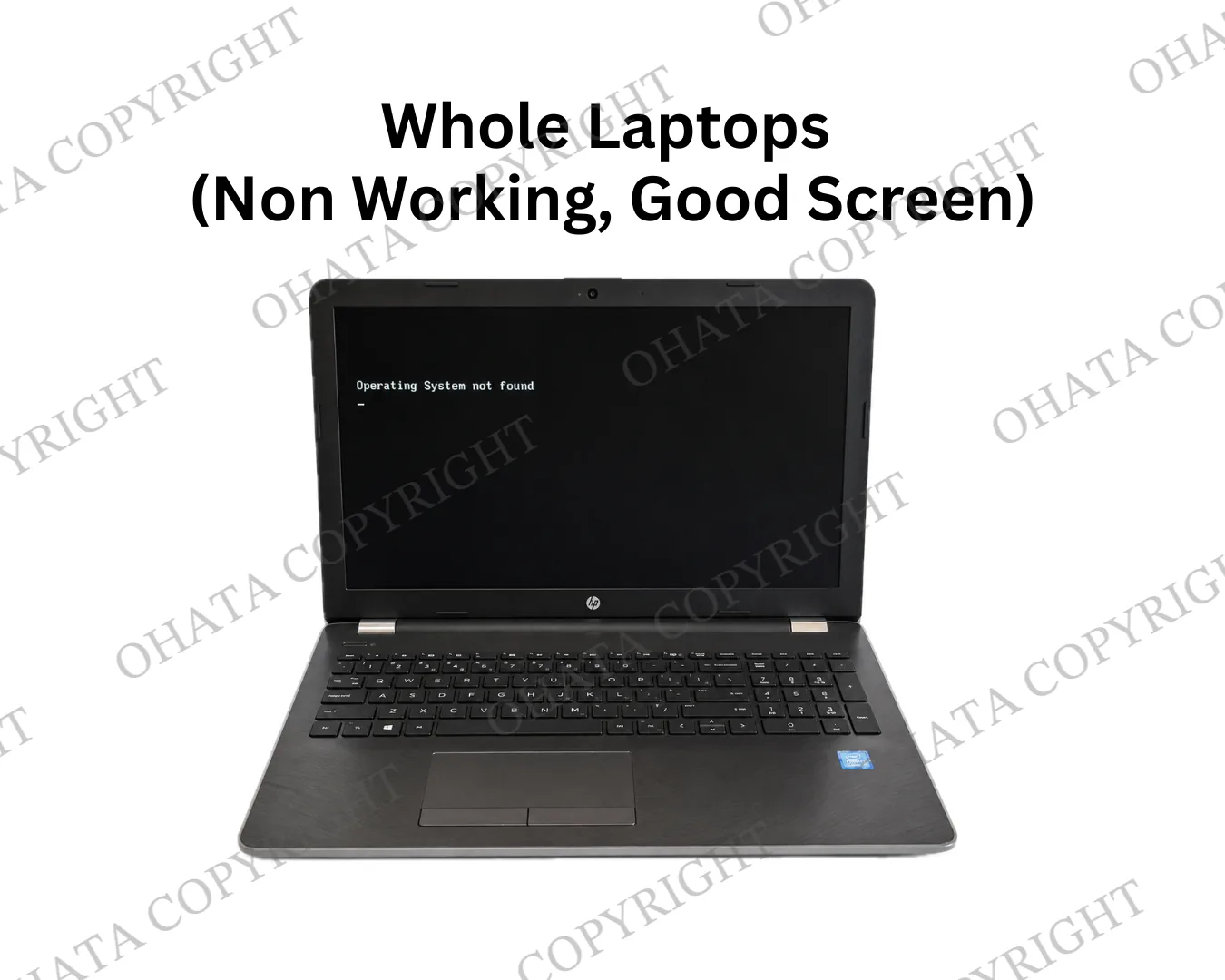
-
Ohata Resource Canada purchases Laptop with Broken Screen or Partial Laptop Scrap from a minimum quantity of 1lb. We welcome individuals, repair shops, businesses, schools, government agencies, recyclers, and IT asset disposition (ITAD) providers.
-
Laptops with cracked, shattered, or non-functional LCD screens are accepted. Although the display may no longer be reusable, many internal components remain valuable for refurbishment, parts recovery, or material recycling.
-
Incomplete laptops may still qualify if they retain major original components such as the motherboard, processor, cooling system, or other recoverable hardware. Purchasing values vary according to completeness and condition.
-
Customers may remove their hard drive or SSD before delivery to protect personal information. Removing the storage device generally does not prevent a laptop from qualifying, provided the remaining hardware can still be properly evaluated.
-
Every laptop is individually inspected. Final purchasing prices are determined according to the remaining components, hardware generation, overall condition, completeness, quantity, and current market conditions.
Laptop with Broken Screen or Partial Laptop buying scrap price
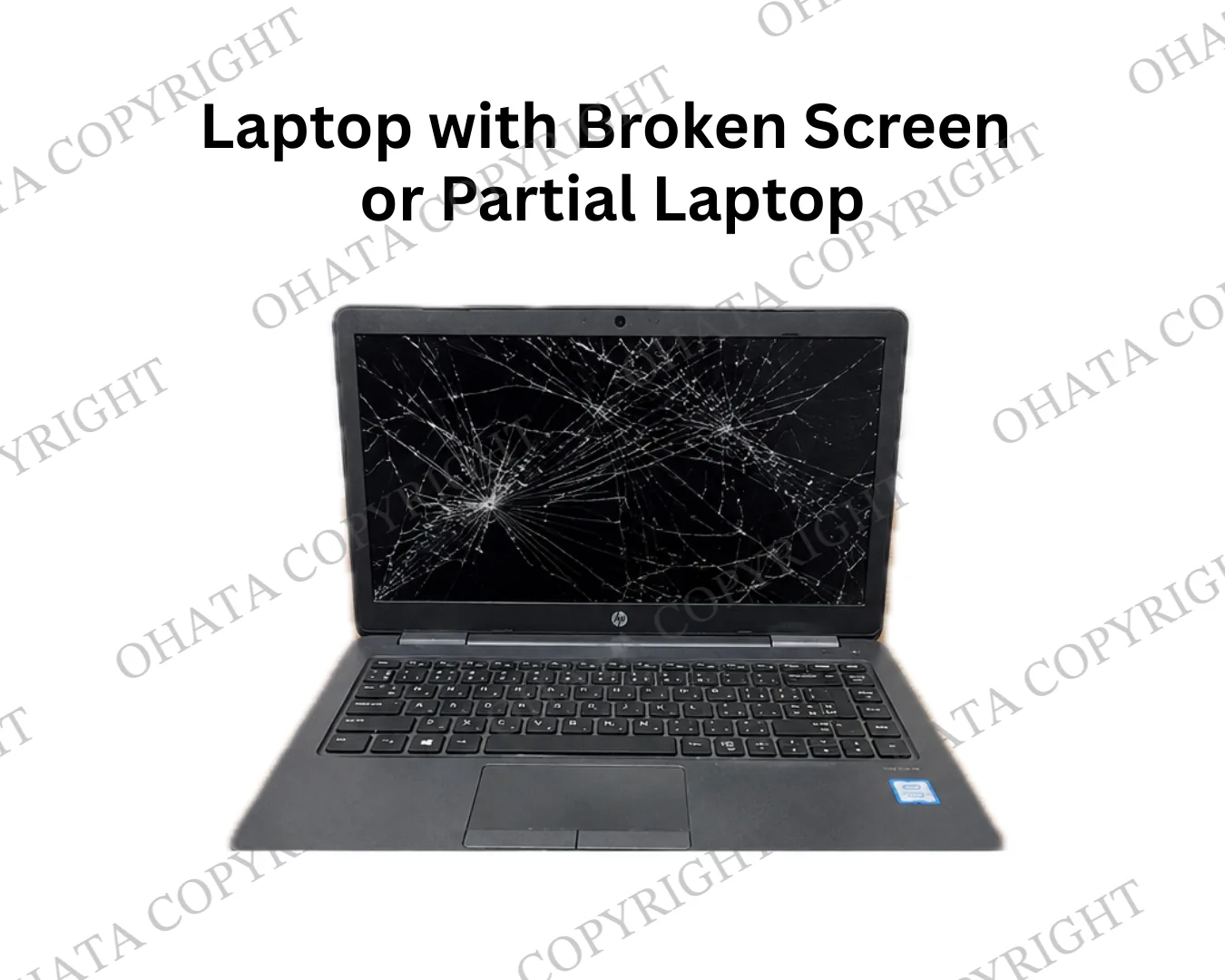
-
Ohata Resource Canada purchases Laptop with Broken Screen or Partial Laptop Scrap from a minimum quantity of 1lb. We welcome individuals, repair shops, businesses, schools, government agencies, recyclers, and IT asset disposition (ITAD) providers.
-
Laptops with cracked, shattered, or non-functional LCD screens are accepted. Although the display may no longer be reusable, many internal components remain valuable for refurbishment, parts recovery, or material recycling.
-
Incomplete laptops may still qualify if they retain major original components such as the motherboard, processor, cooling system, or other recoverable hardware. Purchasing values vary according to completeness and condition.
-
Customers may remove their hard drive or SSD before delivery to protect personal information. Removing the storage device generally does not prevent a laptop from qualifying, provided the remaining hardware can still be properly evaluated.
-
Every laptop is individually inspected. Final purchasing prices are determined according to the remaining components, hardware generation, overall condition, completeness, quantity, and current market conditions.
Buying Details of Conditions
Can I Sell This Laptop?
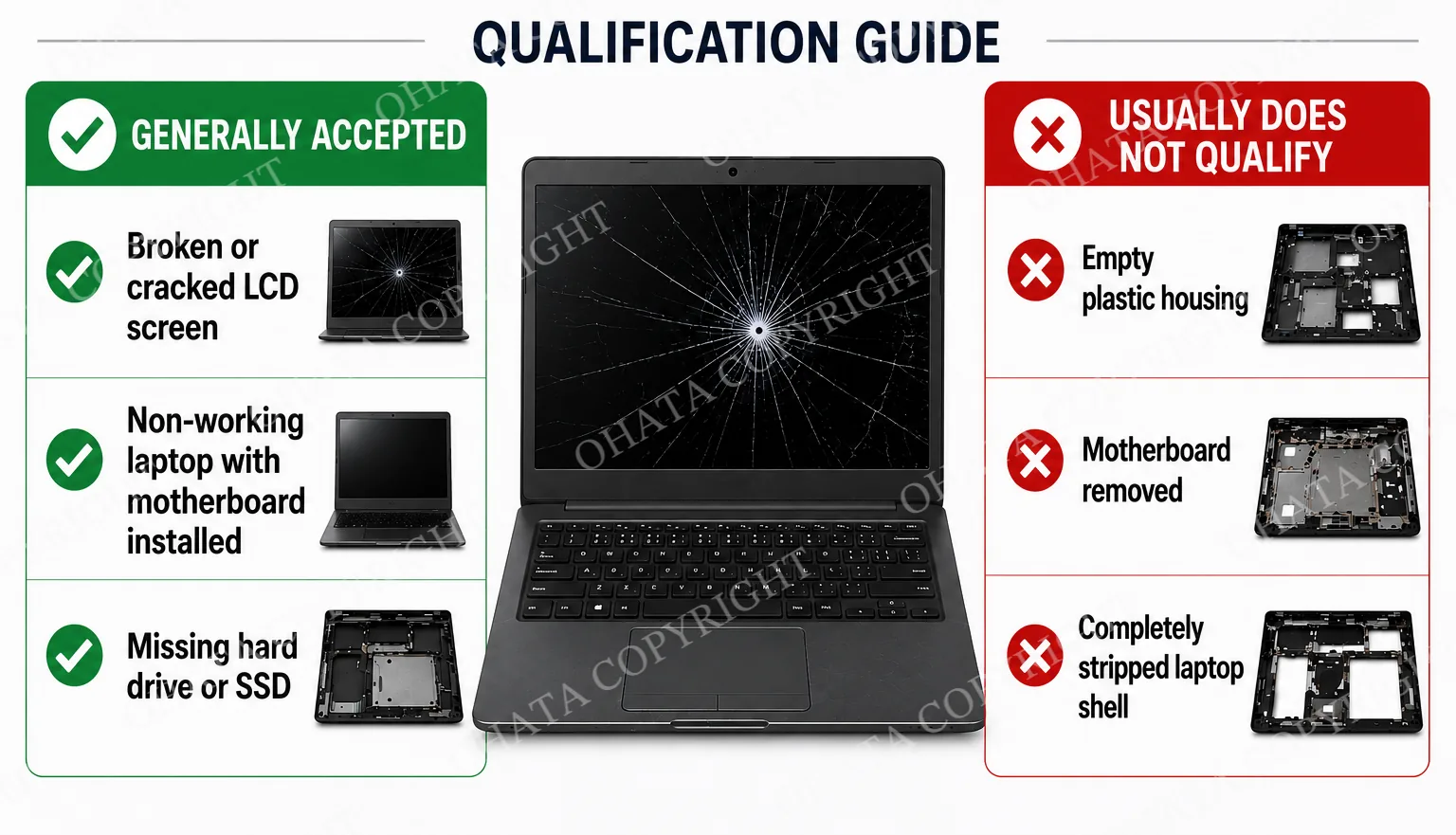
Laptops with cracked screens, missing storage devices, or other incomplete parts may still qualify for purchase.
Examples that may be accepted include:
Laptops with broken or cracked LCD screens
Non-working laptops with the motherboard installed
Laptops with the hard drive or SSD removed
Laptops without a battery
Laptops with a missing keyboard or bottom cover
Laptops with cosmetic damage
Empty plastic housings, laptops with the motherboard removed, and completely stripped shells usually do not qualify under this buying category.
Every laptop is inspected individually before its final buying category and purchasing price are confirmed.
What Kind of Damage Does Your Laptop Have?
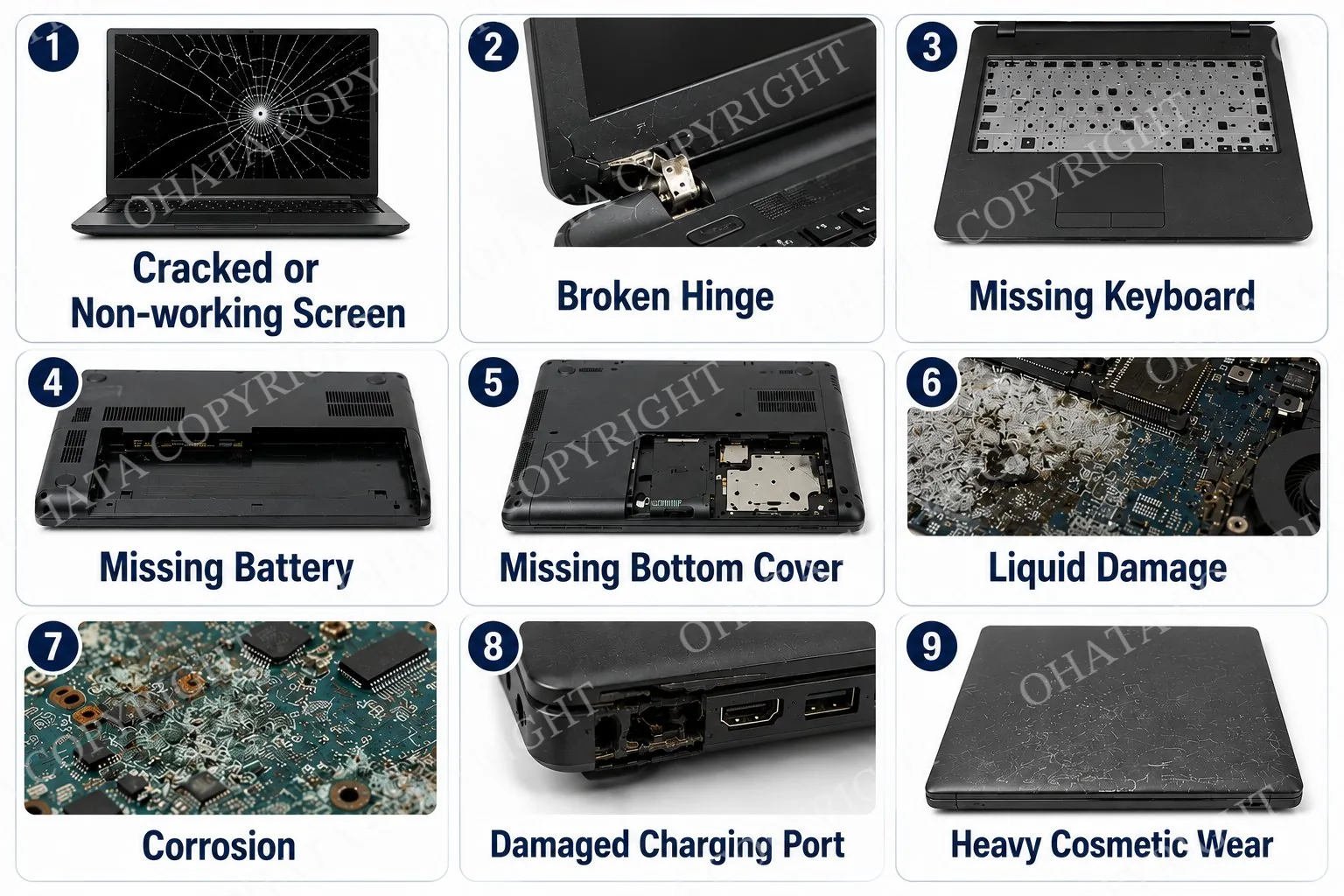
A damaged laptop does not need to be in working condition to qualify. We commonly inspect laptops with:
Cracked or non-working screens
Broken hinges
Missing keyboards
Missing batteries
Missing bottom covers
Liquid damage
Corrosion
Damaged charging ports
Heavy cosmetic wear
The type of damage alone does not determine whether a laptop qualifies. Our inspection focuses on the remaining hardware, overall completeness, safety condition, and potential for parts or material recovery.
Laptops affected by severe fire damage, extensive corrosion, or unsafe battery conditions may require additional evaluation and may not be accepted.
Why Does a Broken Laptop Still Have Value?
A broken laptop may no longer function as a complete computer, but it can still contain reusable components and recyclable materials.
Depending on the model and condition, recoverable parts may include:
Motherboard
Processor
Memory modules
Cooling fan and heat sink
LCD assembly
Wi-Fi card
Keyboard
Touchpad
Speakers
Internal cables
Aluminum or metal housing
Other reusable hardware
Some components may be suitable for refurbishment or parts recovery. Other materials may be processed through responsible electronics recycling.
The purpose of this section is not simply to show that a more complete laptop may have a higher value. It explains why a laptop can remain useful even after the screen breaks or the computer stops working.
Protect Your Personal Data
Laptops may contain personal files, business records, photographs, saved passwords, and other sensitive information.
Before bringing or shipping a laptop, we recommend that you:
Back up any files you want to keep.
Sign out of personal accounts when possible.
Securely erase the hard drive or SSD.
Remove the storage device if you prefer to keep it.
Removing the hard drive or SSD generally does not prevent a laptop from qualifying, provided the motherboard and enough original hardware remain for inspection.
Ohata Resource Canada does not require customers to leave personal storage devices installed in broken or partial laptops.
Battery Safety
Most modern laptops contain lithium-ion batteries. Damaged lithium-ion batteries can present a fire or transportation risk.
Please do not transport a battery that is:
Swollen
Leaking
Punctured
Burned
Smoking
Producing excessive heat
Giving off an unusual chemical smell
Do not press, bend, drill, or attempt to open a swollen battery.
When it can be done safely, keep the battery protected from impact and separate it from loose metal objects. Please contact Ohata Resource Canada before transportation when a battery appears severely damaged or unsafe.
A laptop without a battery may still qualify for purchase.
How We Evaluate Your Laptop
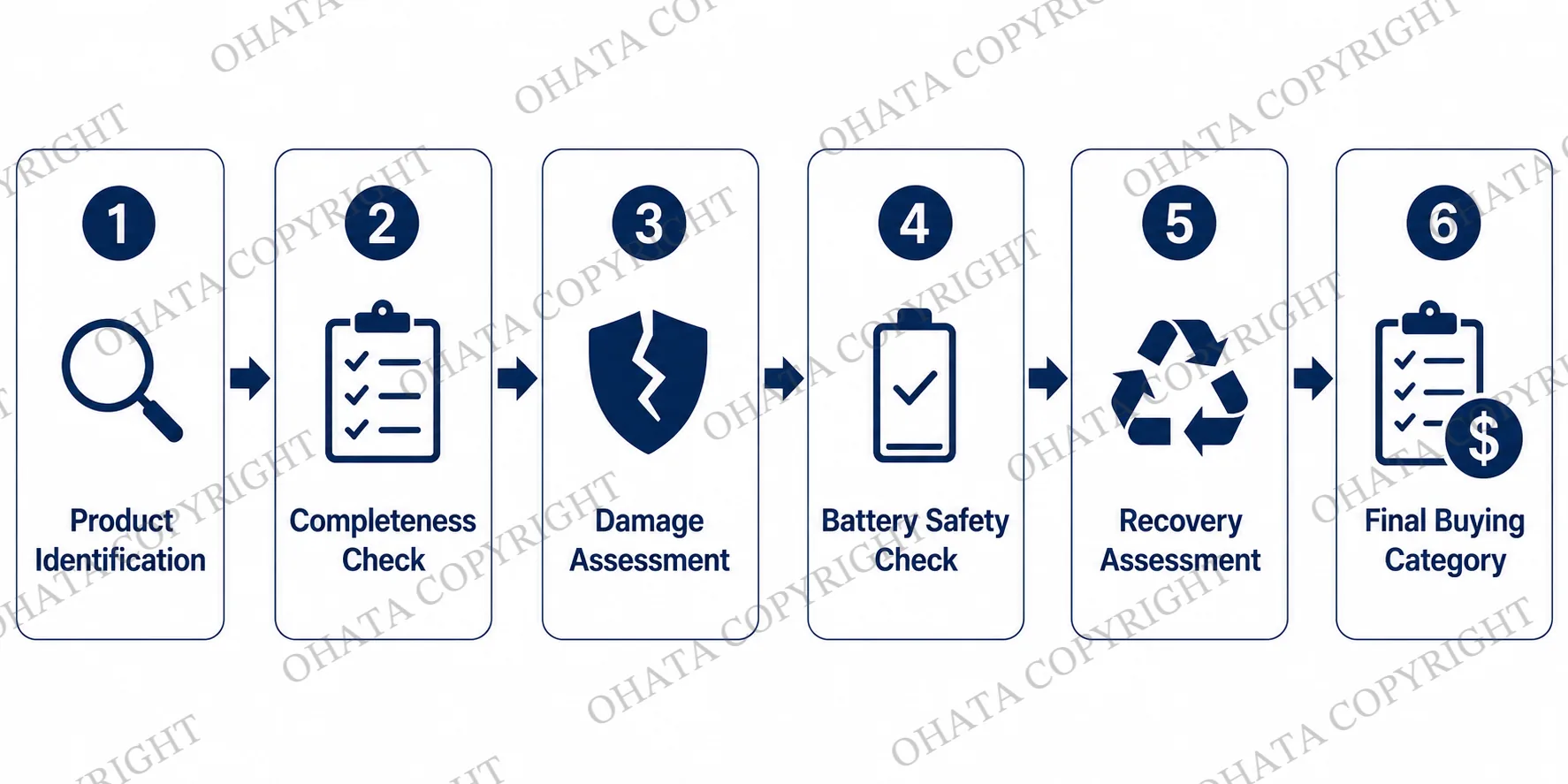
Every broken-screen or partial laptop is evaluated individually.
Our inspection may include the following steps:
1. Product Identification
We identify the manufacturer, model, approximate generation, and general laptop type.
2. Completeness Check
We check whether the motherboard and other major internal components remain installed.
3. Damage Assessment
We review the screen, hinges, housing, keyboard area, charging port, and visible signs of liquid, corrosion, fire, or impact damage.
4. Battery Safety Check
If a battery is present, we check for swelling, leakage, punctures, heat damage, or other safety concerns.
5. Recovery Assessment
We determine whether the laptop may be suitable for refurbishment, parts recovery, or material recycling.
6. Final Buying Category
The final category and purchasing price are confirmed after physical inspection.
No two damaged laptops are exactly alike. The final value can vary according to the model, remaining hardware, condition, quantity, and current market demand.
Before You Visit
Preparing and sorting your laptops before delivery can help make inspection faster and more accurate.
Keep the Motherboard Installed
Whenever practical, leave the motherboard and remaining internal components inside the laptop.
A laptop with the motherboard removed may no longer qualify under the broken-screen or partial-laptop category.
Remove Personal Storage if Desired
You may remove the hard drive or SSD before delivery. Keep screws and covers with the laptop when practical, but do not reinstall a storage device solely for the purpose of selling the laptop.
Avoid Unnecessary Disassembly
Do not remove reusable parts unless necessary. Excessive disassembly can make identification and inspection more difficult.
Separate Different Product Categories
Please separate broken or partial laptops from:
Complete working laptops
Laptop motherboards
Loose batteries
Desktop computers
Servers
Tablets
Hard drives and SSDs
Mixed electronic scrap
Mixed or unsorted loads may require additional processing and may receive a lower purchasing price.
Related pages:
Richmond Facility Delivery Information
Ohata Resource Canada purchases broken-screen and partial laptops at its Richmond, British Columbia facility.
Walk-in customers are welcome during regular business hours, and an appointment is generally not required.
We purchase from:
Individuals
Computer repair shops
Businesses
Schools and educational institutions
Government organizations
IT departments
IT asset disposition providers
Electronics recyclers
Ohata Resource Canada serves customers throughout Metro Vancouver, including Richmond, Vancouver, Burnaby, Surrey, Delta, New Westminster, Coquitlam, North Vancouver, West Vancouver, Langley, Port Coquitlam, Port Moody, Maple Ridge, Pitt Meadows, and White Rock.
Shipments from other parts of British Columbia and Canada may also be considered.
Pricing and Acceptance Disclaimer
The price displayed on this page is a reference buying price.
Final purchasing prices may depend on:
Manufacturer and model
Product generation
Motherboard presence
Remaining components
Overall completeness
Physical condition
Battery safety
Quantity
Sorting quality
Refurbishment demand
Electronic scrap market conditions
Mixed loads, heavily stripped laptops, severe corrosion, fire damage, or unsafe batteries may receive a reduced price or may not be accepted.
Buying prices, purchasing conditions, and acceptance standards may change without prior notice.
Final pricing is confirmed only after physical inspection by Ohata Resource Canada.
- 1. What is today’s price for Laptop with Broken Screen or Partial Laptop buying?
- As of Nov 04,2026, Ohata Resource Canada Inc., (Richmond, BC, Canada) is purchasing Laptop with Broken Screen or Partial Laptop buying at 0.80 (CAD/lb). We provide competitive scrap prices in Delta, Surrey, Richmond, and across the Greater Vancouver area.
- 2. What qualifies as a broken-screen laptop?
- A broken-screen laptop is a laptop with a cracked, shattered, or non-functioning LCD display that still retains most of its original internal components, such as the motherboard, processor, RAM, and cooling system.
- 3. What is considered a partial laptop?
- A partial laptop is an incomplete laptop with one or more missing components, such as the keyboard, battery, storage drive, display assembly, bottom cover, or other hardware. Purchasing value depends on the remaining components.
- 4. Do you buy laptops with cracked screens?
- Yes. We purchase laptops with cracked, damaged, or non-functional LCD screens. Laptops that retain their original motherboard and major internal components generally qualify for higher purchasing values.
- 5. Do you buy laptops with no hard drive or SSD?
- Yes. Hard drives and SSDs may be removed before delivery. Removing storage devices generally does not prevent a laptop from qualifying for purchase.
- 6. Do you buy laptops without batteries?
- Yes. Laptops without batteries are usually accepted, provided enough original hardware remains for inspection.
- 7. What increases the purchasing value of a damaged laptop?
- Laptops that retain the original motherboard, processor, RAM, cooling system, LCD assembly, keyboard, and other major internal components generally qualify for higher purchasing values.
- 8. What reduces the purchasing value?
- Missing motherboards, processors, RAM, severe corrosion, liquid damage, burn damage, unsafe batteries, heavy structural damage, or excessive missing parts may reduce the purchasing value.
- 9. Can I sell broken laptops together with other computer parts?
- Yes. Broken-screen and partial laptops may be delivered together with desktop computers, servers, laptop motherboards, RAM, CPUs, SSDs, hard drives, networking equipment, power supplies, and other electronic scrap. Materials are sorted before final pricing.
- 10. Which areas do you serve?
- We serve Richmond, Vancouver, Burnaby, Surrey, Delta, New Westminster, Coquitlam, Langley, Abbotsford, the Greater Vancouver area, British Columbia, and also accept shipments from across Canada.
- 11. Can I use Ohata.ai to identify my laptop before visiting?
- Yes. You can use Ohata.ai to help identify your laptop and determine the appropriate buying category before bringing it to our recycling facility.
- 12. Why should I recycle a damaged laptop instead of throwing it away?
- Damaged laptops contain reusable components and recyclable materials such as copper, aluminum, circuit boards, processors, memory, and other electronic parts. Proper recycling supports resource recovery while reducing electronic waste.
- 13. Why choose Ohata Resource Canada?
- Ohata Resource Canada provides transparent inspections, consistent buying standards, competitive purchasing, and responsible electronics recycling for customers throughout British Columbia and Canada.