-
Ohata Resource Canada purchases Whole Tower (Desktop Computer) No Hard Drive with Board from a minimum quantity of one complete desktop computer. We welcome both individual sellers and commercial customers, including businesses, schools, government agencies, IT asset disposition (ITAD) providers, repair shops, and electronics recyclers, subject to current buying conditions.
-
This buying category applies to desktop computers with the original motherboard still installed, whether or not the hard drive or SSD has been removed. Desktop towers without a motherboard, including empty computer cases, are evaluated separately.
-
Each desktop computer is individually inspected based on its motherboard presence, processor generation, hardware completeness, physical condition, refurbishment potential, quantity, and recoverable material value. Desktop computers retaining more original components generally qualify for higher purchasing values than heavily stripped or incomplete systems.
-
Customers may remove their hard drives or SSDs before delivery to protect personal information. For faster inspection and more accurate pricing, desktop computers should otherwise remain as complete as possible. Mixing complete desktop towers with empty computer cases or heavily stripped systems may reduce overall purchasing values because all materials are sorted before final pricing is determined.
-
Electronic scrap buying prices are subject to change without notice due to fluctuations in commodity markets, refurbishment demand, processing costs, and other market conditions. Final purchasing prices are confirmed only after physical inspection by Ohata Resource Canada.
Whole Tower (Desktop Computer) No Hard Drive with Board Buying scrap price
-
Ohata Resource Canada purchases Whole Tower (Desktop Computer) No Hard Drive with Board from a minimum quantity of one complete desktop computer. We welcome both individual sellers and commercial customers, including businesses, schools, government agencies, IT asset disposition (ITAD) providers, repair shops, and electronics recyclers, subject to current buying conditions.
-
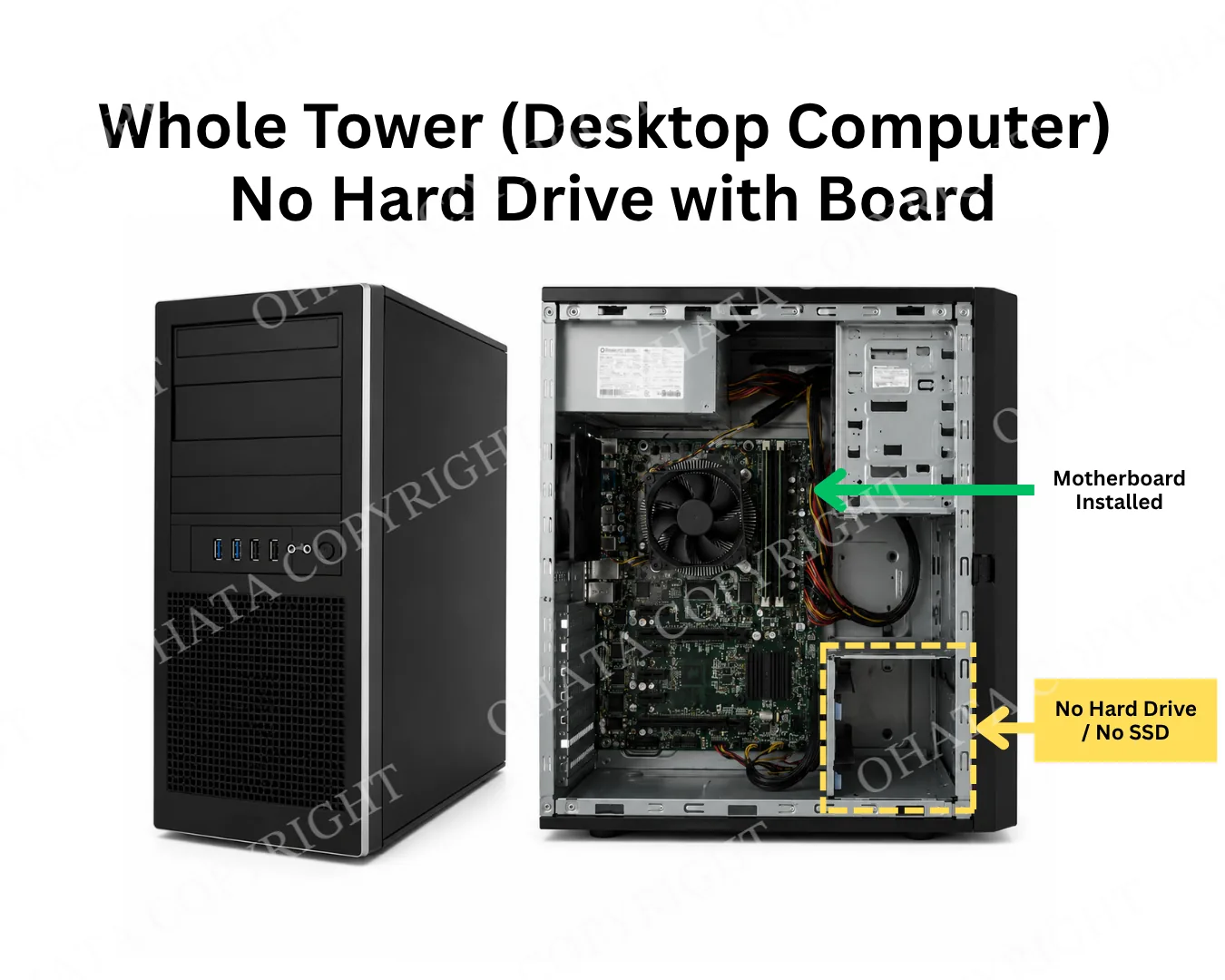
This buying category applies to desktop computers with the original motherboard still installed, whether or not the hard drive or SSD has been removed. Desktop towers without a motherboard, including empty computer cases, are evaluated separately.
-
Each desktop computer is individually inspected based on its motherboard presence, processor generation, hardware completeness, physical condition, refurbishment potential, quantity, and recoverable material value. Desktop computers retaining more original components generally qualify for higher purchasing values than heavily stripped or incomplete systems.
-
Customers may remove their hard drives or SSDs before delivery to protect personal information. For faster inspection and more accurate pricing, desktop computers should otherwise remain as complete as possible. Mixing complete desktop towers with empty computer cases or heavily stripped systems may reduce overall purchasing values because all materials are sorted before final pricing is determined.
-
Electronic scrap buying prices are subject to change without notice due to fluctuations in commodity markets, refurbishment demand, processing costs, and other market conditions. Final purchasing prices are confirmed only after physical inspection by Ohata Resource Canada.
Buying Details of Conditions
Why People Remove Hard Drives Before Recycling
Hard drives and solid-state drives often contain sensitive personal or business information. Before retiring a desktop computer, many customers remove the storage device to protect their privacy or comply with internal data-security policies.
Common reasons for removing the storage device include:
Personal photographs and videos
Financial records and tax documents
Customer databases
Business contracts and confidential files
Saved passwords and login credentials
Company data-retention policies
Internal IT asset retirement procedures
Removing the storage device is optional. Many customers remove their HDD or SSD to protect personal or business information before recycling, while others prefer to leave the storage device installed.
Desktop computers with or without the original HDD or SSD are accepted under this buying category as long as the original motherboard remains installed. Final purchasing value is determined after physical inspection by Ohata Resource Canada.
Before delivery, customers may choose to:
Back up important files
Securely erase the storage device
Remove the HDD or SSD for personal retention
Leave the storage device installed
Follow their organization's data-security procedures
Ohata Resource Canada does not guarantee the protection, recovery, or erasure of data stored on electronic equipment. Customers remain responsible for managing confidential information before delivery.
How to Identify a Qualifying Desktop Tower
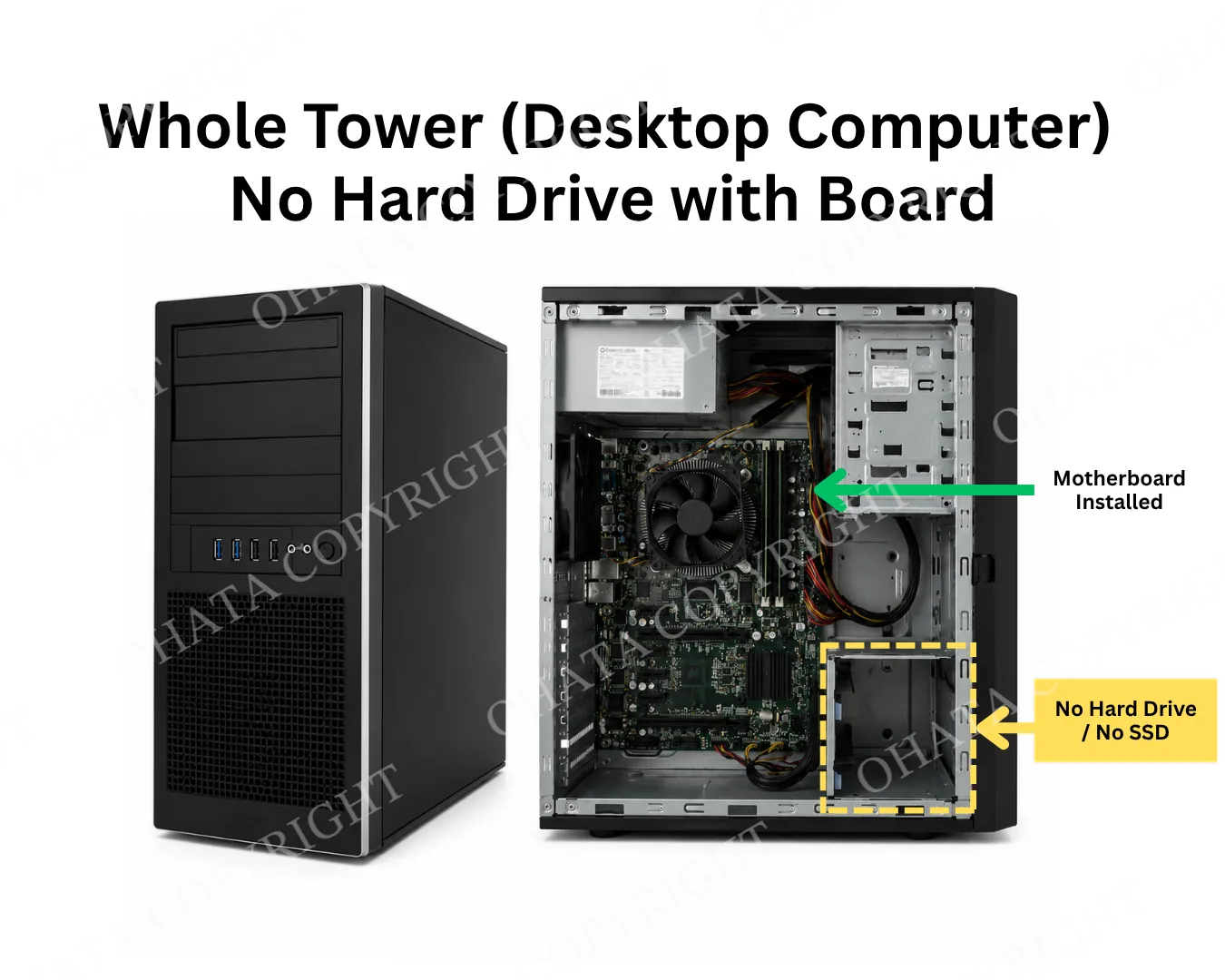
A qualifying desktop tower usually has a complete exterior case and an original motherboard installed inside.
The hard drive or SSD may be missing. Other components, such as RAM, a graphics card, or an optical drive, may also be absent, but heavily stripped computers may be evaluated under a different category.
A typical qualifying system may include:
Desktop computer case
Original motherboard
Processor or CPU socket
Power supply
CPU cooler
Internal wiring
Cooling fans
Front input and power controls
The computer may be working, non-working, outdated, or missing its operating system.
Desktop cases with the motherboard removed are not considered complete computer towers under this category.
Complete, Partial, or Empty?
Desktop computers may look similar from the outside even when their internal condition is very different.
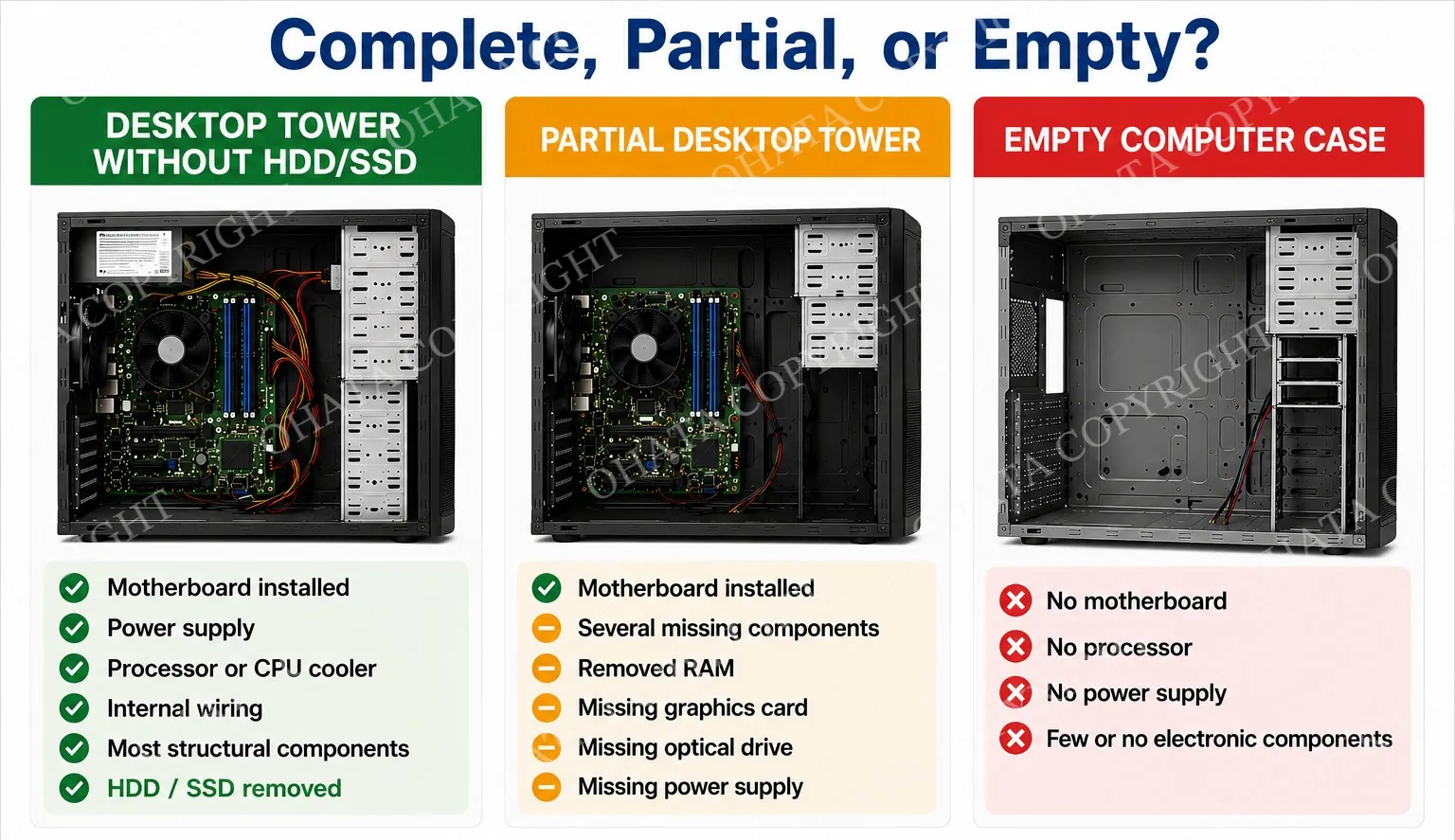
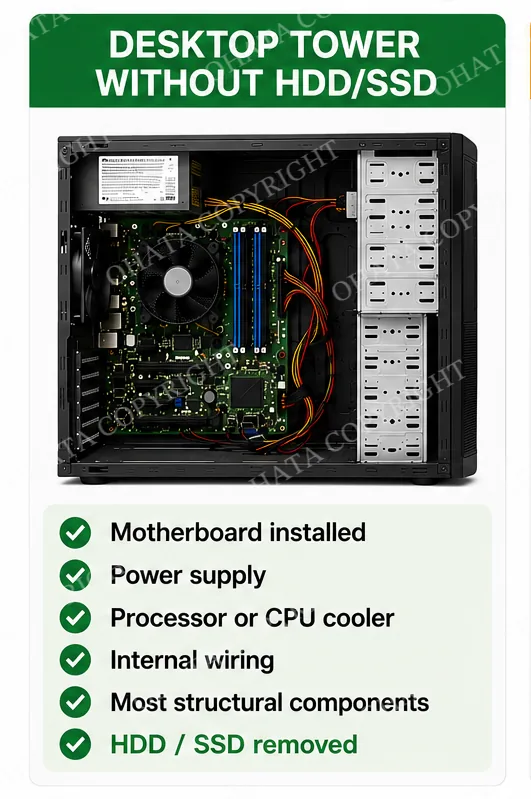
Complete Tower Without Storage
A complete tower generally retains:
Motherboard
Power supply
Processor or CPU cooler
Internal wiring
Most structural components
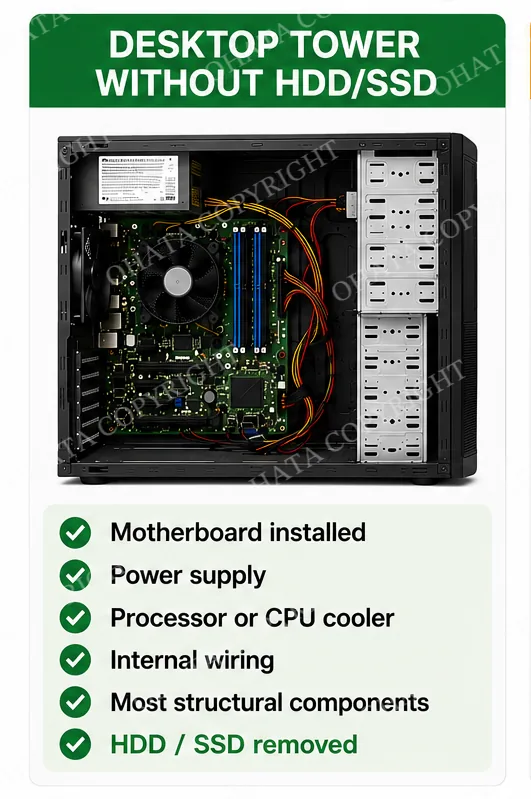
The HDD or SSD has been removed.
Desktop computers that still contain their original HDD or SSD are also accepted under this buying category. Customers may choose to remove the storage device to protect personal or business information, or leave it installed before delivery.
This buying category is intended for desktop towers with the original motherboard still installed, regardless of whether the HDD or SSD remains in the computer. Final purchasing value is confirmed after physical inspection.
Partial Desktop Tower
A partial tower may have:
Motherboard installed
Several missing components
Removed RAM
Missing graphics card
Missing optical drive
Missing power supply
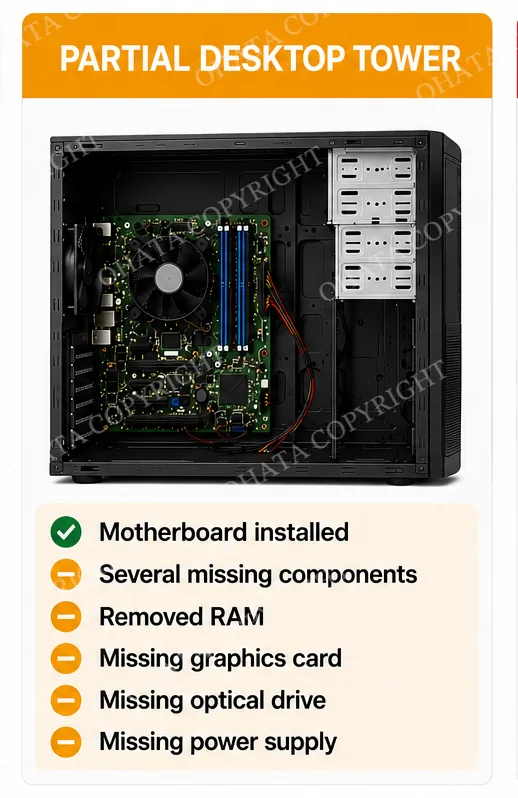
Partial systems are individually evaluated according to their remaining components and overall condition.
Empty Computer Case
An empty case usually has:
No motherboard
No processor
No power supply
Few or no electronic components
Empty cases are classified separately because their value comes mainly from the metal and plastic enclosure rather than reusable computer hardware or circuit boards.
What Usually Remains Inside the Computer?
After the storage drive is removed, a desktop tower may still contain several reusable or recoverable components.
Motherboard
The motherboard is the primary component for this buying category and should remain installed.
Processor and Cooling System
The CPU may still be installed beneath the heatsink or cooling fan. Some systems may have the processor removed but retain the motherboard and cooler.
Memory
RAM modules may remain installed, although computers without RAM may still be accepted.
Power Supply
The power supply converts electricity for use by the motherboard and internal components. Missing power supplies may reduce the completeness of the system.
Expansion Cards
Desktop towers may contain graphics cards, network cards, sound cards, Wi-Fi cards, or other expansion hardware.
Wiring and Front Controls
Internal power cables, data cables, USB ports, audio connections, fans, and the front control panel also form part of the complete desktop system.
Office PCs, Gaming Computers, and Workstations
Not all desktop towers have the same internal configuration.
Office and Business Desktops
Office computers are commonly retired during employee upgrades, lease returns, operating-system changes, or company-wide hardware refreshes. These systems are often compact and may have integrated graphics.
Gaming Computers
Gaming PCs may contain larger power supplies, dedicated graphics cards, upgraded cooling, and custom cases. Their evaluation depends on the condition and configuration of the remaining hardware.
Professional Workstations
Workstations are designed for engineering, design, video production, scientific computing, or other demanding applications. They may contain professional graphics cards, multiple processors, ECC memory, and higher-capacity power supplies.
Custom-Built Computers
Custom desktops may use components from different manufacturers. They may qualify when the motherboard remains installed and the computer is suitable for normal inspection.
The brand of the computer alone does not determine its purchasing value.
How Ohata Evaluates Desktop Towers
Each desktop computer is inspected individually.
The evaluation may include:
Motherboard verification
The inspector confirms that the original motherboard remains installed.
Completeness review
The remaining power supply, processor, cooling system, RAM, cards, wiring, and structural components are checked.
Computer type identification
The system may be identified as an office desktop, gaming PC, workstation, compact tower, or custom-built computer.
Condition assessment
The case, motherboard, connectors, internal components, and signs of corrosion, fire, liquid exposure, or physical damage are reviewed.
Reuse and material assessment
The system is evaluated for possible refurbishment, component recovery, or electronics recycling.
Final value depends on the complete condition of the system rather than one individual component.
Conditions That May Affect Evaluation
Purchasing value may be affected when a desktop has:
Motherboard removed
Severe corrosion
Fire or chemical damage
Heavy liquid contamination
Major structural damage
Missing power supply
Excessive missing components
Unsafe or unstable parts
Heavy dirt, oil, or industrial residue
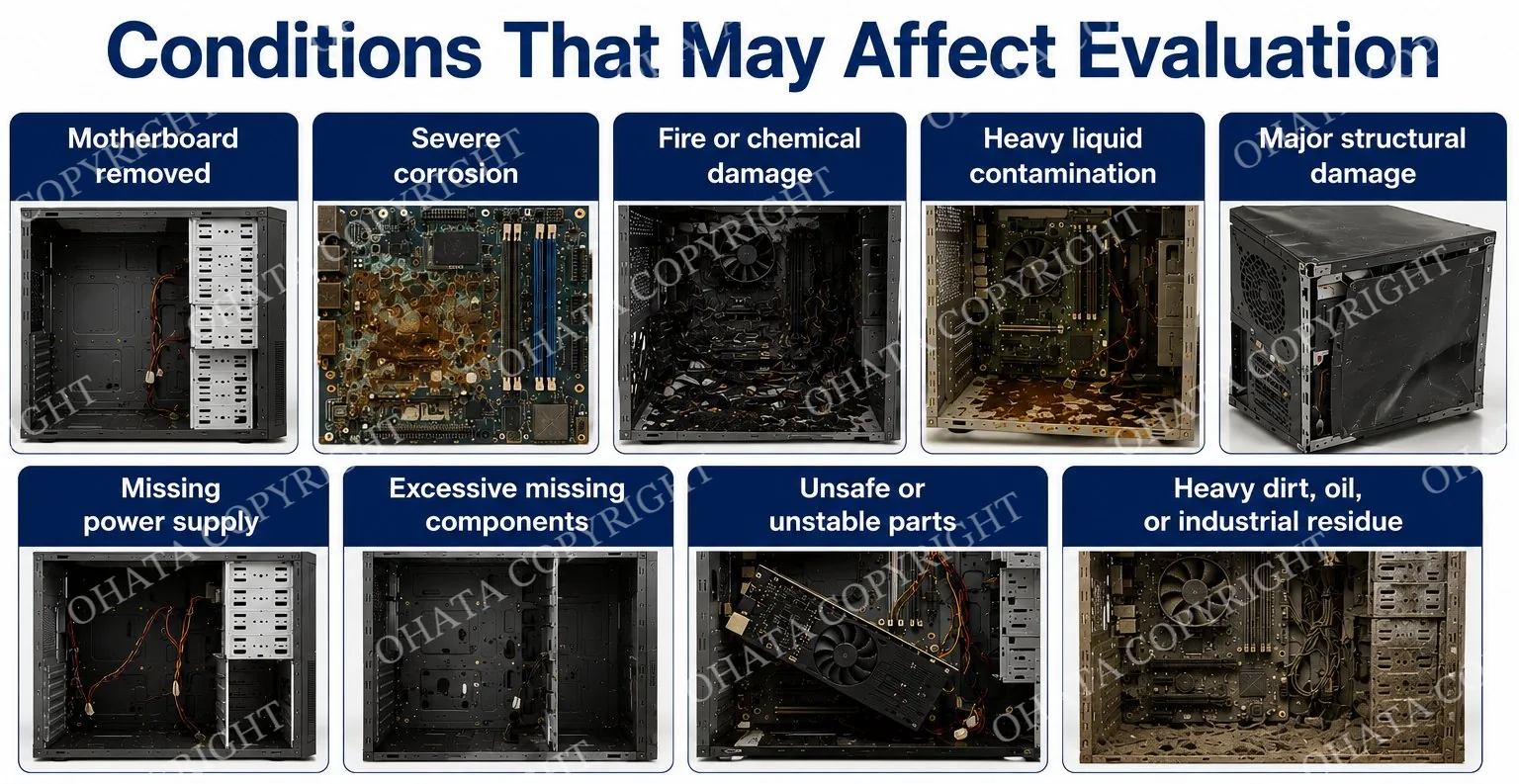
Normal cosmetic wear, dust, scratches, or age do not automatically prevent a computer from being accepted.
Computers that do not meet the requirements of this category may be moved to another applicable buying classification.
Preparing Multiple Computers for Delivery
Customers delivering several computers can help simplify inspection by separating equipment according to condition.
For faster inspection, customers are encouraged to separate computers into the following groups:
Complete towers without storage drives
Complete towers with storage drives
Partial desktop computers
Empty computer cases
Loose desktop motherboards
Servers
Laptop computers
Loose power supplies, RAM, CPUs, and graphics cards
Mixed loads are welcome. However, complete towers should be kept separate from empty cases and loose computer parts whenever practical.
Loose panels or internal components should be secured before transportation. Customers should avoid unnecessary dismantling because complete systems are generally easier to identify and inspect.
Richmond Buying Information
Ohata Resource Canada purchases desktop computer towers from individuals, businesses, schools, universities, government agencies, leasing companies, IT departments, repair shops, IT asset disposition providers, and electronics recyclers.
Our Richmond facility serves customers from Richmond, Vancouver, Burnaby, Surrey, Delta, New Westminster, Coquitlam, Langley, North Vancouver, West Vancouver, and other communities across Metro Vancouver and British Columbia.
Walk-in customers are welcome during regular receiving hours. Most deliveries do not require an appointment.
Government-issued photo identification may be required when selling electronic scrap.
Price and Inspection Notice
The online price shown for this category is a reference buying price and is not a guaranteed quotation.
Final purchasing value depends on:
Presence of the motherboard
Overall completeness
Remaining components
Computer type and generation
Physical condition
Refurbishment potential
Quantity delivered
Current market demand
Electronic scrap and commodity conditions
Buying prices, category requirements, and acceptance policies may change without prior notice.
Final pricing is confirmed after physical inspection by Ohata Resource Canada.
- 1. What is today’s price for Whole Tower (Desktop Computer) No Hard Drive with Board Buying?
- As of Nov 04,2026, Ohata Resource Canada Inc., (Richmond, BC, Canada) is purchasing Whole Tower (Desktop Computer) No Hard Drive with Board Buying at 0.50 (CAD/lb). We provide competitive scrap prices in Delta, Surrey, Richmond, and across the Greater Vancouver area.
- 2. What qualifies as a Whole Tower (Desktop Computer) No Hard Drive with Board?
- A qualifying desktop computer must retain its original motherboard and most major internal components. The hard drive (HDD) or solid-state drive (SSD) may be removed without affecting qualification.
- 3. Why do you specify "with Board"?
- Many desktop towers look complete from the outside, even after the motherboard has been removed. This buying category applies only to desktop computers that still contain the original motherboard. Towers without a motherboard are classified differently and may receive a reduced purchasing value or may not qualify.
- 4. Can I remove the hard drive before selling my desktop computer?
- Yes. Many customers remove their HDD or SSD to protect personal data. Removing the storage device generally does not affect qualification, provided the motherboard remains installed.
- 5. Do you buy desktop computers without hard drives?
- Yes. This buying category is specifically intended for desktop computers that no longer contain a hard drive or SSD but still retain their motherboard.
- 6. Do you buy desktop computers with the motherboard removed?
- Generally, no. Desktop towers without a motherboard are classified separately and usually have a lower purchasing value because they contain significantly fewer recoverable electronic components.
- 7. What components increase the purchasing value?
- Desktop computers retaining their original motherboard, processor, RAM, power supply, graphics card, cooling system, and other major hardware generally qualify for higher purchasing values.
- 8. Do I need an appointment?
- No. Walk-in customers are welcome during regular business hours, and appointments are not required for most deliveries.
- 9. Which areas do you serve?
- We proudly serve customers throughout Richmond, Vancouver, Burnaby, Surrey, Delta, New Westminster, Coquitlam, Langley, Abbotsford, the Greater Vancouver area, British Columbia, and also accept shipments from across Canada.
- 10. Who can sell desktop computers to Ohata Resource Canada?
- We purchase desktop computers from individuals, businesses, schools, universities, repair shops, government agencies, IT asset disposition (ITAD) providers, leasing companies, and electronics recyclers.
- 11. Can I use Ohata.ai to identify my desktop computer before visiting?
- Yes. Ohata.ai can help identify your desktop computer and the appropriate buying category before you visit our recycling facility.
- 12. Does Ohata.ai determine the purchasing price?
- No. Ohata.ai is an identification tool only. Final purchasing prices are determined after a physical inspection by Ohata Resource Canada.
- 13. Why choose Ohata Resource Canada?
- Ohata Resource Canada provides transparent inspections, consistent buying standards, competitive purchasing, and responsible electronics recycling for desktop computers, computer parts, and electronic scrap throughout British Columbia and Canada.
Related Items
Modems Routers buying
Whole Server With 3 Hard Drive with board buying
Smart Tablet (Tablet Computer) with board buying

Smart Phone Board No Battery buying
Server Partial with motherboard buying
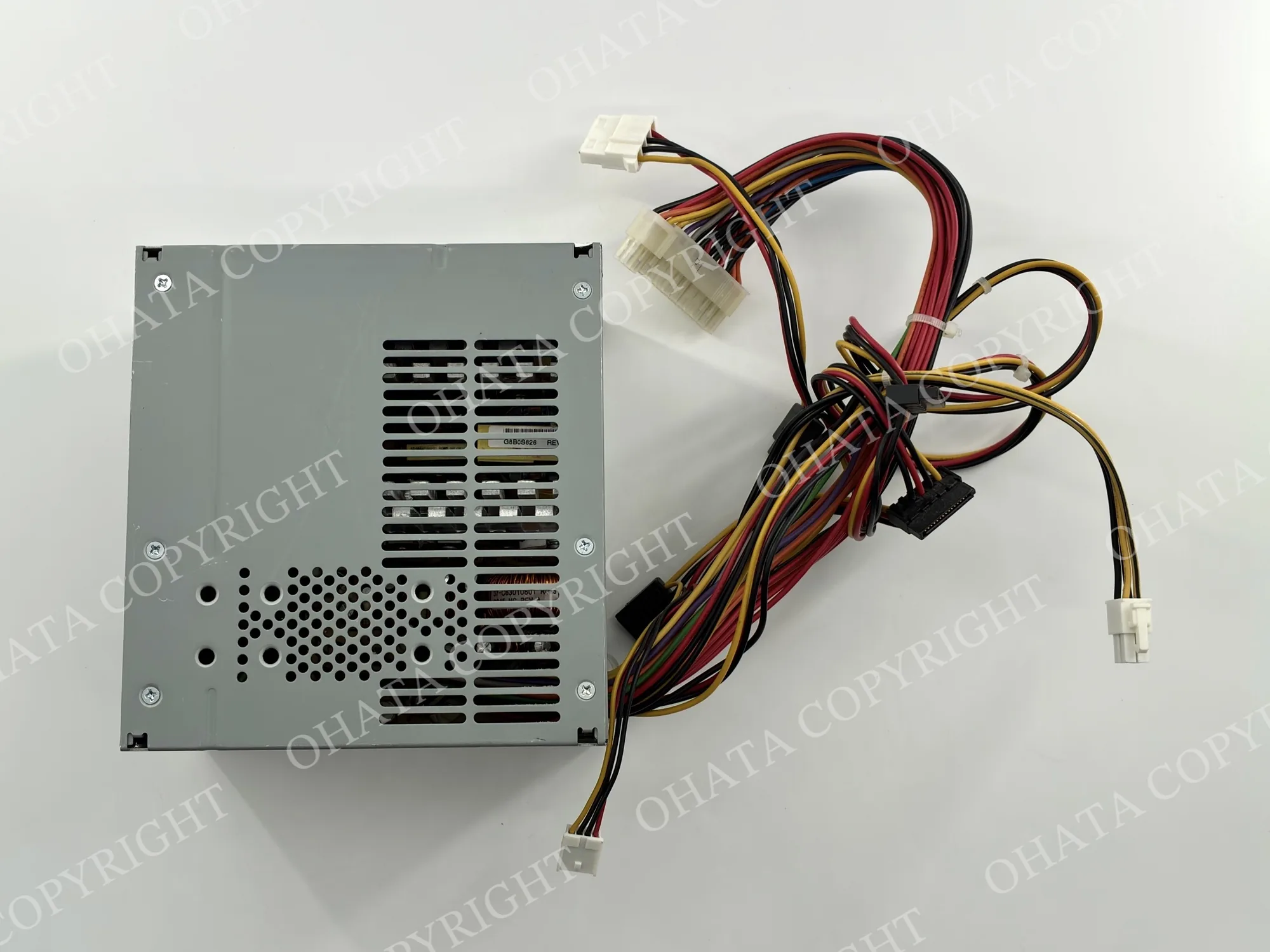
Power Supply with wire buying
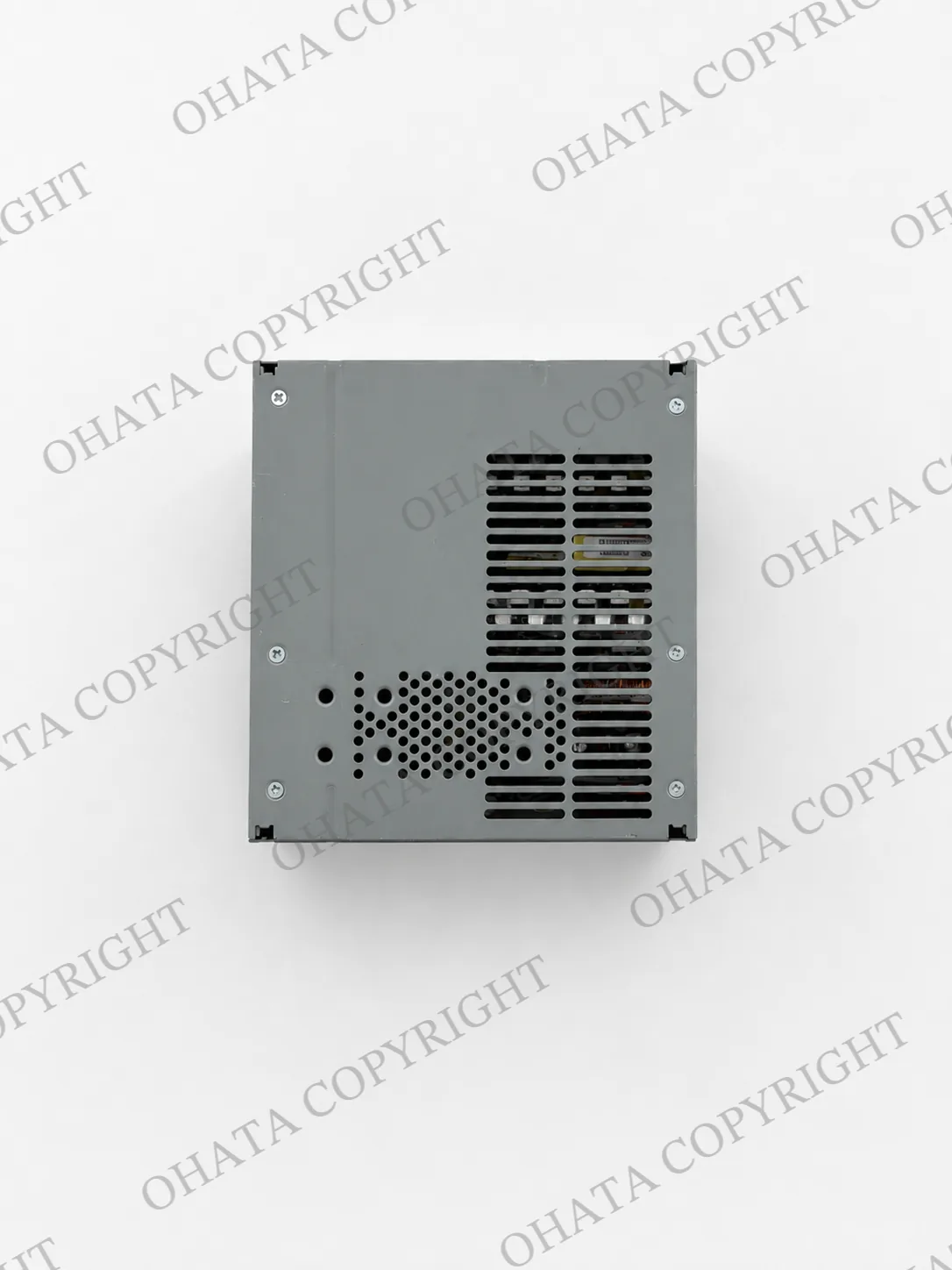
Power Supply no wire buying
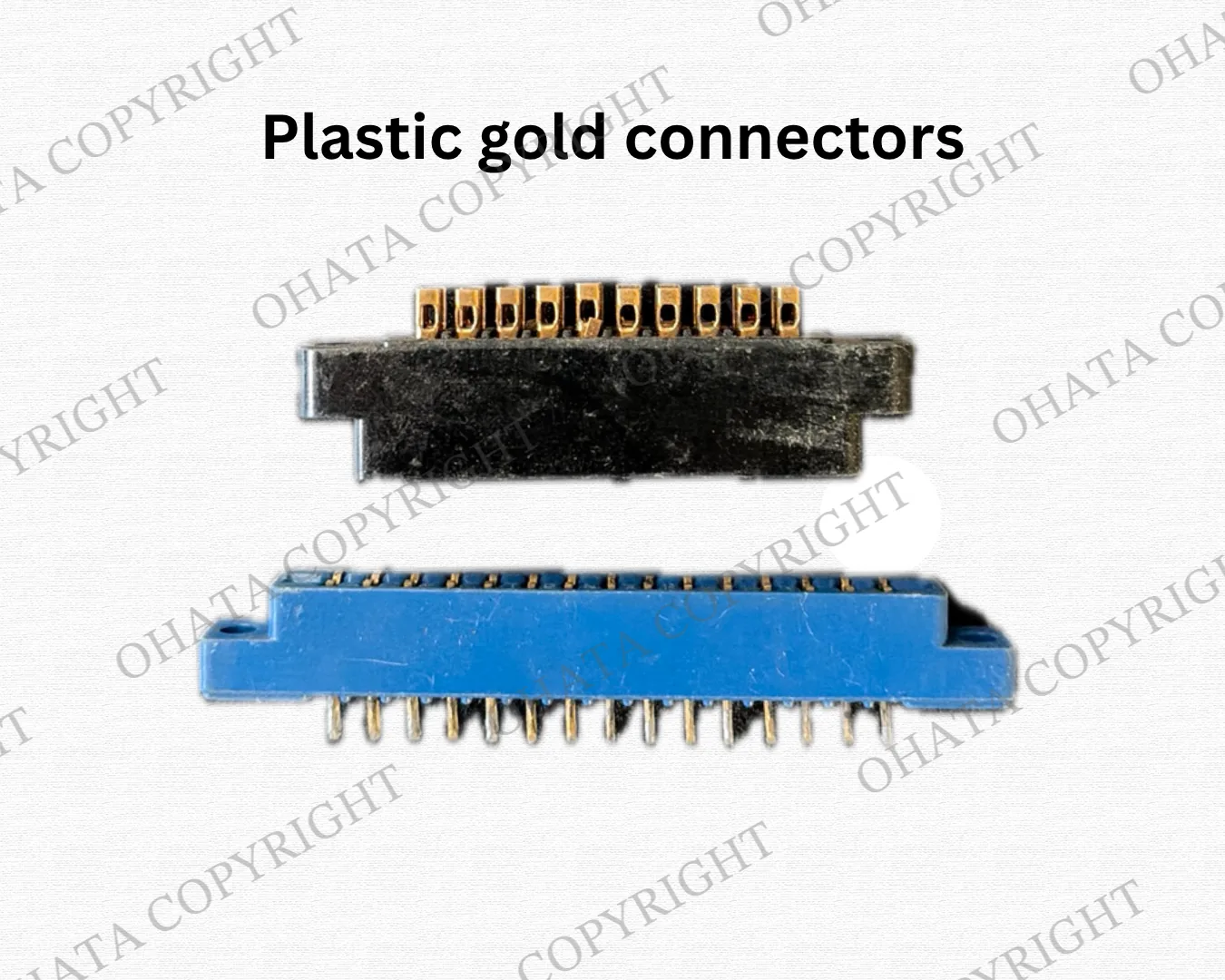
Plastic gold connectors (non-metal connectors) buying