

Good morning from Ohata Resource Canada in Richmond!
It’s Friday, November 20, 2026. Richmond is around 6°C with mostly cloudy skies this morning, with the temperature expected to reach about 9°C later today. We may even see a little sunshine as the clouds begin to clear, so it should be a pleasant—if chilly—Friday around the city.
If you are looking for something local to enjoy, Winter in the Village is now underway in Steveston. Running from November 19 through December 31, the seasonal program brings holiday displays, festive treats, selfie stations and family-friendly activities to the waterfront village. It’s a lovely time of year to take a walk through Steveston, support local businesses and enjoy some early holiday atmosphere.
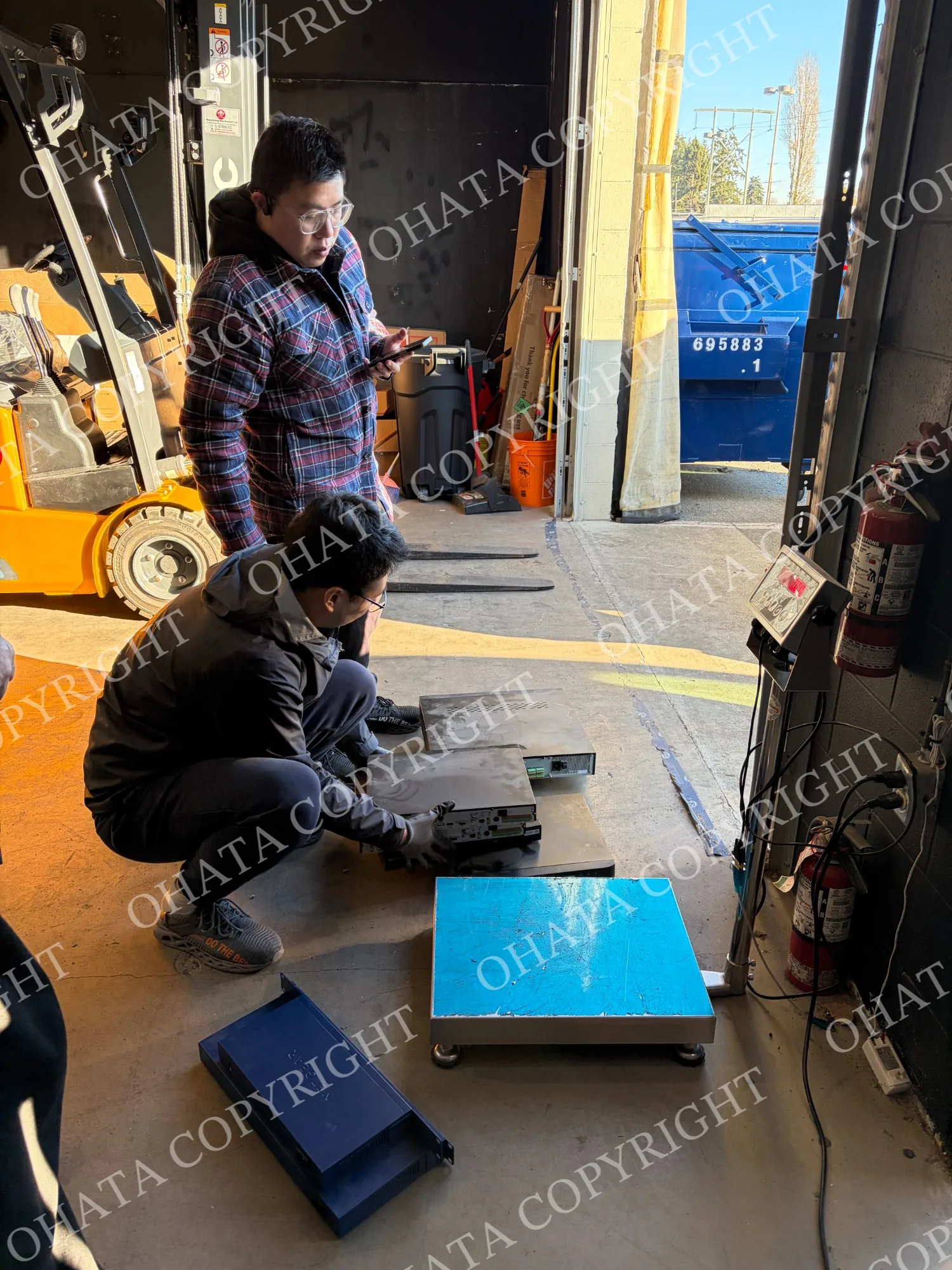
Back at our Richmond yard, we recently received a different kind of seasonal cleanout: a group of NETGEAR network switches and Hikvision surveillance equipment.
At first glance, these devices have several things in common. Both use metal enclosures and contain circuit boards, connectors, power components and other recoverable electronic materials. But once we inspected them more closely, it became clear why they needed to be weighed and recorded separately.
This purchase is a helpful real-world example of how we sort electronic equipment by device type, construction, completeness and physical condition, rather than grouping everything together simply because it has a similar metal case.
What We Received
The materials were recorded as follows:
Material | Ohata classification used for this purchase | Net weight |
|---|---|---|
NETGEAR network switches | NETGEAR Switch | 32.95 lb |
Hikvision surveillance equipment | Surveillance Equipment | 10.20 lb |
Total | 43.15 lb |
These weights and recorded categories apply only to this particular delivery. Other switches and surveillance devices may differ in size, internal components, completeness and overall construction.
The classifications shown above were the categories used for this inspected purchase. They should not be interpreted as automatic classifications for every NETGEAR or Hikvision product.
Identifying the NETGEAR Network Switch
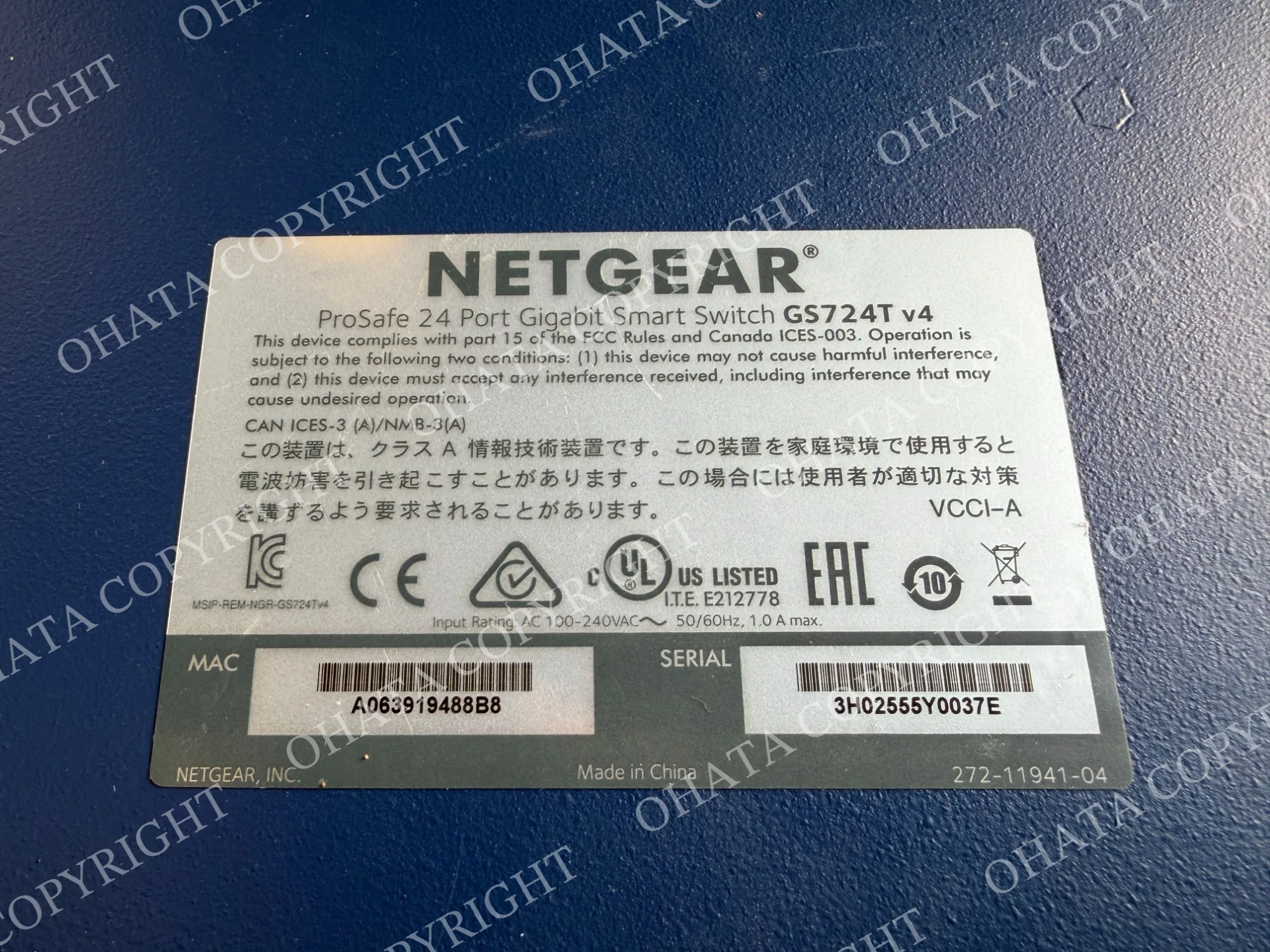
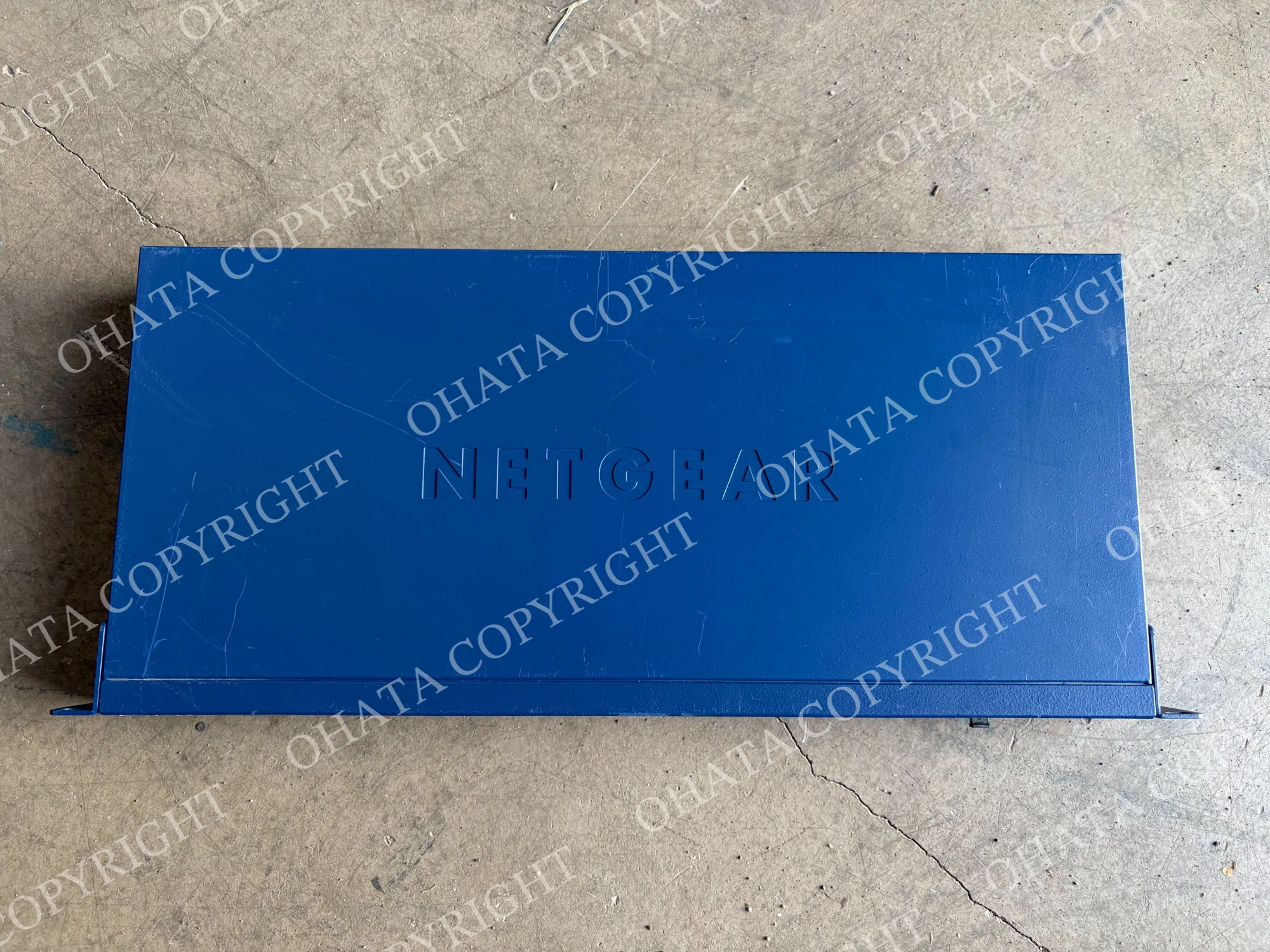
One of the photographed examples is a NETGEAR ProSAFE GS724T v4 24-Port Gigabit Smart Switch.
The front of the unit provides several useful identification clues. It has 24 RJ45 Ethernet ports, two SFP ports and a blue rack-mount metal enclosure. The NETGEAR and ProSAFE markings are visible on the case, while the product label confirms the model as GS724T v4.
For this purchase, the complete units were recorded under the Ohata category NETGEAR Switch. Because the equipment arrived assembled, we evaluated it first as complete networking equipment rather than assigning a circuit-board grade based only on the manufacturer or exterior.
The closest public reference for this type of complete equipment is our guide to selling used network switches in Metro Vancouver. Complete modems, routers and similar networking devices can also be reviewed on our Modems and Routers Buying Information page.
A network switch is not necessarily identical to a modem or Wi-Fi router, so the final category is confirmed after inspection.
Network switches like this are commonly used in:
Business offices
Schools and universities
Server rooms
Telecommunications facilities
Data centres
Commercial network systems
They help connect computers, servers, security systems and other networked devices. When an office moves, upgrades its network or replaces older equipment, several similar switches may become available for recycling at the same time.
The photographed switch is only one example from this delivery. Network switches can vary considerably in size, weight, port count, power supply construction and internal circuit-board content.
Why We Kept the Switches Complete
The NETGEAR switches arrived as complete assembled units rather than as loose circuit boards.
Keeping a switch assembled makes the initial inspection easier because we can see the manufacturer, model number, port configuration, power input and overall physical condition. The enclosure also helps us understand what type of equipment the internal board originally came from.
A complete switch may contain:
A main network circuit board
Ethernet and SFP connectors
Networking controller chips
Memory components
An internal power supply
A steel enclosure
Rack-mount hardware
Under the Ohata Classification System, a complete NETGEAR switch is not automatically Board SS, Board S or another circuit-board grade. NETGEAR is a manufacturer, not a recycling grade.
If the main circuit board is removed, it must be inspected separately. Its board grade would depend on its component density, processors, connectors, construction, completeness and physical condition.
If the main board, power supply or enclosure is separated, the remaining materials may need to be recorded under different categories. Dismantling a switch does not automatically increase its classification or value.
For most sellers, there is no need to dismantle the equipment before visiting us. Bringing the unit in its existing condition allows our Richmond team to inspect it and determine the applicable category.
More preparation guidance is available in our used network switch recycling guide.
Identifying the Hikvision Surveillance Equipment
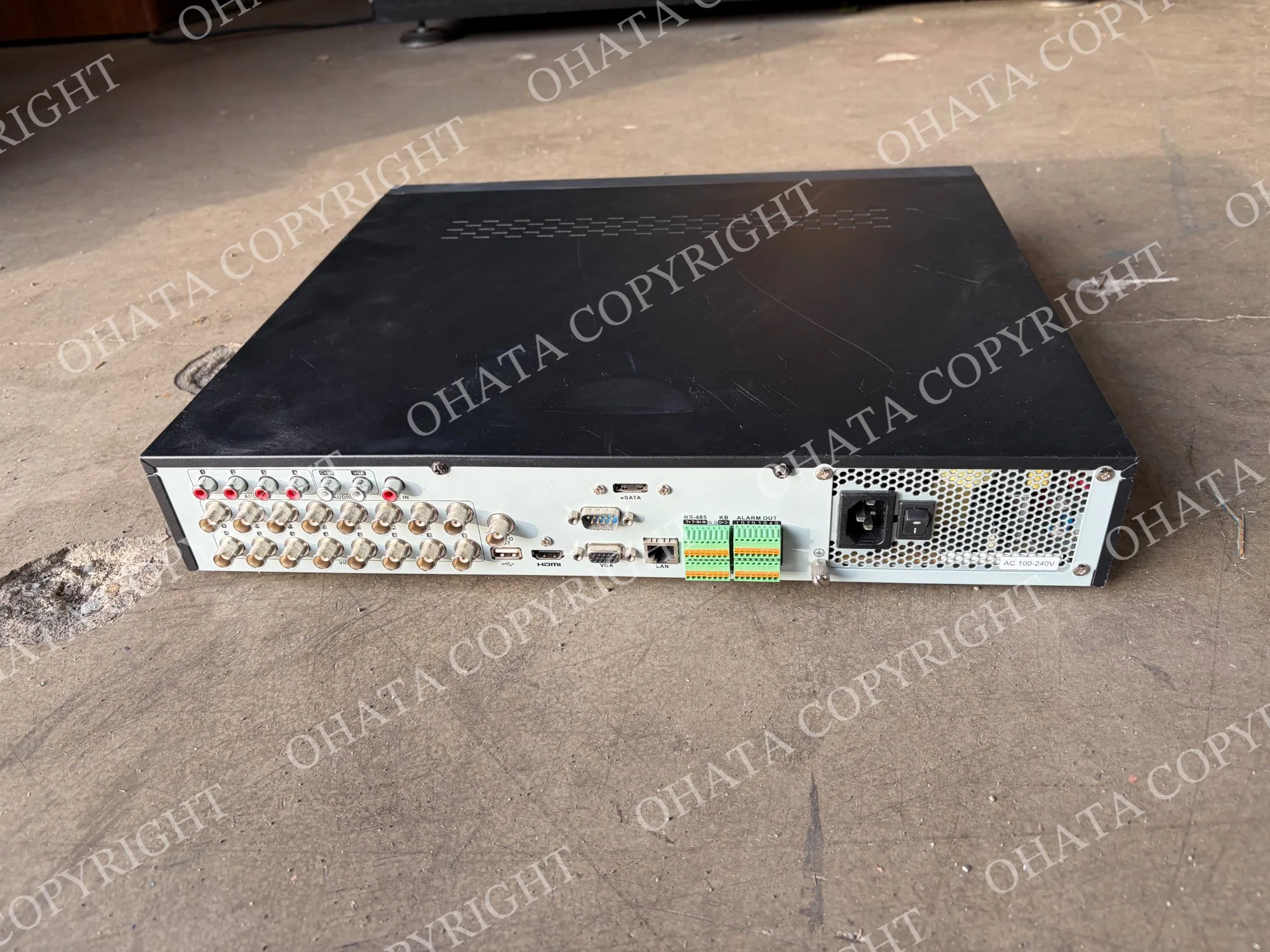
The second type of equipment in this purchase was a Hikvision DS-7316HQHI-SH Digital Video Recorder, or DVR.
The front panel includes control buttons, status indicators, USB ports and a large navigation dial. The manufacturer and model label identifies it as surveillance recording equipment.
The rear panel provides even more identification clues. It includes:
Multiple BNC video inputs
HDMI and VGA display outputs
An Ethernet network port
USB and eSATA connections
Alarm and control terminals
An AC power input
A built-in power supply
These features help distinguish a surveillance DVR from an ordinary cable box, network switch, desktop computer or home media player.
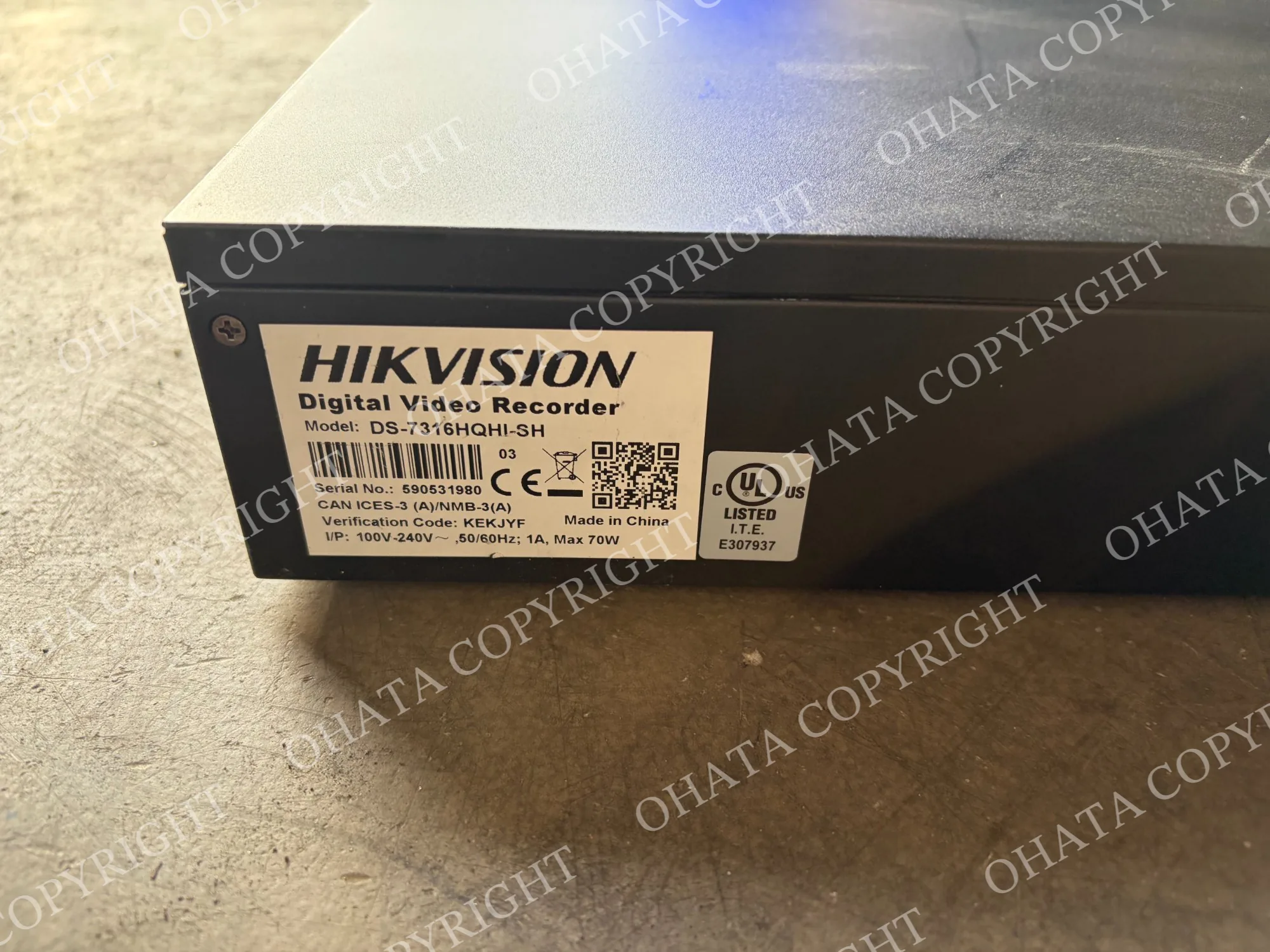
For this purchase, the Hikvision unit was recorded under the Ohata category Surveillance Equipment. However, the applicable public DVR category normally depends on whether an internal hard drive remains installed.
If the hard drive is still inside, the relevant reference is:
If the hard drive has been removed, the relevant reference is:
The manufacturer name alone does not determine which category applies. A Hikvision DVR must still be checked for its hard-drive status, completeness and physical condition.
Why a DVR Requires a Closer Look
A surveillance DVR may appear complete from the outside even when one or more internal components have been removed.
Many DVRs are designed to contain internal hard disk drives that store recorded video. However, the presence of a large metal enclosure or an “HDD” indicator on the front panel does not confirm that a hard drive is still installed.
Under the Ohata Classification System:
A complete DVR with an internal drive may fall under Cable/DVR Box With Hard Drive.
A DVR from which the drive has been removed may fall under Cable/DVR Box No Hard Drive.
A stripped, incomplete or damaged DVR may require another classification after inspection.
Unusual commercial surveillance equipment may be recorded separately when it does not fit an ordinary DVR category.
The equipment in this purchase was recorded as Surveillance Equipment. Its internal hard-drive status was not separately recorded, so we should not assume from the exterior photographs that a drive was either present or removed.
If you are unsure whether your DVR contains a hard drive, you do not need to open it before visiting. You can bring the equipment in its current assembled condition and let our team inspect it.
Why Similar-Looking Equipment Was Recorded Separately
The NETGEAR switches and Hikvision DVR have similar rectangular metal enclosures, but their functions and internal designs are very different.
A network switch is normally built around Ethernet ports, networking controller chips, memory, communication boards and a power supply.
A surveillance DVR may contain video-processing hardware, storage interfaces, BNC connectors, a main circuit board, a power supply and one or more hard drives.
For this purchase, that difference resulted in the items being recorded separately as:
NETGEAR Switch
Surveillance Equipment
During inspection, we may consider:
Equipment type
Manufacturer and model
Exterior construction
Internal components
Circuit-board configuration
Power supply construction
Connector types
Hard-drive status
Completeness
Physical condition
Corrosion or contamination
This is why we do not classify electronic equipment based only on its colour, size, weight or metal enclosure.
Two devices can look similar from the outside while requiring different inspection, sorting and processing methods.
What Sellers Should Do Before Visiting
If you have similar network or surveillance equipment, a little preparation can help make the inspection process easier.
Whenever practical:
Keep the equipment assembled.
Do not remove the main circuit board or power supply.
Separate network switches from DVRs, computers and unrelated electronics.
Keep the equipment clean and dry.
Do not assume that a DVR contains a hard drive based only on its exterior.
Let us know if a DVR’s hard drive has already been removed.
Bring valid government-issued photo identification.
Follow your own data-security requirements before the equipment leaves your control.
Contact us before bringing a large commercial or palletized load.
You do not need to identify every item perfectly or select the final Ohata category yourself. Keeping unfamiliar equipment intact usually gives us more information to work with during inspection.
Helpful Photographs for an Initial Review
If you would like to send us photographs before visiting, the most useful views are:
The complete front of the equipment
The complete rear panel
The top and sides
The manufacturer and model label
Any visible damage
The interior, if the equipment is already open
There is no need to dismantle equipment solely to take a photograph.
For network switches, the front port layout and model label are especially useful. For surveillance DVRs, the rear connector panel and model label often provide the clearest identification clues.
Photographs can assist with preliminary identification, but they may not confirm an internal circuit-board grade or whether a DVR still contains a hard drive.
Remember to Protect Stored Data
Surveillance equipment may contain hard drives with recorded video, network settings, account information or other sensitive data.
Before delivering a DVR, consider whether the equipment still contains storage media. Back up anything you need and securely erase sensitive information according to your own data-security requirements.
Removing a hard drive may change the applicable category from Cable/DVR Box With Hard Drive to Cable/DVR Box No Hard Drive, so please let our team know if a storage device has already been removed.
Does the Equipment Need to Work?
Electronic equipment does not necessarily need to be working to be considered for scrap purchasing.
Our inspection focuses on the equipment’s recycling and material characteristics, including its:
Device type
Construction
Completeness
Installed components
Physical condition
Quantity
Sorting quality
Equipment that is burned, wet, heavily corroded, contaminated or substantially stripped may need to be classified differently or may not be accepted.
A scratched enclosure or signs of ordinary use do not automatically prevent an item from being inspected. What matters is the condition and completeness of the equipment as a whole.
Selling Network and Surveillance Equipment in Richmond
Ohata Resource Canada Inc. purchases many types of electronic scrap at our Richmond, BC facility.
You do not need to determine the final category yourself. If you have old network switches, surveillance DVRs or other unfamiliar electronic equipment, keep the items intact and bring them to our team for inspection.
Walk-in customers are welcome during regular business hours. For large commercial quantities, palletized materials or unusual equipment, please contact our Richmond team before visiting so we can prepare for unloading and inspection.
You can review our current Richmond electronic scrap categories here:
Current E-Scrap Buying Categories in Richmond, BC
Frequently Asked Questions
1. Which Ohata category applied to the NETGEAR switches in this purchase?
The complete units were recorded as NETGEAR Switches. They were evaluated as complete network equipment rather than automatically receiving a loose circuit-board grade.
2. Is a complete NETGEAR switch classified as Board SS?
Not automatically. NETGEAR is a manufacturer, not a board grade. Board SS or another circuit-board grade can only be considered after the internal PCB is visible and its complete construction and physical condition have been inspected.
3. Do network switches need to be working?
No. Non-working network switches may still be considered for electronic scrap purchasing. Final acceptance depends on their construction, completeness and physical condition.
4. Should I remove the circuit board from a network switch?
Usually, it is better to keep the switch assembled. Removing the main board, power supply or other components can change how the separated materials are classified.
5. Which Ohata category applied to the Hikvision DVR?
The unit in this purchase was recorded as Surveillance Equipment. For general website classification, a DVR is normally separated according to whether its internal hard drive is present or has been removed.
6. Do all surveillance DVRs contain hard drives?
No. Some DVRs retain their internal hard drives, while others have had them removed. The exterior appearance alone may not confirm the hard-drive status.
7. Should I erase a surveillance DVR before selling it?
Yes. Follow your own data-security requirements before the equipment leaves your control. If a hard drive is installed, back up anything required and securely erase sensitive recordings or information.
8. Can network switches and DVRs be delivered together?
Yes. However, separating different equipment types whenever practical can make inspection, weighing and recording more efficient.
9. What photographs should I send for an initial review?
Photograph the front, rear, top and model label. If the equipment is already open, you may also include a clear photograph of the interior. You do not need to dismantle it solely to take a picture.
10. Do I need to know the final purchasing category?
No. You can bring the equipment in its current condition. Our team will inspect it and confirm the applicable category.
Contact Ohata Resource Canada
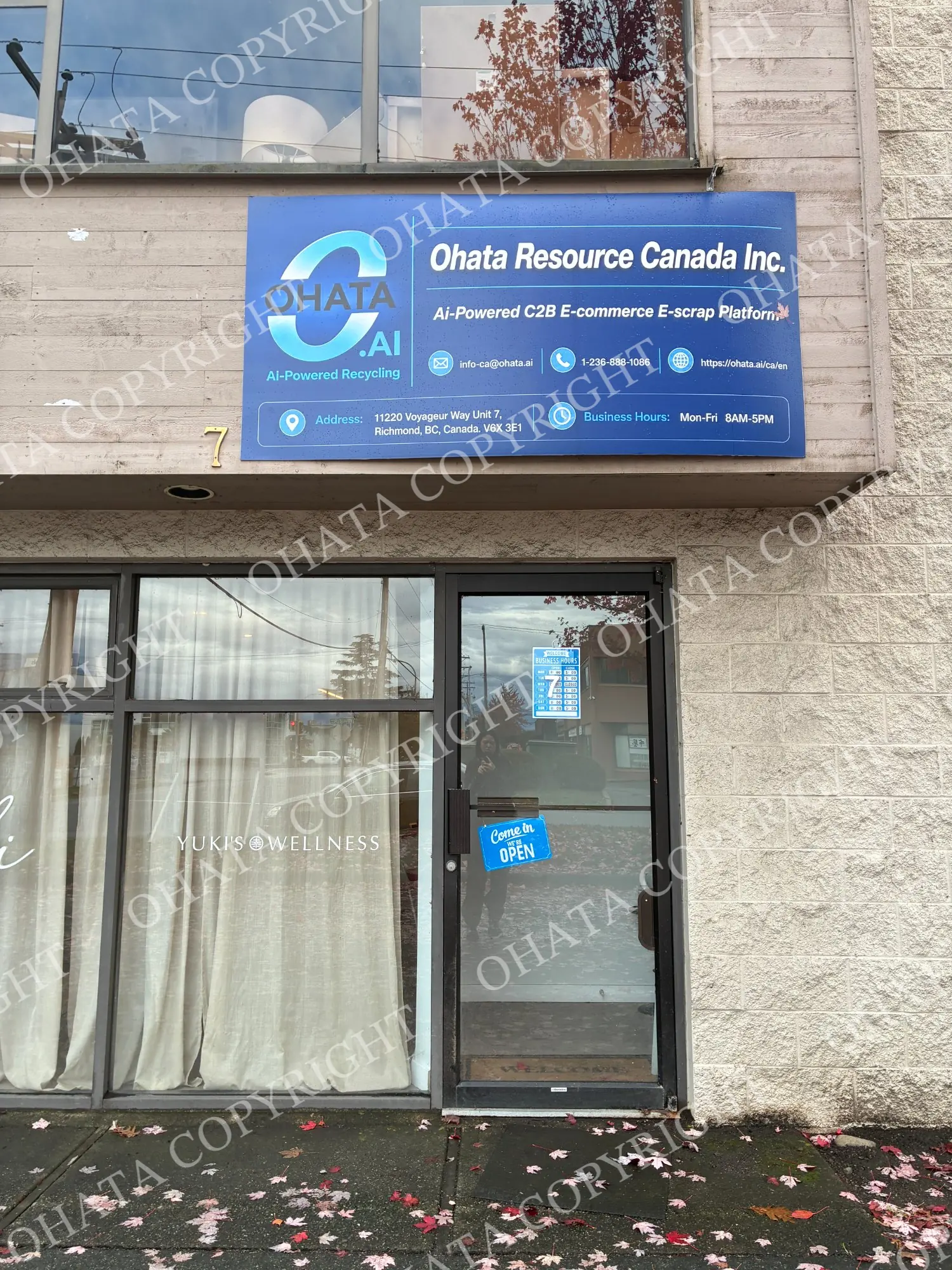
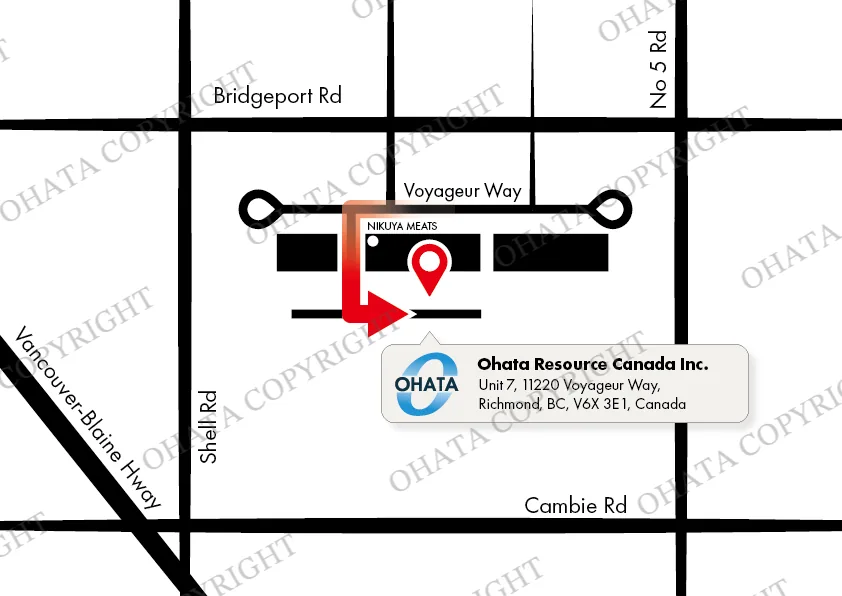
Ohata Resource Canada Inc.
11220 Voyageur Way, Unit 7
Richmond, BC V6X 3E1, Canada
Telephone and WhatsApp: +1 (236) 888-1086
Final acceptance and classification are confirmed after physical inspection at our Richmond facility. Purchasing categories and conditions may change without notice.

Comments
0 comments