ohata.ai
Ohata Resource Canada Inc.

Cable/DVR Box With Hard Drive buying scrap price

Back to PC Parts price list
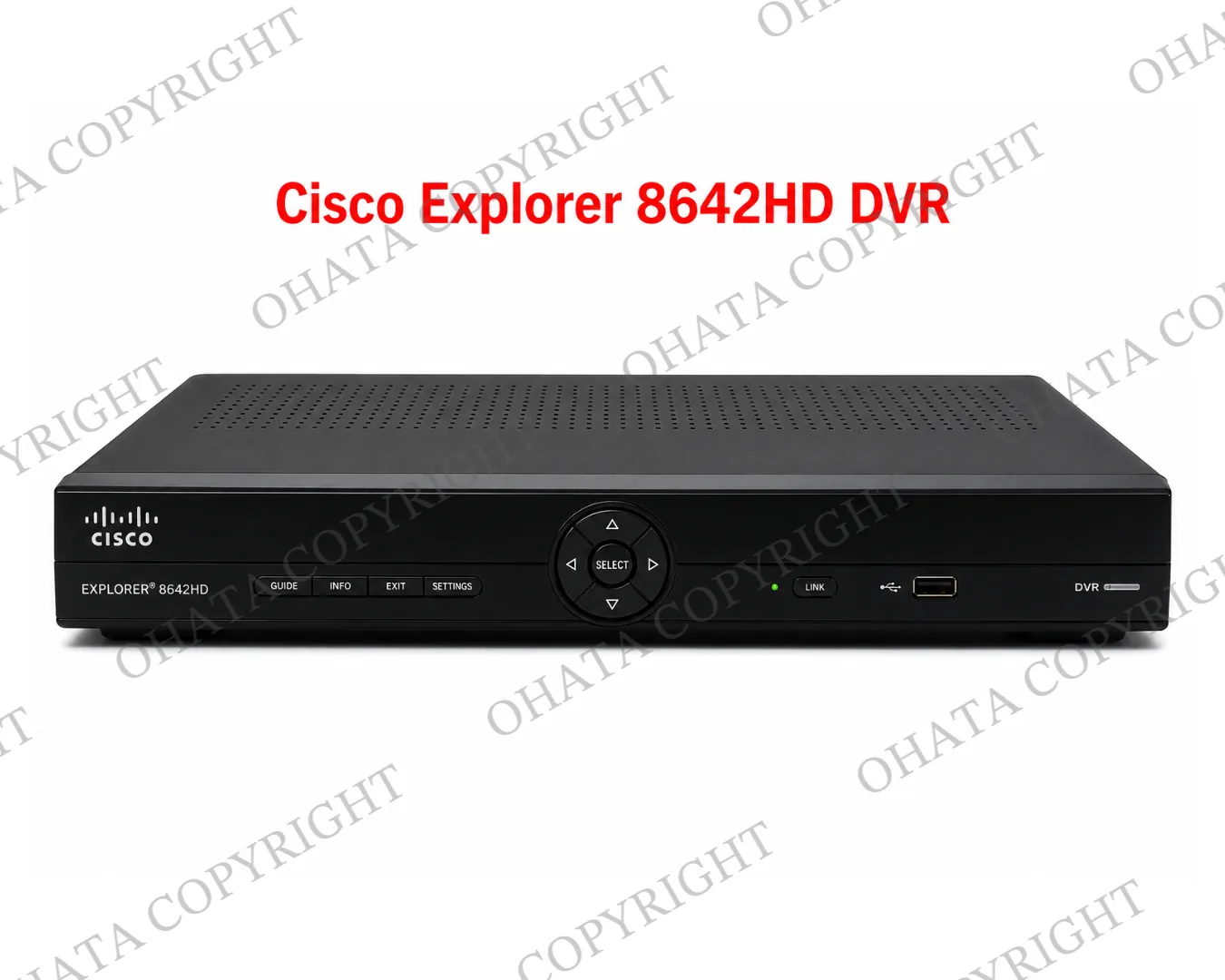
Cable/DVR Box With Hard Drive Front
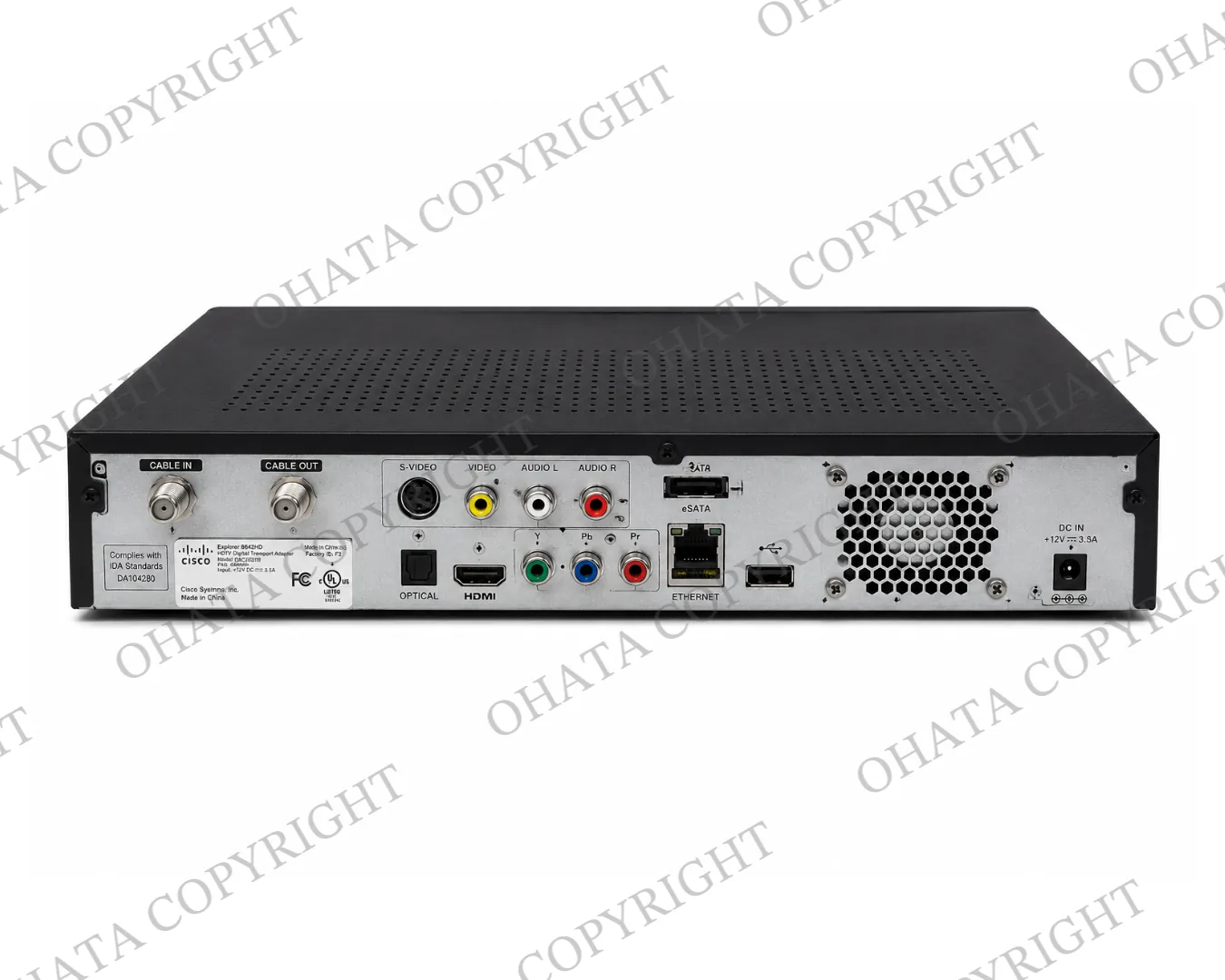
Cable/DVR Box With Hard Drive Back
Updated: Aug 04,2026

0.13 CAD / lb

The Price is buying by Yard of Richmond, BC, Canada.

Key Buying Introduction

1. Retired Cable and DVR Boxes with internal hard drives are commonly generated through television service upgrades, commercial equipment replacement, property management projects, and electronic recycling programs.

2. This category applies to Cable and DVR Boxes with the original hard drive still installed inside the enclosure at the time of inspection. The exterior appearance alone does not always confirm whether the internal hard drive is present.

3. Customers generally do not need to open the equipment before visiting Ohata Resource Canada. Keeping the unit assembled helps simplify identification and inspection.

4. Whenever practical, sort Cable and DVR Boxes with hard drives separately from Cable and DVR Boxes without hard drives and other electronic scrap to help improve inspection efficiency.

5. Final purchasing evaluation is based on the hard-drive status, overall completeness, physical condition, quantity presented, and current electronic scrap market conditions. Prices and buying conditions may change without prior notice.
Buying Details of Conditions

Installed Hard Drive Defines This Category

This purchasing category is intended for Cable and DVR Boxes with the original hard drive still installed inside the unit.

If the hard drive has already been removed, the equipment should be sorted into the Cable/DVR Box No Hard Drive purchasing category instead.

When the hard-drive status is uncertain, there is generally no need to open the equipment solely for inspection before bringing it to Ohata.


What Qualifies as “With Hard Drive”

A unit normally belongs in this category when the hard drive remains installed in its original mounting position as part of the equipment.

A loose hard drive placed inside the enclosure, positioned beside the unit, or taken from another device does not normally qualify the equipment as With Hard Drive.

The purchasing category is based on the equipment’s actual assembled condition during inspection.


Keep the Drive Bay and Main Electronics Together

Whenever practical, keep the original assembly together, including:

  • Internal hard drive

  • Main circuit board

  • Hard-drive bracket

  • Power board

  • Drive cables

  • Cooling fan (if equipped)

  • Original enclosure

Keeping these components together helps preserve the equipment’s original configuration and may simplify inspection.


Provider Ownership and Stored Information

Recorded television programs generally do not need to be erased before bringing the equipment to Ohata.

However, customers should confirm that the equipment is privately owned and is not required to be returned to a cable, satellite, or television service provider.

Customers remain responsible for any personal or business information associated with the equipment before transferring ownership.


Damage That May Affect Inspection

The equipment does not necessarily need to power on for purchasing evaluation.

However, additional inspection may be required for units with:

  • Missing hard drives

  • Missing main boards

  • Cut internal cables

  • Broken drive brackets

  • Fire damage

  • Water damage

  • Heavy corrosion

  • Heavy contamination

Normal cosmetic wear does not automatically prevent inspection.


Sort by Hard-Drive Status

Before visiting, whenever practical, separate:

  • Cable/DVR Box With Hard Drive

  • Cable/DVR Box No Hard Drive

  • Cable/DVR Boxes with uncertain HDD status

  • Loose hard drives

  • Standard cable receivers

  • Streaming devices

  • Other electronic scrap

Proper sorting helps simplify inspection and supports accurate purchasing category identification.


How Ohata Confirms the Purchasing Category

During inspection, Ohata may review the equipment model, exterior condition, signs of previous dismantling, and, when necessary, the internal hard-drive installation status before confirming the purchasing category.

Customers generally do not need to dismantle the equipment in advance.


Final Purchasing Evaluation

The final purchasing evaluation is generally based on:

  • Verified hard-drive installation

  • Correct purchasing category

  • Presence of the main electronic assemblies

  • Overall physical condition

  • Quantity presented

  • Current electronic scrap market conditions

Purchasing prices and buying conditions may change without prior notice.

FAQ
1. What is today’s price for Cable/DVR Box With Hard Drive buying?
As of Aug 04,2026, Ohata Resource Canada Inc., (Richmond, BC, Canada) is purchasing Cable/DVR Box With Hard Drive buying at 0.13 (CAD/lb). We provide competitive scrap prices in Delta, Surrey, Richmond, and across the Greater Vancouver area.
2. Which Cable or DVR Boxes belong in the With Hard Drive Category?
This category includes Cable and DVR Boxes that still have the original hard disk drive installed inside the equipment at the time of inspection.
3. How can I tell whether the hard drive is still installed?
Some models cannot be confirmed by their exterior appearance alone. If you are unsure, there is generally no need to open the equipment before bringing it to Ohata. The purchasing category can be confirmed during inspection.
4. Should I remove the internal hard drive before selling the unit?
No. If the hard drive remains installed, the equipment should normally stay assembled for this purchasing category.
5. Does placing a loose hard drive inside the box count as “With Hard Drive”?
No. A loose hard drive does not change the purchasing category. The hard drive should remain properly installed as part of the original assembly.
6. Does a DVR label guarantee that the hard drive is still inside?
No. Some DVR models originally included hard drives, but the drive may have been removed during previous use or dismantling. The exterior label alone does not determine the purchasing category.
7. Should the hard-drive bracket and internal cables remain inside the unit?
Yes, whenever practical. Keeping the original bracket, drive cables, and remaining internal components together may simplify inspection and help preserve the equipment’s identifiable condition.
8. Do recorded television programs or account information need to be removed?
Customers are encouraged to protect their own information before transferring equipment. In addition, sellers should confirm that the equipment is privately owned and is not subject to return requirements from a cable or television service provider.
9. Can damaged Cable or DVR Boxes still be evaluated?
Possibly. Units with cosmetic wear or moderate physical damage may still be inspected. Missing hard drives, missing circuit boards, severe corrosion, fire damage, or heavy contamination may require additional evaluation.
10. Should different Cable and DVR Boxes still categories be sorted separately?
Yes. Keeping With Hard Drive, No Hard Drive, and uncertain HDD status units in separate groups helps simplify inspection and supports accurate purchasing category identification.
11. How does Ohata determine the final purchasing category?
Ohata generally confirms the purchasing category by reviewing the hard-drive installation status, overall assembly, physical condition, and other inspection factors before completing the purchasing evaluation.

Related Items

Browse all PC Parts items
AI Scrap Grading Ohata.AI Vision 1.0 Beta 1.0 Upload board photos for grade and reference price