ohata.ai
+1 (236) 888-1086
中文电话支持 日本語で電話対応
+1 (236) 888-1086
Ohata Resource Canada Inc.

Hard Drive Punched or Bent no Board buying scrap price

返回 Hard Disk Drive 价格表
Hard Drive Punched No Board

中文电话支持

日本語で電話対応

Today's buying price

Updated: Oct 26,2026

0.26 CAD / lb

Buying at Richmond, BC, Canada

Key Buying Introduction

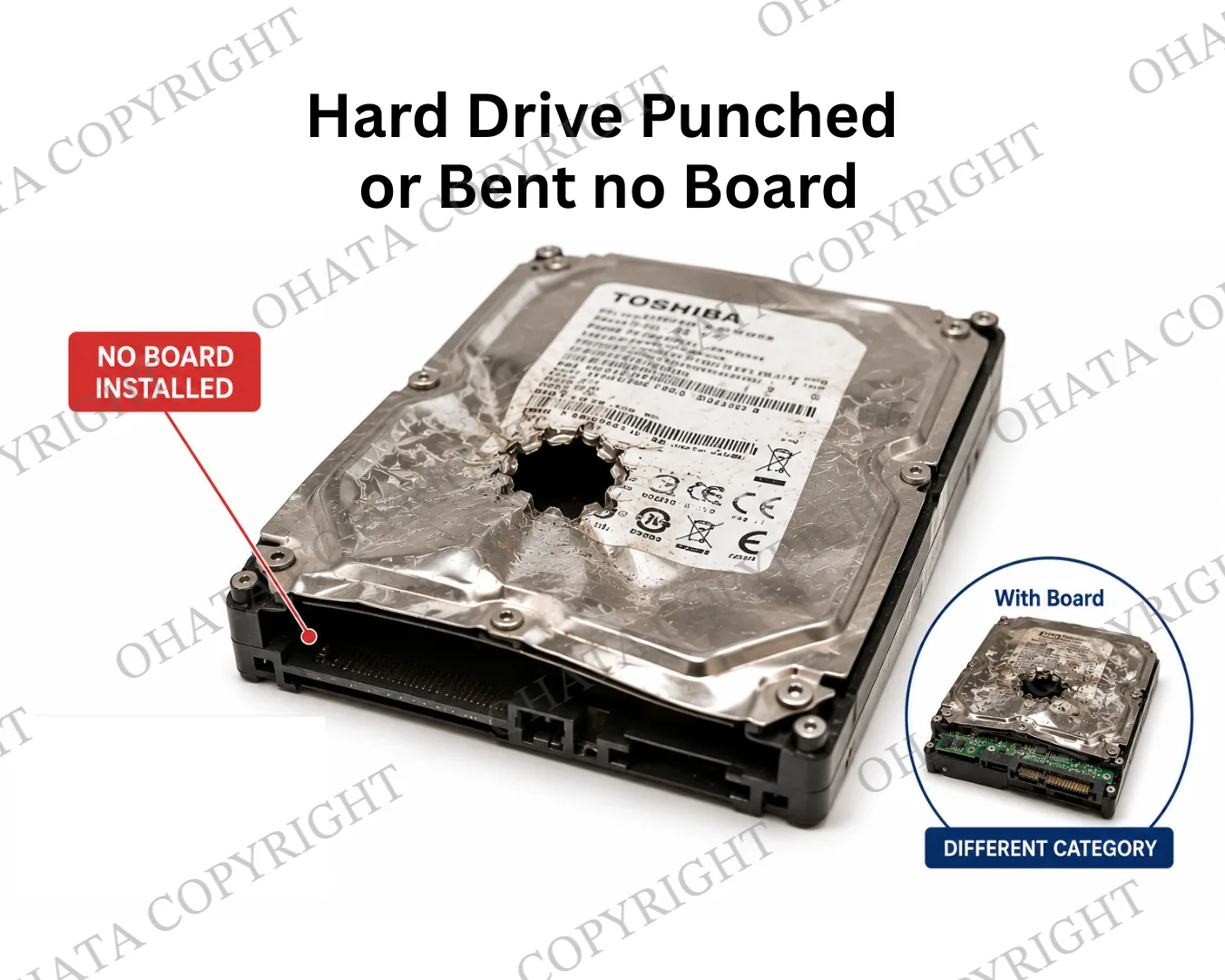
1. This category applies to physically damaged hard disk drives with the controller board already removed. The drive may be punched, bent, drilled, crushed, or otherwise mechanically damaged.

2. The original HDD controller board should not be attached to the underside of the hard drive. The remaining item should still be identifiable as a hard-drive body rather than loose platters, magnets, covers, or aluminum housing pieces.

3. Customers generally do not need to remove any additional parts before bringing the damaged hard drive to Ohata. The hard-drive body should be presented in its current condition for purchasing evaluation.

4. Whenever practical, damaged hard drives without a controller board should be sorted separately from Hard Drive Punched or Bent With Board, loose HDD controller boards, complete hard drives, and other recovered HDD components.

5. The final purchasing evaluation is generally based on the absence of the original controller board, the condition of the remaining hard-drive body, overall completeness, quantity presented, and current electronic scrap market conditions. Purchasing prices and buying conditions may change without prior notice.
Buying Details of Conditions

Learn more about Punched or Bent Hard Drives


The Controller Board Has Already Been Removed

The defining condition for this category is that the HDD controller board is no longer installed on the drive.

The underside of the drive may show:

  • An exposed board-mounting area

  • Empty screw positions

  • Motor or head-contact points

  • Signs that the PCB was previously removed

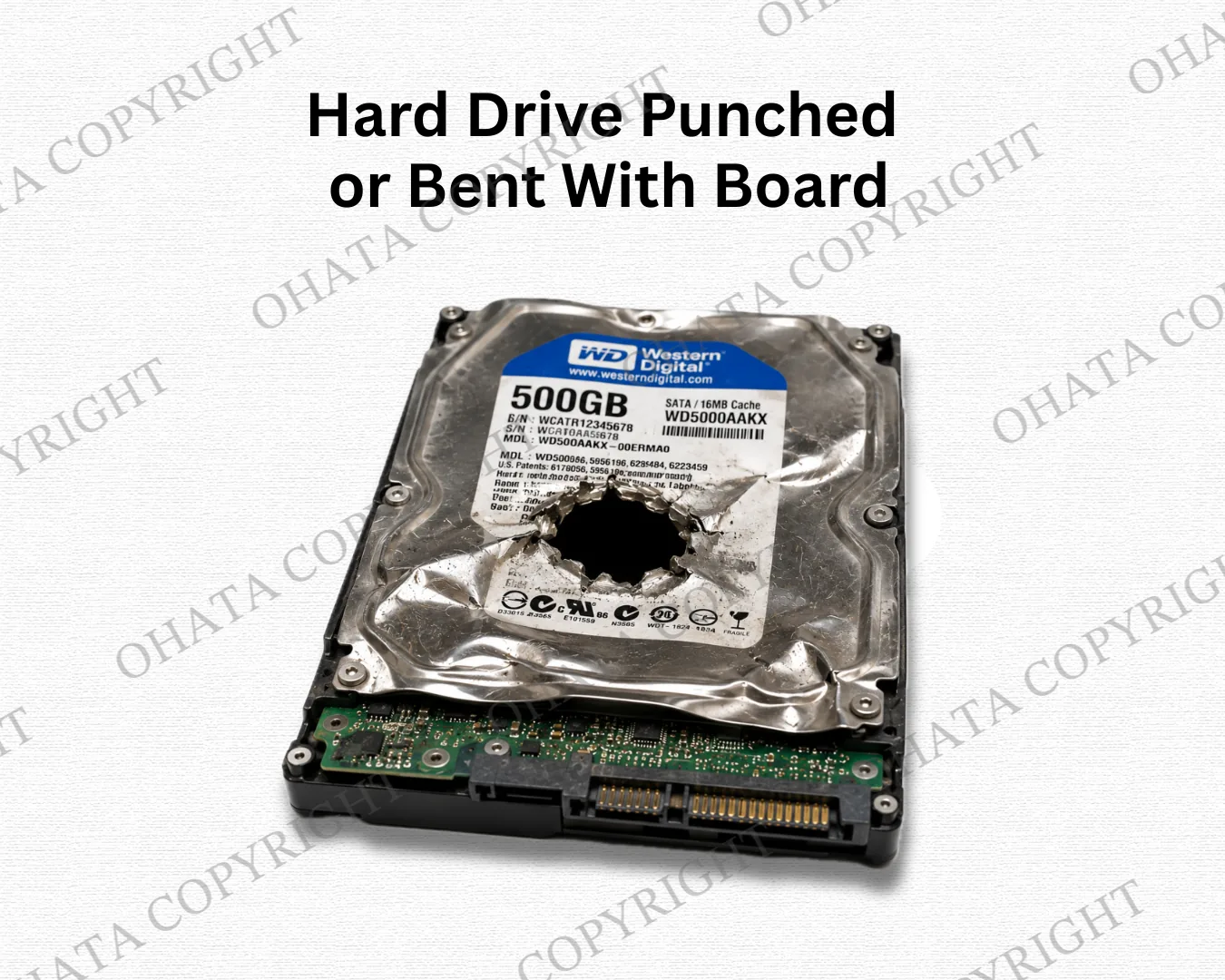
A drive with a controller board still attached should not be placed in this category.

What If the Controller Board Is Still Attached?

This category covers damaged hard drives whose controller boards have already been removed. If the original board remains attached, please review our Hard Drive Punched or Bent With Board category instead.

You do not need to remove the board just to match this category. Present the drive in its current condition, and our team will confirm the appropriate classification after inspection.


The Remaining Hard Drive Should Stay Together

This category is intended for damaged drives that still retain a recognizable hard-drive housing or body.

The remaining material may include:

  • Metal drive housing

  • Top cover

  • Spindle area

  • Internal platter assembly

  • Actuator or magnet assemblies

  • Original structural fasteners

A loose aluminum shell, individual platter, magnet, or detached actuator assembly may belong to a different purchasing category.


Sort the Removed Controller Board Separately

The removed HDD controller board should be presented separately according to its own purchasing category.

Do not place the removed board on top of or beside the hard drive to make it appear complete.

Sorting the materials separately helps distinguish:

  • Hard Drive Punched or Bent – No Board

  • Hard Drive Punched or Bent – With Board

Loose HDD Controller Boards


Physical Damage Is Acceptable

This category commonly includes hard drives that have been damaged during secure data destruction or electronic recycling.

Examples include:

  • Punching through the cover

  • Bending the housing

  • Drilling

  • Crushing one side or corner

  • Mechanical deformation

The drive does not need to operate.

However, material that has been completely shredded, fragmented, burned, or dismantled into separate components may no longer qualify as a hard-drive body under this category.


Keep Different HDD Materials Separate

Whenever practical, sort these materials separately:

  • Hard Drive Punched or Bent With Board

  • Loose HDD controller boards

  • Recovered platters

  • Magnets

  • Actuator arms

  • Motors

  • Top covers

  • Mixed aluminum scrap

Separating different HDD materials helps simplify inspection and supports accurate purchasing category identification.


How Ohata Inspects This Category

During inspection, Ohata may review:

  • Whether the controller PCB is actually absent

  • Whether the material remains an identifiable HDD body

  • The degree and pattern of physical destruction

  • Whether major HDD components have also been removed

  • Contamination, fire damage, corrosion, or mixed attachments

  • Quantity and consistency of the presented lot

The final purchasing category is confirmed from the material’s actual condition at inspection. Purchasing values and conditions may change with market conditions.


Ready to Sell Hard Drive Punched or Bent No Boards in Richmond?

If you have damaged hard drives with their controller boards already removed, keep the remaining drive bodies together and sort loose boards and other detached parts separately. Review the current buying conditions before visiting. Our Richmond team will confirm the applicable category and buying price after inspection.

STEP 1 – Check Today’s Buying Prices and Sort Your Materials

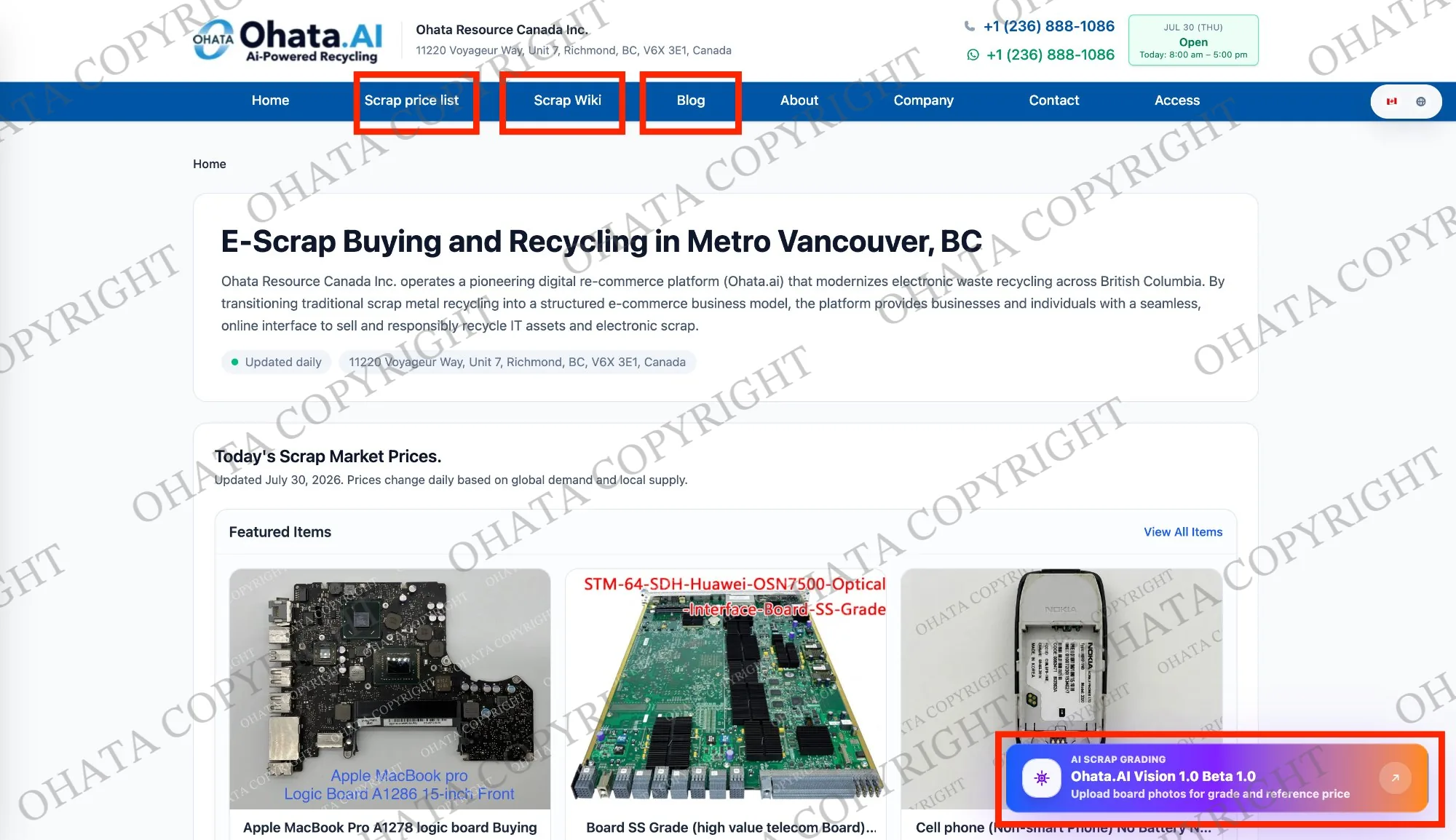
Before visiting our Richmond yard, please review the latest Canadian e-scrap buying prices and identification guides in the Ohata Scrap Wiki.

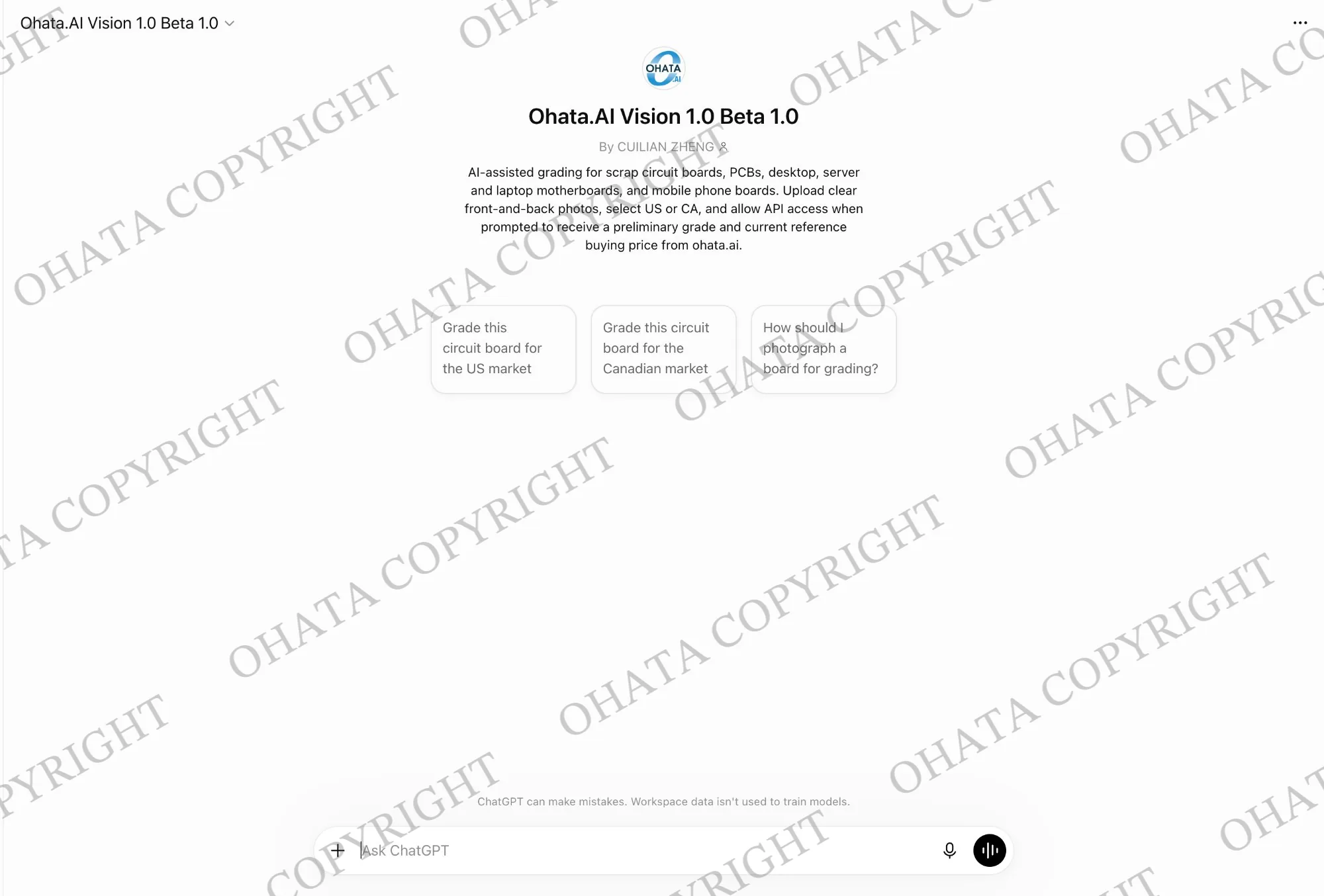
You can also use Ohata.AI Vision 1.0 Beta 1.0 to investigate an unfamiliar circuit board. Upload a clear photograph, and the tool can analyze visible features, such as the board’s shape, CPU socket, integrated circuits, connectors and component layout, to suggest what type of board it may be.

Ohata Resource Canada Scrap Price List, Scrap Wiki, Ohata AI 1.0 Vision 1.0
Ohata.AI Vision 1.0 Beta 1.0

Buying prices and conditions may change with the market, so checking the applicable item page before you leave can help you understand how your material should be prepared.

Whenever practical, separate your e-scrap into groups such as:

You don’t need to assign every item a final grade yourself. If something is unfamiliar, keep it in an “uncertain” group and use Ohata.AI for a preliminary photo-based identification.

Walk-ins are welcome during regular business hours, and no appointment is required for most ordinary drop-offs.

If you have a large commercial load, palletized shipment or an unusual type of material, please contact the Richmond team before visiting so we can prepare for your arrival.


STEP 2 – Bring Your E-Scrap and Valid Government-Issued Photo ID

Please bring your electronic scrap together with a valid government-issued photo ID.

Examples may include:

  • British Columbia Driver’s Licence

  • BC Identification Card

  • BC Services Card with photo

  • Canadian passport

  • Permanent Resident Card

  • Other valid government-issued photo identification

Business sellers may also be asked to provide company information or supporting documentation when applicable.

Clearly separated and labelled material is usually quicker to inspect. If possible, prepare the approximate weight and quantity for each group before visiting.

Please also remember that computers, servers, hard drives and solid-state drives may contain personal or business information. Back up anything you need and follow your own data-security requirements before the equipment leaves your control.


STEP 3 – Visit Our Richmond E-Scrap Buying Yard

Our Richmond yard is located at 11220 Voyageur Way, Unit 7, Richmond, BC, V6X 3E1. Before leaving, you can check the route and current traffic information through Google Maps.

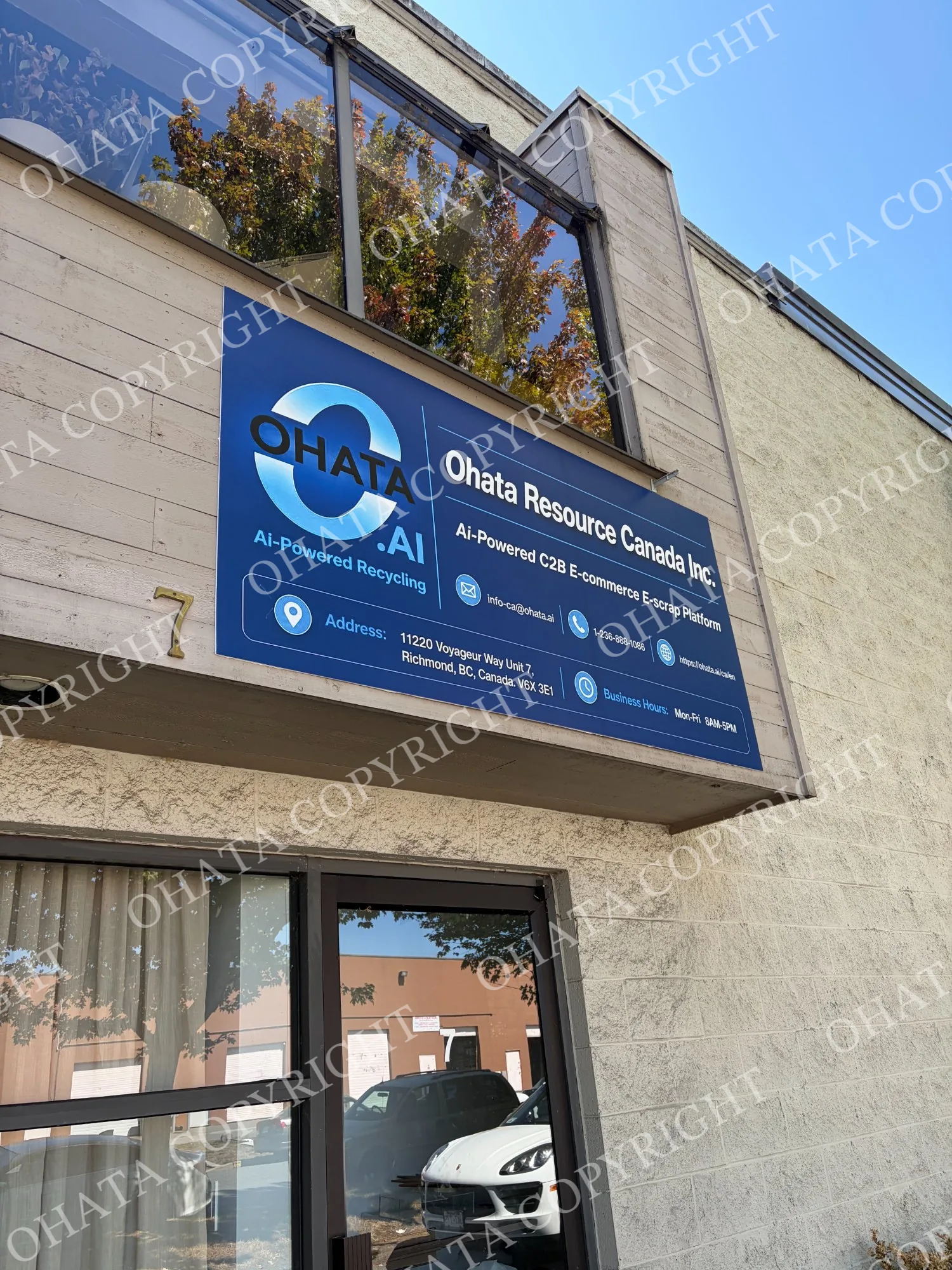
1. Look for the Ohata sign

When you arrive at the property, first look for the Ohata Resource Canada Inc. sign on the building. Once you find it, continue around to the rear of the building, where our warehouse entrance is located.

IMG 9449
Ohata Resource Canada Inc. sign at 11220 Voyageur Way in Richmond, BC.

When you see this sign, continue around to the rear of the building.

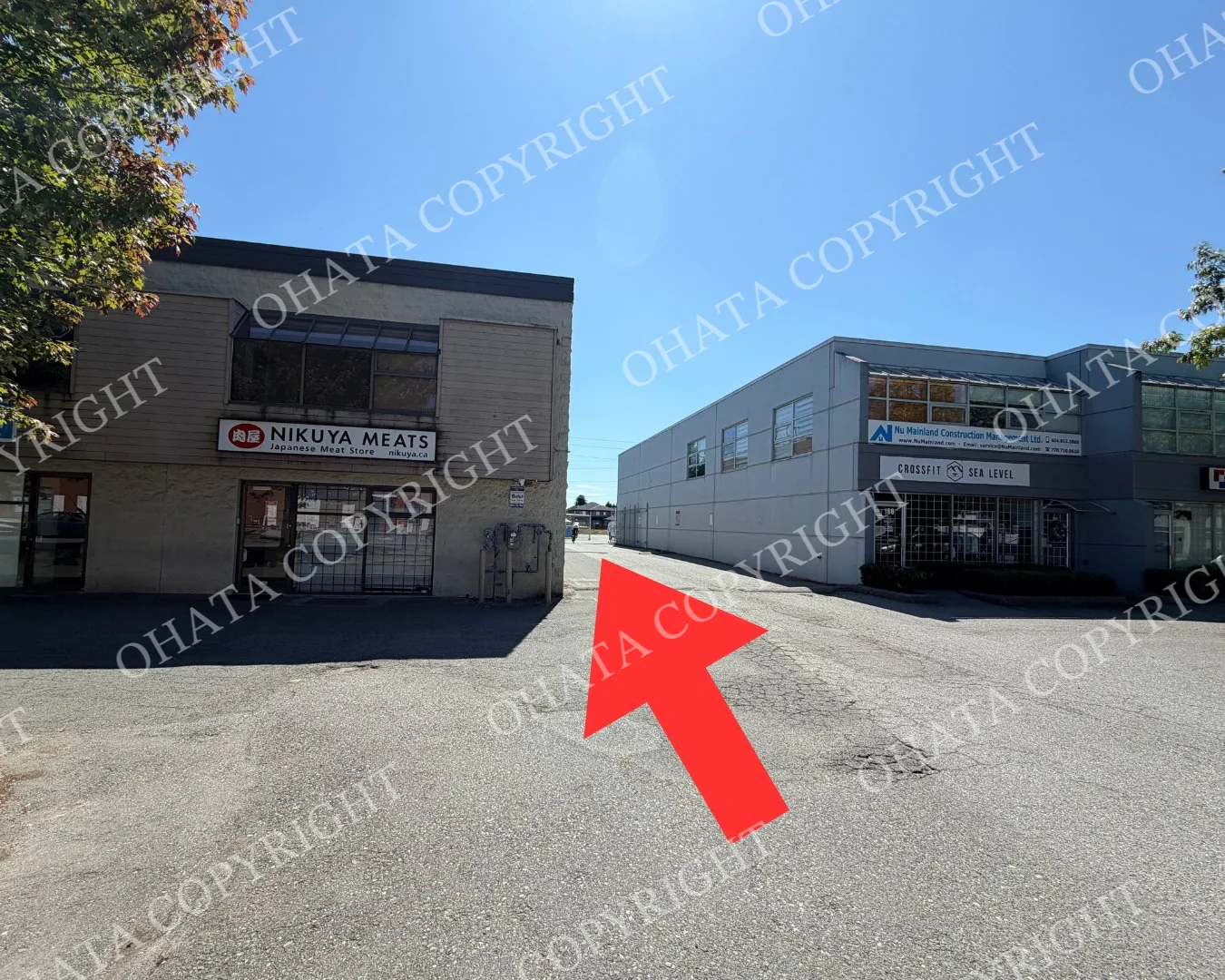
2. Continue to the Rear Warehouse Entrance

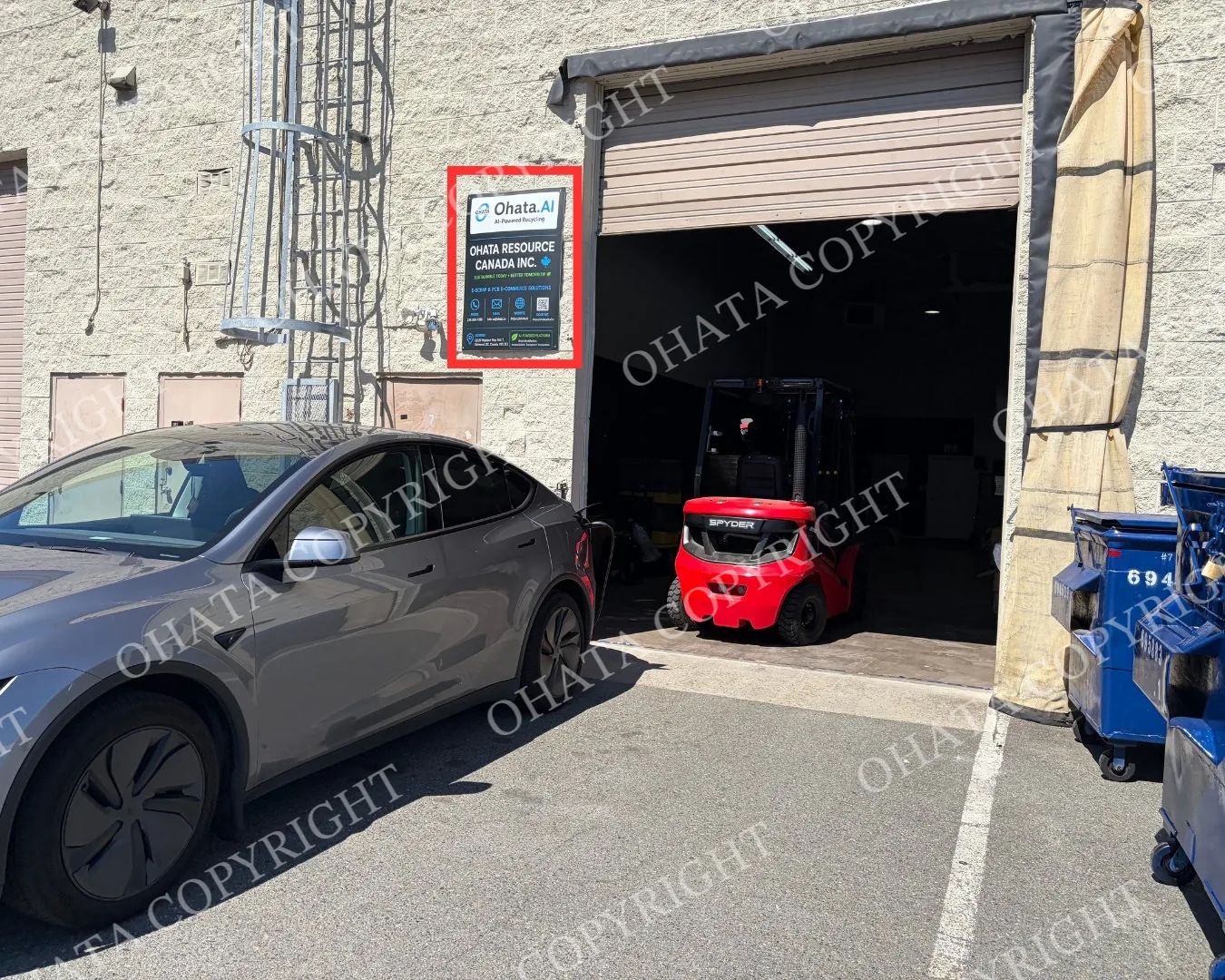
Drive carefully around the building and look for the vertical Ohata sign beside the rear entrance. This vertical sign is the easiest landmark for finding our receiving warehouse.

Driving route around the building toward the rear warehouse entrance of Ohata Resource Canada Inc.

Follow the route around the building to reach the warehouse.

Vertical Ohata Resource Canada Inc. sign marking the rear warehouse entrance in Richmond.

The vertical Ohata sign identifies the correct warehouse entrance.

3. Park Directly in Front of the Warehouse

If you arrive by car, you may park directly in front of the Ohata warehouse entrance while your e-scrap is being received.

Once you reach the warehouse, please park and wait there. A member of our team will come to assist you with your material.

If you have difficulty finding the rear entrance, please call or message us:

Telephone and WhatsApp: +1 (236) 888-1086

For large commercial loads or palletized shipments, please contact the Richmond team before visiting so we can prepare for unloading.

When you arrive:

  • Bring smaller quantities to the receiving area.

  • Ask a staff member for assistance with heavy or larger loads.

  • Our team will inspect, sort and weigh the material.

  • The applicable buying category and condition will be confirmed.

  • The final buying price will be determined after physical inspection.

  • Payment will be processed according to the current purchasing policy.

Walk-in customers are welcome during regular business hours. Most visits don’t require an appointment, but advance contact is recommended for commercial, palletized or unusually large loads.

You can review directions, parking and visitor information on the Richmond yard access page.


Helpful Tips Before Your Richmond Visit

  • Check the current Canadian buying prices before travelling.

  • Use Ohata.AI when you need help identifying an unfamiliar item.

  • Take clear front-and-back photographs before requesting an initial review.

  • Separate different board and equipment categories whenever practical.

  • Keep damaged, wet, burned, corroded or contaminated items separate.

  • Remove unrelated garbage and unnecessary packaging.

  • Don’t cut boards or remove major components unless you understand how the separated materials will be evaluated.

  • Back up and erase data-bearing devices according to your requirements.

  • Bring valid government-issued photo identification.

  • Contact Ohata Resource Canada Inc. before bringing a large commercial or palletized load.

Published online prices are references and may change. Final acceptance, classification, measured weight and buying price are determined after physical inspection.

常见问题
1. What is today’s price for Hard Drive Punched or Bent no Board buying?
As of Oct 26,2026, Ohata Resource Canada Inc., (Richmond, BC, Canada) is purchasing Hard Drive Punched or Bent no Board buying at 0.26 (CAD/lb). We provide competitive scrap prices in Delta, Surrey, Richmond, and across the Greater Vancouver area.
2. Which hard drives belong in the No Board category?
This category includes punched, bent, drilled, crushed, or otherwise physically damaged hard drives where the external controller PCB has already been removed. The remaining material should still be identifiable as a hard-drive body.
3. How can I tell that the controller board has been removed?
The underside of the drive will normally no longer have the green or blue controller PCB attached. You may see exposed mounting areas, empty screw positions, electrical contact points, or other signs of prior board removal.
4. Can I place the removed PCB beside the drive?
The controller board should preferably be sorted separately. Placing a loose PCB beside the drive does not make it a With Board unit, because the board is no longer installed as part of the original assembly.
5. Do the internal platters need to remain inside?
The material should generally remain identifiable as a hard-drive body. If the platters and other major assemblies have also been removed, the remaining housing may require evaluation under a different dismantled-component or metal category.
6. Does a completely empty HDD housing qualify?
Not automatically. An empty aluminum shell with the PCB, platters, magnets, motor, and other internal assemblies removed may no longer fit this purchasing category. Its classification depends on what remains.
7. Are drilled, punched, bent, and partially crushed drives accepted in the same category?
They may qualify when the controller board is absent and the remaining item is still recognizable as a damaged hard-drive body. Completely shredded, fragmented, or extensively dismantled material may require a different classification.
8. Should No Board drives be mixed with loose platters or magnets?
No. Loose platters, magnets, controller boards, covers, and other recovered HDD components should be sorted separately from damaged drive bodies whenever practical.
9. How does Ohata confirm this purchasing category?
Ohata generally checks that the controller PCB is absent, the remaining material is still an identifiable HDD body, and the drive has not been reduced to unrelated loose components. Physical damage, missing internal assemblies, contamination, and lot consistency may also be reviewed before the final category is confirmed.

相关项目

浏览所有 Hard Disk Drive 项目
AI Scrap Grading Ohata.AI Vision 1.0 Beta 1.0 Upload board photos for grade and reference price