

Hello! I’m Tomona from Ohata Resource Canada’s Richmond yard.
It’s Friday, October 9, 2026, and today I’d like to share a recent purchase with you. On October 8, Ohata Resource Canada purchased a government surplus lot through GCSurplus, with 309 computers and accessories listed in total.
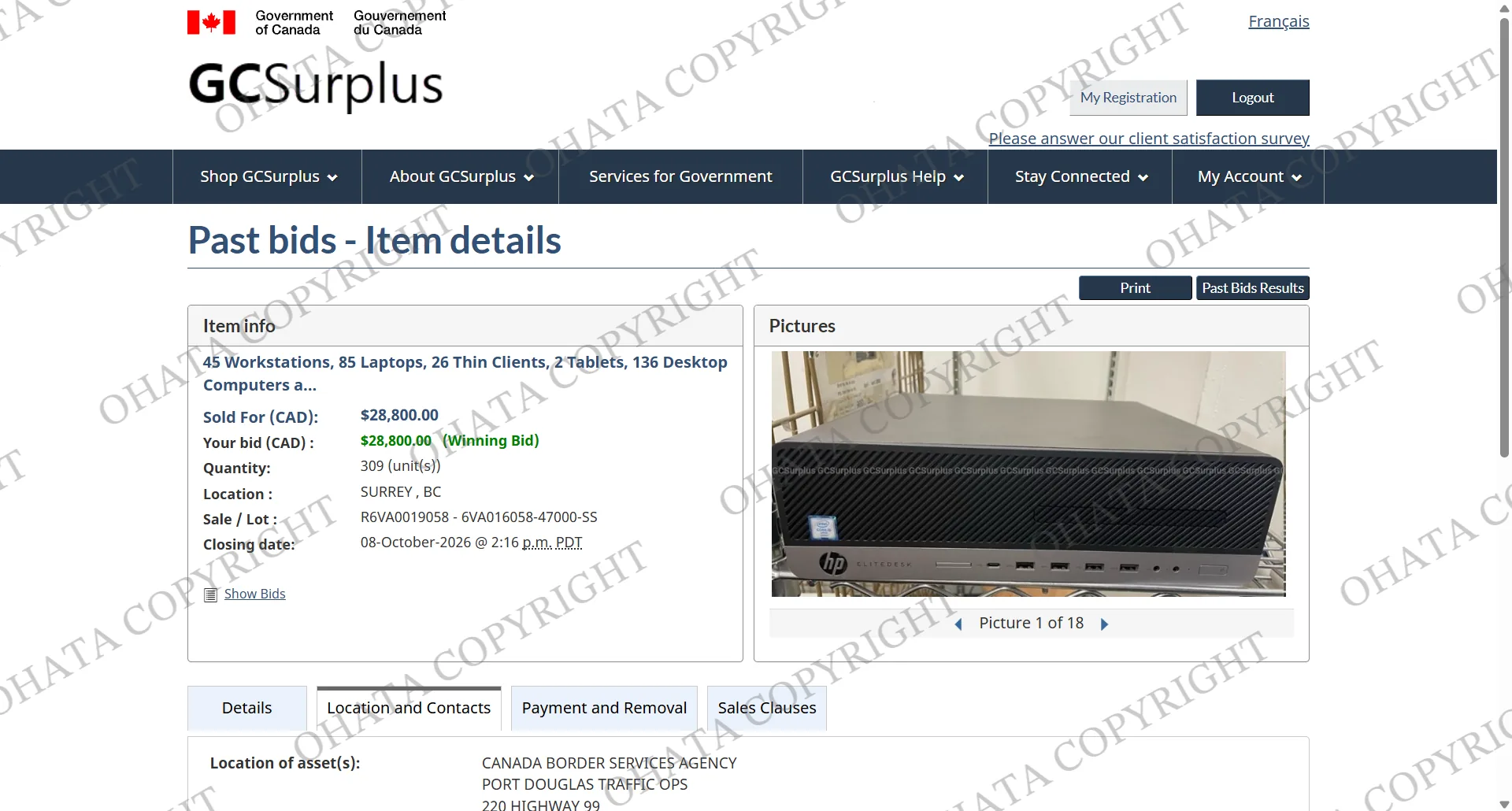
The purchase brings together desktop computers, laptops, workstations, thin clients, tablets and docking stations. It’s a varied collection, with equipment from Dell, HP, Lenovo, Toshiba and Panasonic.
If you’re clearing out an office or sorting through older computers, you might recognise some of the equipment in this purchase. Let’s take a look at what we bought and a few useful details to check before selling similar items!
What We Purchased Through GCSurplus
GCSurplus is Canada’s government surplus marketplace, where buyers can find surplus goods including electronics and office equipment.
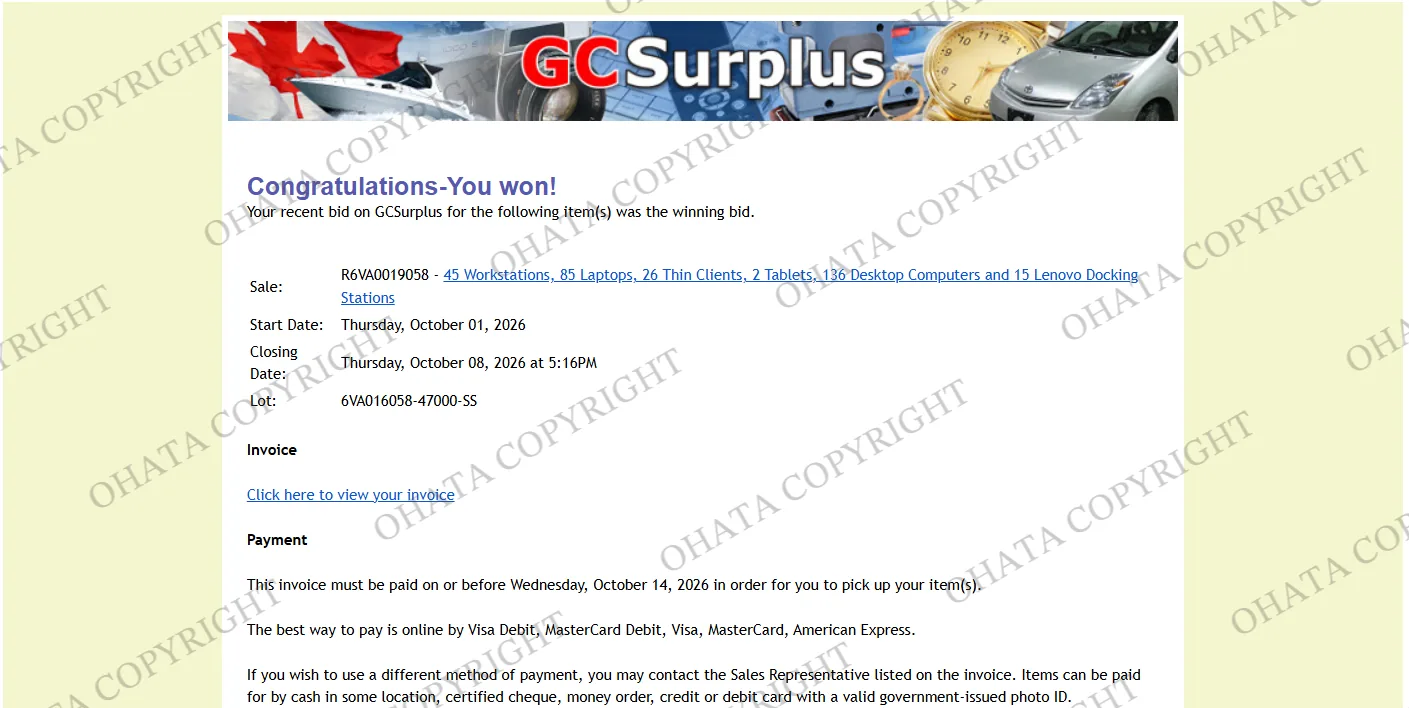
For our recent purchase, the listed quantities were:
136 desktop computers: Dell and HP
85 laptops: Assorted brands, including Lenovo, Toshiba, Panasonic and Dell
45 workstations: Dell
26 thin clients: Dell
15 docking stations: Lenovo
2 tablets: Dell and HP
Total: 309 computers and accessories.
These are the quantities listed in the sale documents. The desktop computers and workstations appear as separate groups, and the total includes the docking stations.
Our Winning Bid
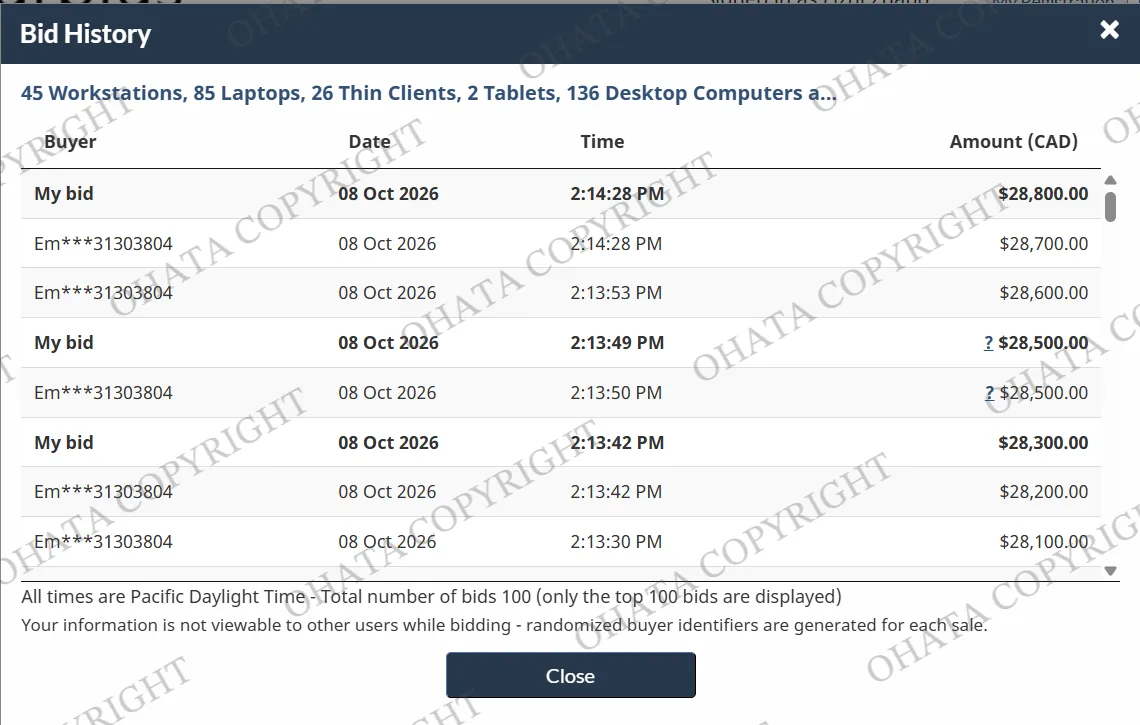
Our winning bid for the complete lot was CAD $28,800 before tax. This amount covers all six equipment groups; individual devices still need their own condition and completeness checks. The lot was sold as-is and untested, without warranties or guarantees.
A Closer Look at the Equipment
Desktop computers and workstations
The largest group is 136 desktop computers, alongside 45 workstations.
For anyone preparing similar equipment for sale, the model label and remaining components are helpful details to share. Tell us whether storage drives, memory or other parts have already been removed.
Our desktop tower buying page describes a specific category for towers without hard drives that retain their motherboards. It is a useful reference for matching equipment, but the broad label “desktop computer” does not establish that every unit in a lot meets those conditions.
Laptops
The 85 laptops include several manufacturers. Brand names help describe the collection, while model information, screen condition and completeness help with a closer review.
If you have laptops to sell, photographs of the open screen, keyboard, housing and model label are useful. Mention anything missing or damaged, even if you do not know whether the laptop still works.
You can review our whole laptop buying conditions for guidance on complete laptops with good screens. Untested equipment should be described as untested, so everyone starts with the same understanding.
Thin clients and docking stations
The lot also includes 26 Dell thin clients and 15 Lenovo docking stations. Keeping these groups distinct makes the inventory clearer.
For unfamiliar computer equipment, a readable model label and photographs of the connections are good starting points. This is especially helpful when a small device could be mistaken for another type of computer accessory.
The docking stations were specifically listed as unused and in their original packaging. That detail distinguishes their listed condition from the used equipment in the same purchase.
Tablets
The purchase includes two tablets, with Dell and HP listed as the manufacturers.
For tablet inquiries, tell us the model, screen condition and whether any parts are missing. Our tablet buying page explains the category for devices that retain their internal logic boards. There is no need to open a tablet simply to send us an initial inquiry.
Preparing Your Computers for Sale
You do not need hundreds of devices to contact our Richmond team. Whether you have a few retired laptops or a larger office load, a little preparation makes the conversation easier.
Start by separating the main equipment groups. Keep laptops, desktop computers, tablets and accessories together with similar items. Loose circuit boards and already-removed parts should be identified separately.
Then send us a few clear photos, along with:
Approximate quantities for each group
Manufacturer and model details where available
Any known faults or missing components
Whether the equipment has been tested
The size of the load and your preferred delivery timing
Before transferring devices, back up information you need and follow the appropriate data-security procedures for your personal or business devices. Let us know if storage drives have been removed so we can consider the remaining equipment correctly.
You can browse our Canadian e-scrap buying list to explore relevant categories. You don’t need to assign every item a final category yourself. Photos and an honest description are enough to begin an inquiry.
Frequently Asked Questions
1. Can I sell a smaller quantity of computer equipment in Richmond?
Yes, you can inquire about smaller quantities. Check the relevant buying category for its minimum quantity and conditions, or ask our team which page applies to your equipment.
2. Should I dismantle my computers before contacting Ohata?
You can start by sending photographs of the equipment as it is. Mention any parts already removed. Review the applicable buying conditions before making further changes.
3. Can you confirm a final buying price from photos?
Photos help with an initial review. Final acceptance, classification, measured weight and buying price are confirmed after physical inspection.
4. Do I need to arrange a large delivery in advance?
Yes. Please contact our Richmond team before bringing a large or palletized load so we can discuss receiving arrangements.
Visit Our Richmond Yard
If this purchase has reminded you of computers sitting in a storage room, you’re welcome to ask us where to start.
Ohata Resource Canada Inc.
11220 Voyageur Way, Unit 7
Richmond, BC V6X 3E1
Phone and WhatsApp: +1 (236) 888-1086
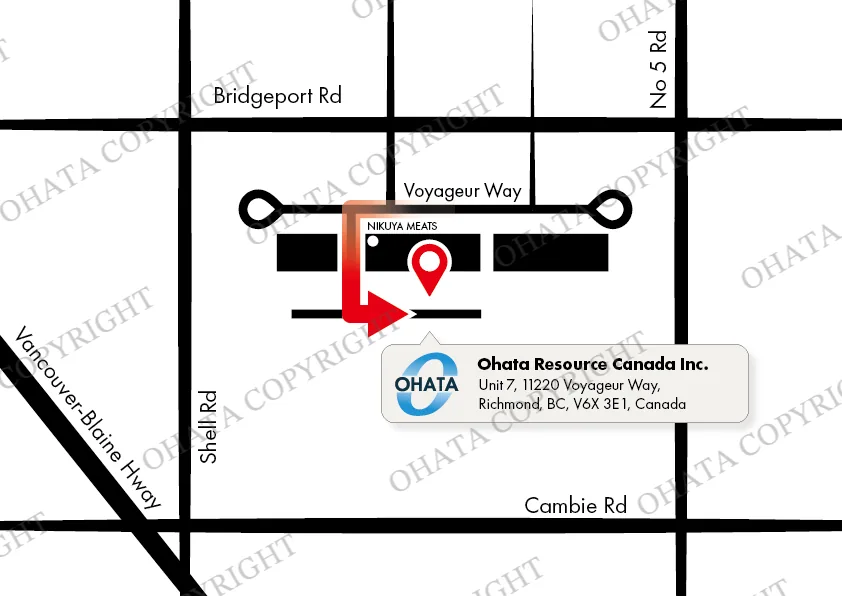
If you’re driving with equipment, head around to the back of the building for parking and warehouse receiving. Look for the vertical Ohata sign, then speak with our team before unloading.
Visitors on foot can use the front office entrance. We’ve also added a doorbell, so if you don’t see someone during business hours, give it a ring. We’ll be happy to help!
Our regular hours are 8:00 a.m.–5:00 p.m., Sunday–Tuesday and Thursday–Saturday. We are closed on Wednesdays and holidays. Check our contact page for current hours and our Richmond yard access page for directions.
Thank you for following what’s happening at our Richmond yard. We hope you enjoyed this look at our recent government surplus purchase, and we wish you a lovely Thanksgiving weekend!
Related Resources

Comments
0 comments