

Hello! I’m Tomona from Ohata Resource Canada’s Richmond yard.
It’s Sunday, October 18, 2026, and it has been a busy few days at our yard.
Earlier this week, our team prepared and loaded sorted circuit boards for their next stage of processing. We photographed the prepared material, the loading work and the inside of the truck after loading. We are keeping the destination, quantities and business details private, but the photos provide a brief look at some of the work that happens behind the scenes in Richmond.
As one group of materials moved on, new electronic scrap continued to arrive. Yesterday, our Richmond yard purchased approximately 109 lb of desktop computers, laptops and computer components from a local business.
Today, we’ll take a closer look at what was included in this purchase and explain some of the details that can affect how similar material is identified and evaluated.
A Look Behind the Scenes at Our Richmond Yard
Before looking at the new purchase, here is a quick glimpse of another part of our work.
Earlier this week, sorted circuit boards were prepared and loaded for transport. Material must be organized and packed before it can be moved efficiently. Containers also need to be positioned carefully during loading.
The photos and video from the operation show only the general working process. Shipping documents, identifying information, the destination and other business details are not being shared.

This loading work is only one part of the yard’s daily operations. Receiving and purchasing new material continues alongside sorting, storage and preparation work.
What We Purchased Yesterday
Today’s purchase included six separately recorded material groups:
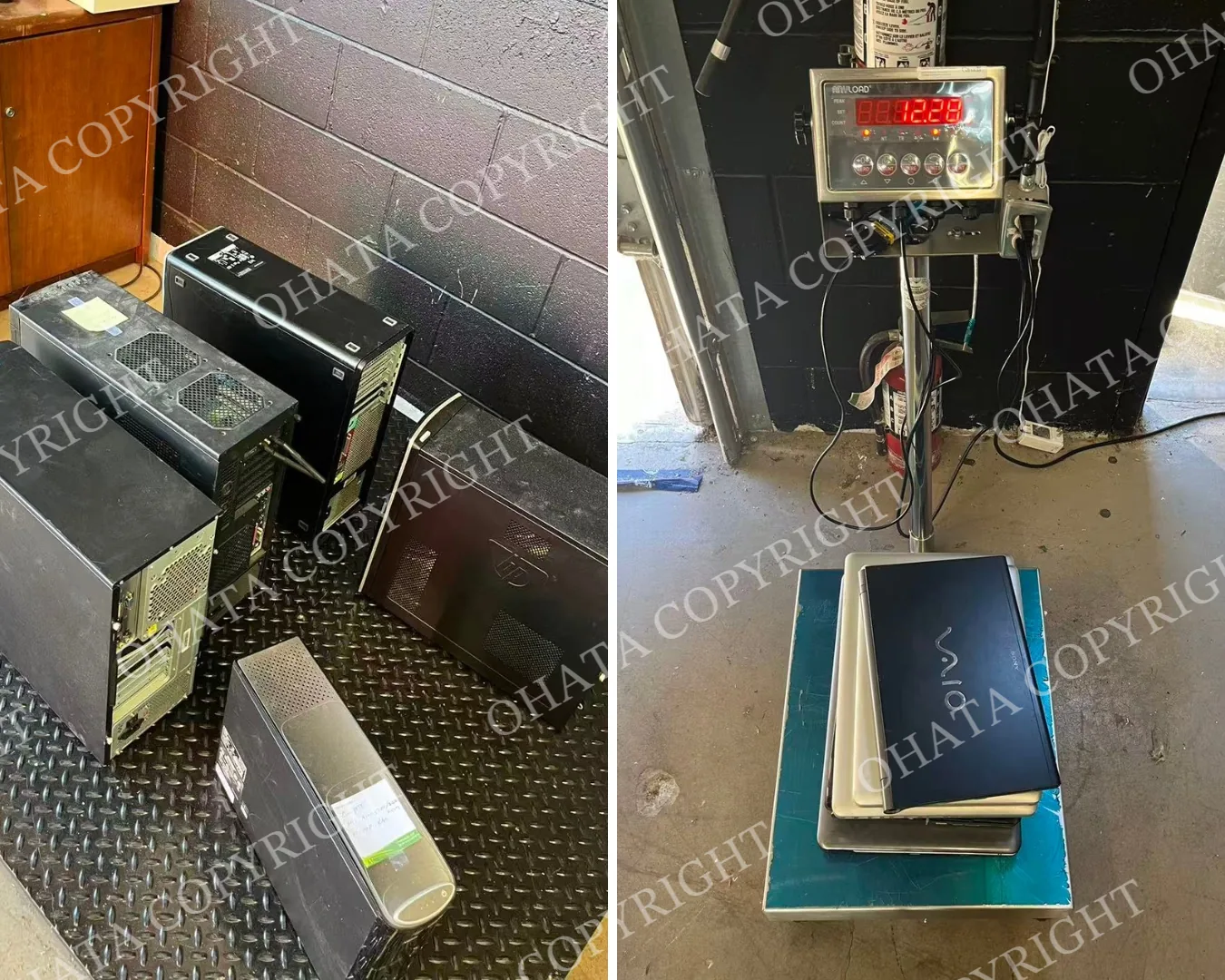
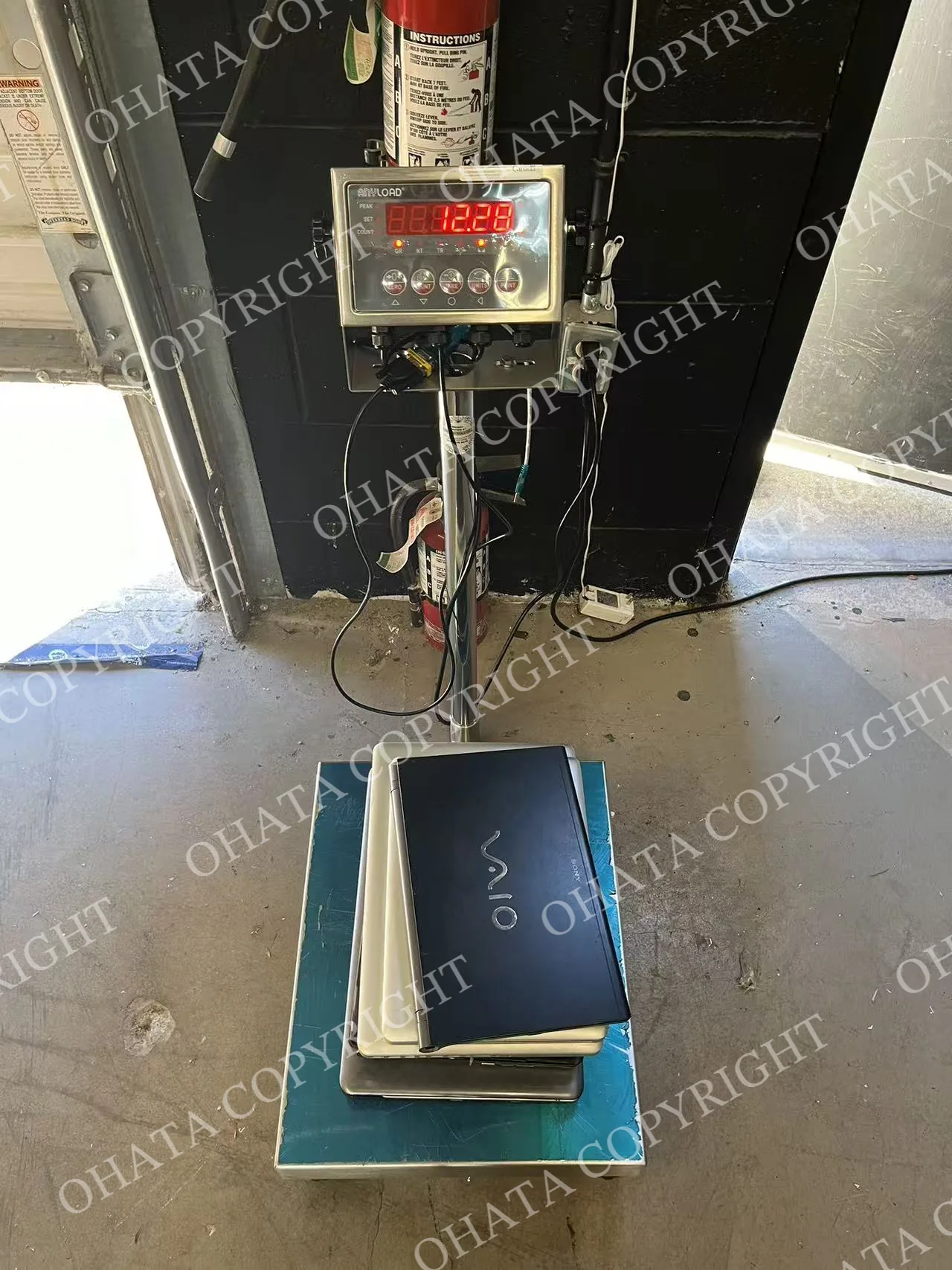
Whole desktop towers with motherboards: 96.000 lb
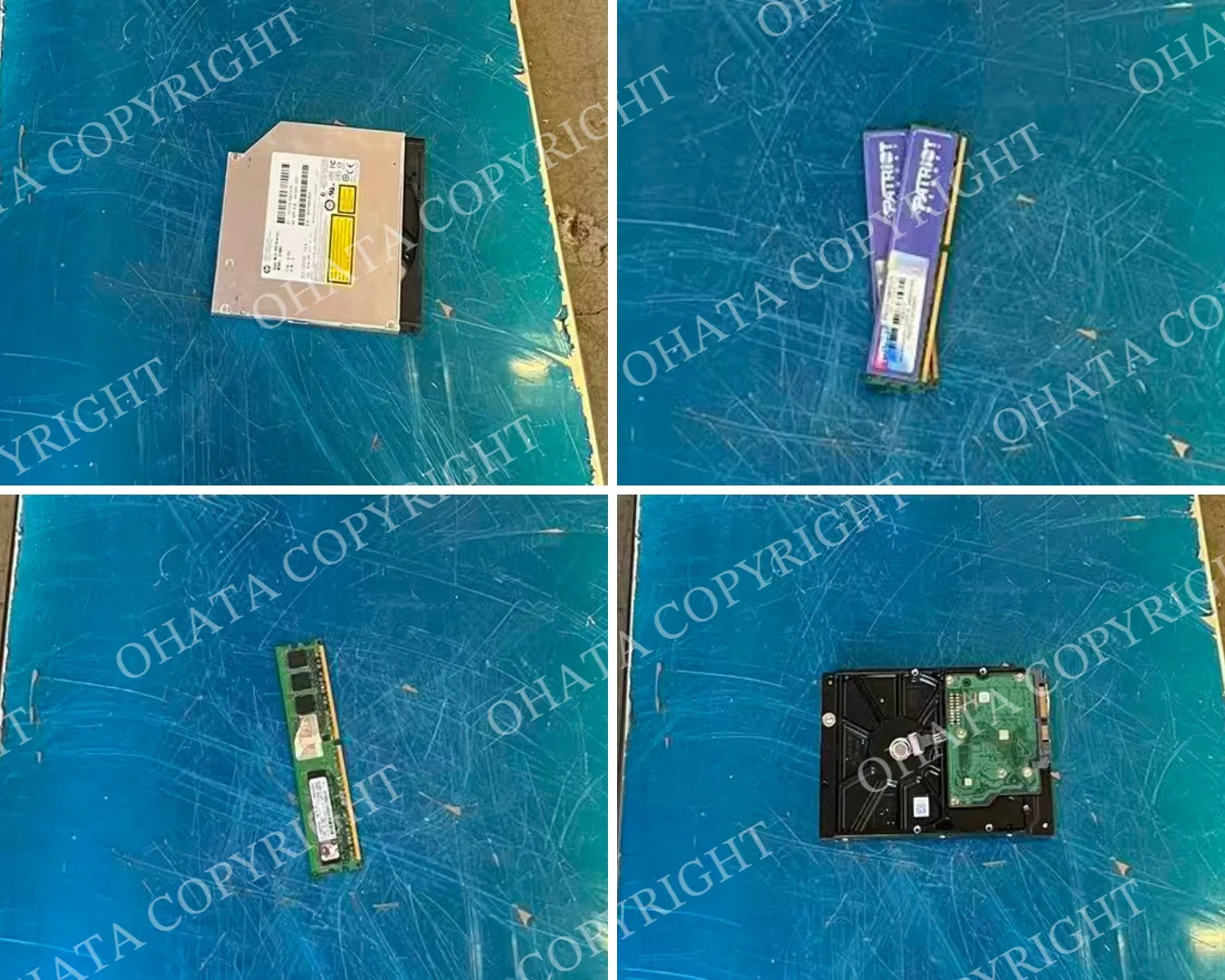
Non-working laptops with good screens: 12.280 lb
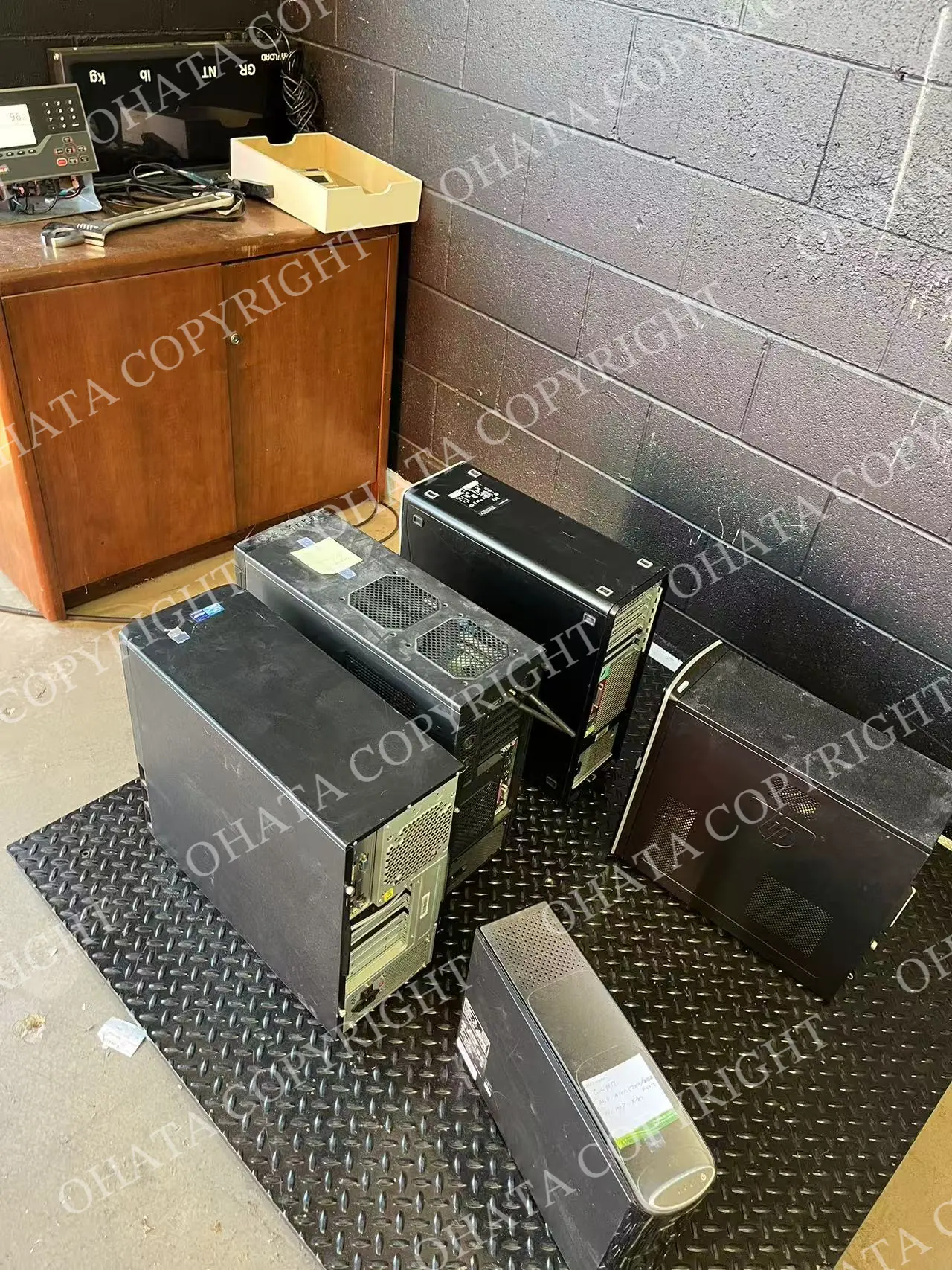
RAM-A: 0.020 lb
RAM-B: 0.060 lb
Punched or bent hard drive with its controller board: 0.400 lb
CD/floppy disk drives: 0.140 lb
Confirmed total weight: 109 lb
The transaction price and customer information are private. The weights are included here to show how a mixed computer load can be separated and recorded by material type.
Even when some groups weigh only a fraction of a pound, separating them helps preserve an accurate record of what was received.
Desktop Towers Made Up Most of the Load
The largest group in this purchase was 96 lb of whole desktop computer towers.
Our desktop tower buying category is intended for desktop computers that retain their motherboards. A hard drive or SSD may be removed, but the motherboard must remain installed for the equipment to match this category.
When reviewing a desktop tower, our team may check:
Whether the motherboard remains installed
Whether the computer is still identifiable as a complete or partial tower
Which major components remain inside
Whether the hard drive or SSD has been removed
The condition of the case and internal equipment
Whether the load contains empty cases or unrelated material
Other components, such as RAM, graphics cards, optical drives or power supplies, may already have been removed. The remaining configuration and overall condition still need to be inspected.
Customers sometimes remove storage drives before delivery to protect personal or business information. If you do this, please tell us which parts were removed and keep the rest of the system assembled whenever practical.
An empty computer case is different from a desktop tower with its motherboard still installed. Keeping these groups separate helps our team review them more efficiently.
Non-Working Laptops with Good Screens
The second-largest group was 12.28 lb of non-working laptops with good screens.
A laptop that does not power on may still qualify for a buying category, but working condition is only one part of the review. Screen condition, device type, completeness and missing components can also matter.
For similar laptop material, useful details include:
Whether the screen is cracked or visibly damaged
Whether the motherboard remains installed
Whether the battery is present
Whether the hard drive or SSD has been removed
Whether the keyboard, housing and hinges remain attached
The manufacturer and model number
Whether the device is a Chromebook
You can review our current laptop buying categories before visiting.
If a laptop has not been tested, describe it as untested rather than assuming that it works or does not work. Clear photos of the open screen, keyboard, outside housing and model label give our team a useful starting point.
Before transferring a laptop, back up any information you need and follow the appropriate data-security procedures. Let us know if its storage device has already been removed.
Why We Recorded RAM-A and RAM-B Separately
The purchase included two very small groups of memory:
RAM-A: 0.020 lb
RAM-B: 0.059 lb
Together, these modules weighed only 0.079 lb, but they were still recorded separately.
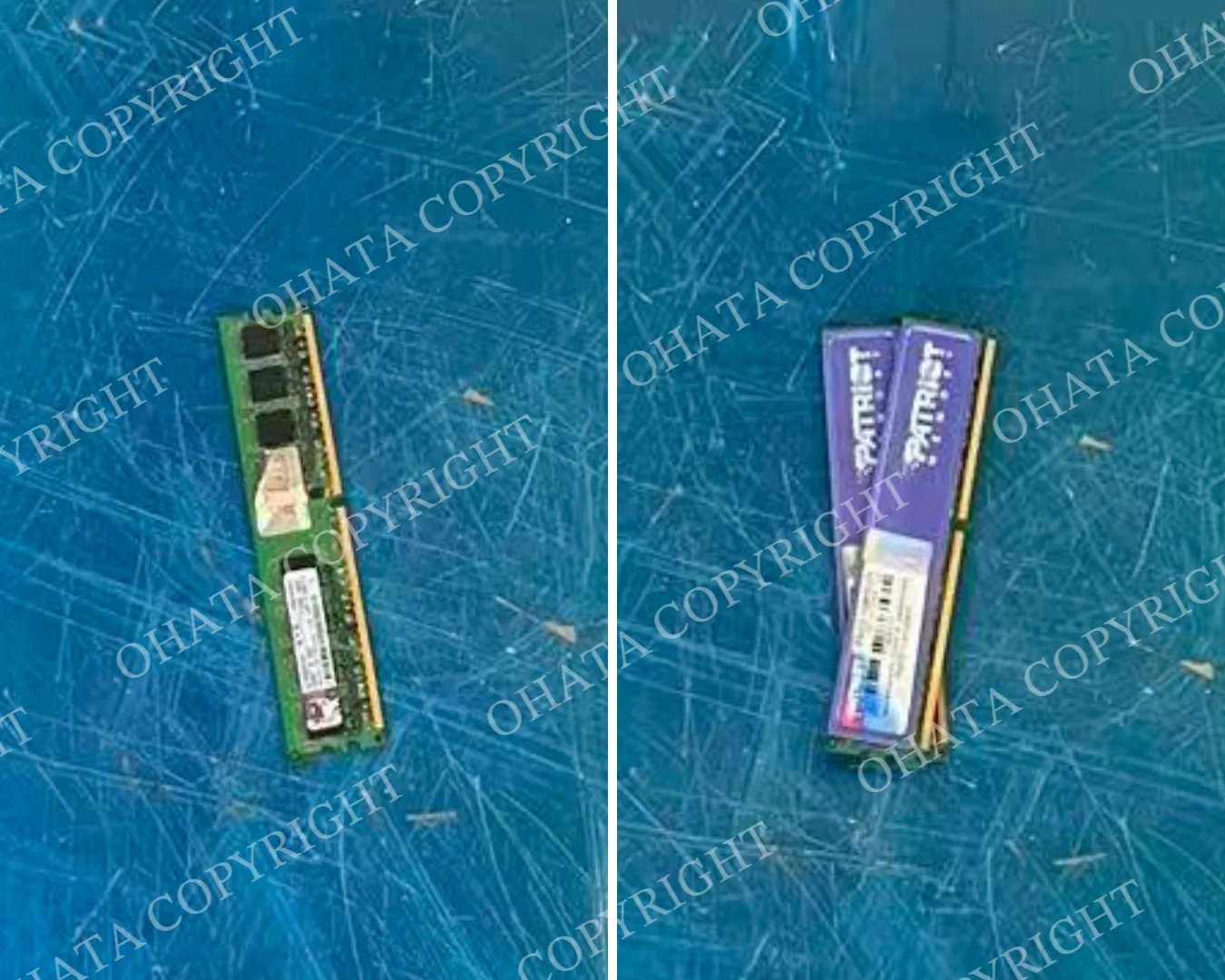
RAM modules can differ in their contacts, shielding, chip layout, condition and remaining components. Our current buying list includes separate pages for RAM-A and RAM-B.
For preliminary sorting, keep visibly different RAM types in separate groups. Leave the memory chips and contact edges intact, and avoid mixing RAM with general circuit boards or unrelated computer parts.
A single visible feature does not always confirm the final category. Our team considers the complete module and its physical condition during inspection.
A Damaged Hard Drive with Its Board Attached
This purchase also included 0.4 lb of a punched or bent hard drive with its controller board still attached.
The controller board is the external circuit board normally mounted on the underside of a hard disk drive. Its presence helps distinguish the Punched or Bent Hard Drive With Board category from the corresponding no-board category.
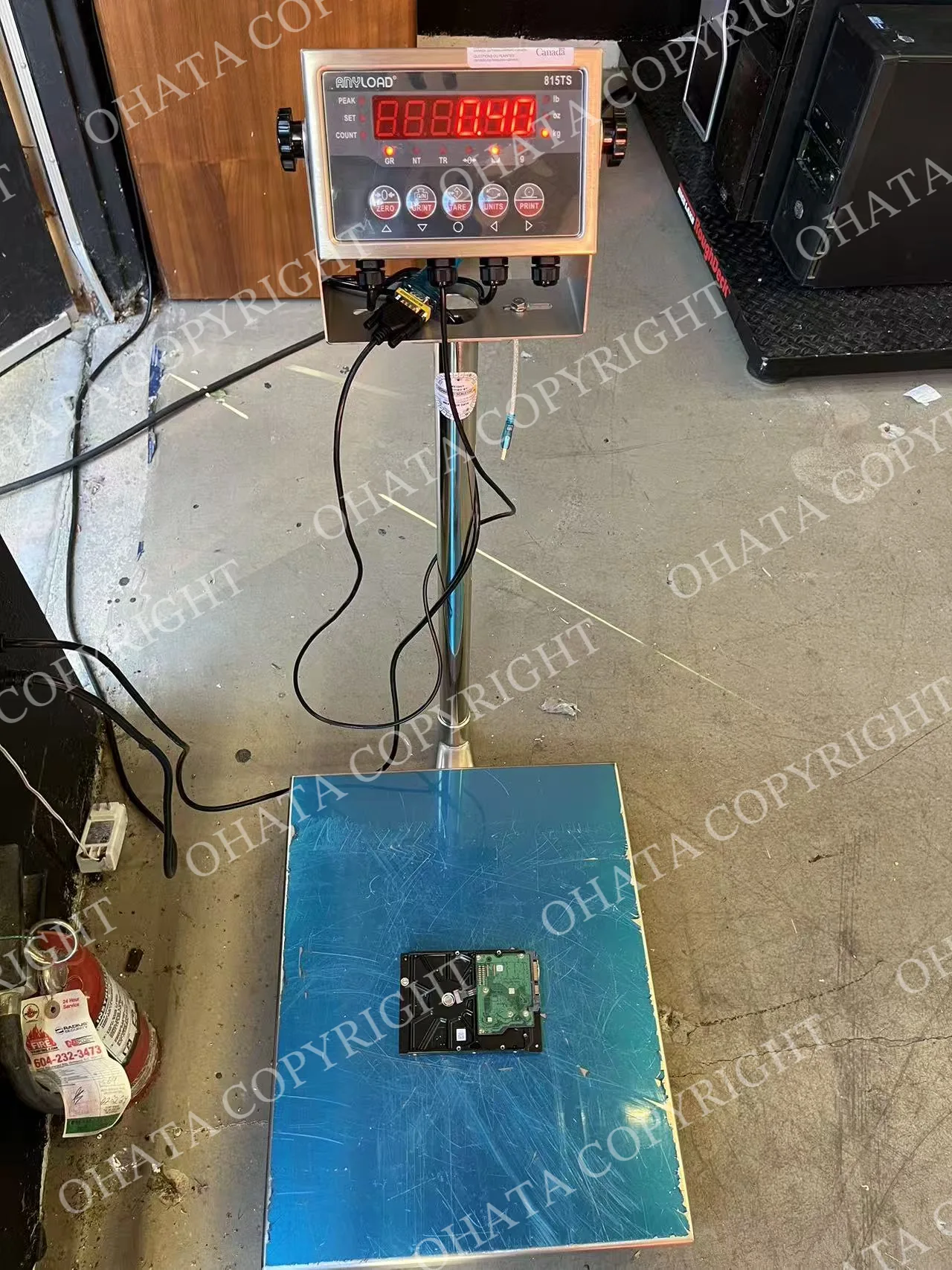
The drive does not need to operate. Our team may check:
Whether the original controller board remains attached
The type and degree of physical damage
Whether the drive remains identifiable
Whether major parts have been removed
Whether the material is contaminated or mixed with loose components
If the controller board has already been removed, keep the loose board and the remaining hard-drive body separated. Placing a loose board beside a drive does not make it a with-board unit because the board is no longer installed as part of the original assembly.
Computer Disc Drives
The final recorded group was 0.14 lb of CD/floppy disk drives.
Internal computer drives should be kept separate from hard disk drives and complete home entertainment players. Labels, loading mechanisms and rear connectors can help identify what type of drive you have.
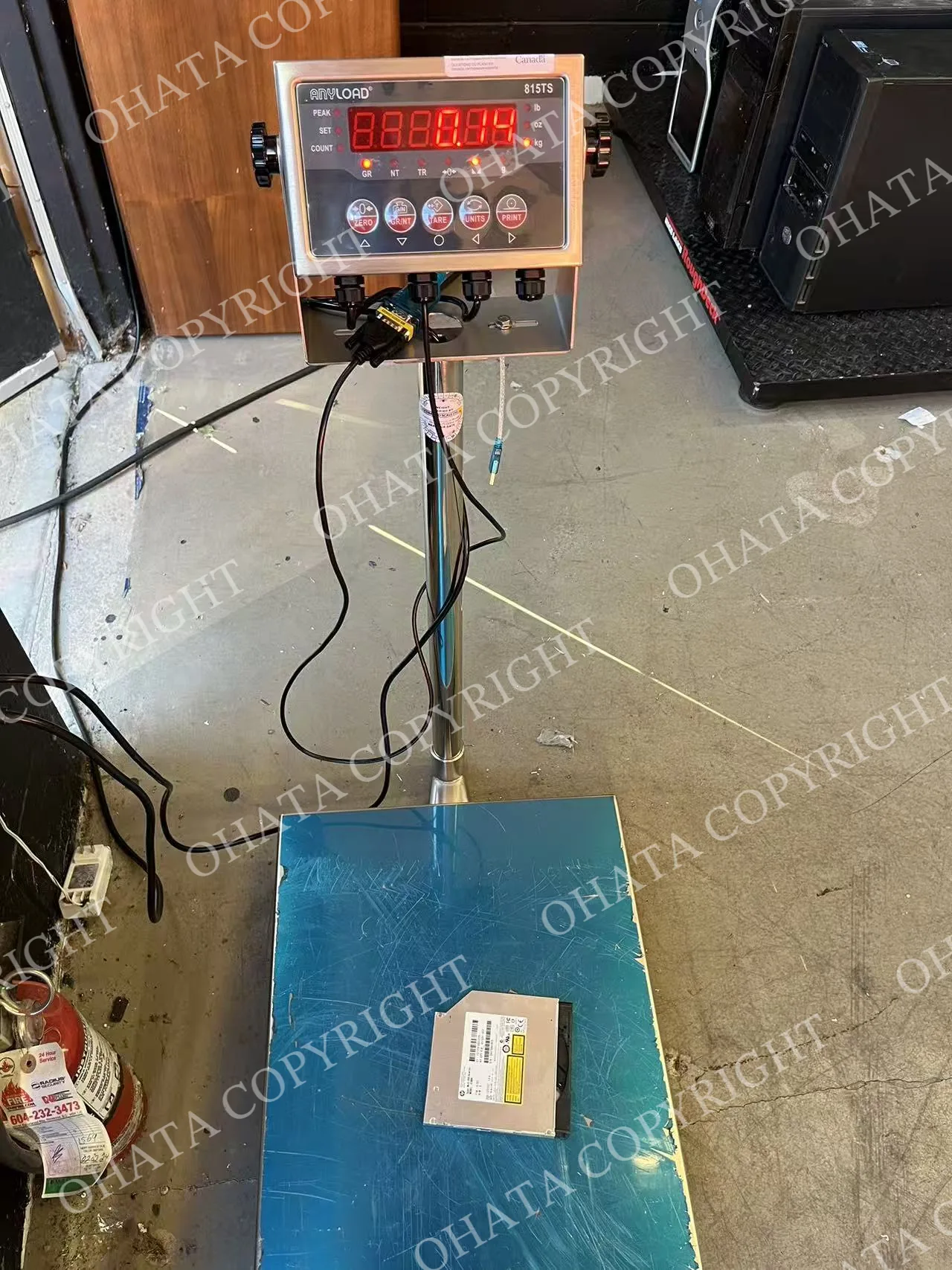
Our CD/DVD Drive buying page covers qualifying computer optical drives such as CD-ROM, CD-RW, DVD-ROM and DVD-RW drives. Because floppy disk drives are a different type of computer component, their final classification should be confirmed through inspection.
Keep the drive enclosure and manufacturer label attached. There is no need to open a complete drive simply to remove its internal circuit board before asking us about it.
What This Purchase Shows About Mixed Loads
This purchase is a good example of why “old computers” is only a starting description.
The load included complete equipment, memory modules, a damaged storage device and internal computer drives. Each group had different physical characteristics and preparation conditions.
If your business has a similar mixed load, you do not need to assign every item a final category yourself. Basic separation is usually enough to begin:
Keep desktop computers together
Keep laptops together
Separate loose RAM and circuit boards
Separate hard drives from optical and floppy drives
Identify parts that have already been removed
Keep damaged or contaminated material apart
Take photographs of unfamiliar items
Then send our Richmond team a few clear photographs, approximate quantities and estimated weights. We can review the information and discuss the next step with you.
Frequently Asked Questions
1. Do you purchase computer equipment from businesses?
Yes. Ohata Resource Canada purchases qualifying computers, circuit boards and computer components from businesses and individuals. Acceptance depends on the item, condition and current buying requirements.
2. Do I need a large quantity?
No. Minimum quantities vary by category. Review the applicable page on our current Canadian buying list, or contact us if you have several small groups.
3. Should I remove hard drives before selling desktop computers?
You may remove an HDD or SSD to manage personal or business information. Tell us what has been removed and keep the motherboard installed if you want the tower assessed under the corresponding whole-tower category.
4. Should I dismantle laptops before contacting you?
No. Start by sending photos of the laptops in their current condition. Removing parts can change the applicable buying category.
5. Can I combine RAM with motherboards?
Please keep loose RAM separate from motherboards whenever practical. Different materials may have separate buying categories and prices.
6. Do damaged hard drives need to work?
No. A punched or bent hard drive may still qualify. The presence or absence of its controller board and the condition of the remaining drive determine which category may apply.
7. Can you confirm the final price from photographs?
Photos help with an initial review, but they cannot confirm exact weight, hidden damage or final classification. Final acceptance, classification, measured weight and buying price are confirmed after physical inspection.
8. Should businesses arrange large deliveries in advance?
Yes. Please contact us before bringing a large, palletized or mixed commercial load so we can discuss the material and receiving arrangements.
Visit Our Richmond Yard
Ohata Resource Canada Inc. receives qualifying electronic scrap at:
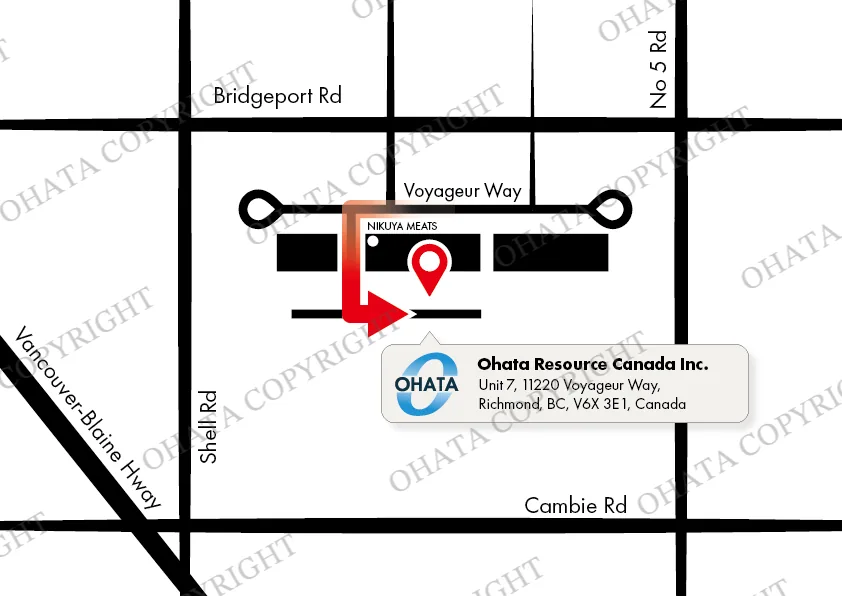
11220 Voyageur Way, Unit 7
Richmond, BC V6X 3E1
Phone and WhatsApp: +1 (236) 888-1086
Customers arriving by vehicle should continue around to the back of the building for parking and warehouse receiving. Look for the vertical Ohata sign near the rear entrance and speak with our team before unloading.
Visitors on foot can use the front office entrance. If you do not see a team member during business hours, please ring the doorbell.
Regular walk-in visits generally do not require an appointment. Please contact our Richmond team before bringing a large or palletized load.
You can also review our Richmond yard access information and browse the current e-scrap buying list before visiting.
From One Load to the Next
This week’s loading operation offered a look at materials leaving our Richmond yard for their next stage. Today’s approximately 109 lb purchase shows the other side of the process: computers and components arriving, being separated and recorded according to what they are.
If your home, repair shop, office or business has retired computers or electronic components, take a few clear photographs and make a note of the approximate quantity. You do not need to determine every final category before contacting us.
Send our Richmond team a message, and we’ll help you work out the next step!

Comments
0 comments