

Remember installing software from a CD or watching a DVD on your computer? If you’ve been sorting through older equipment, you may have come across the drive that made it all possible.
Hello! I’m Tomona from Ohata Resource Canada’s Richmond yard. It’s Thursday, October 15, 2026, and today we’re taking a closer look at computer CD and DVD drives, what they look like, how they differ from other electronics, and what to check before bringing them in.
There’s also a creative recycling connection in our community this month. The Gulf of Georgia Cannery in Steveston is hosting its Into the Deep Undersea Photo Experience through November 1, featuring marine creatures made from recycled plastics and ocean waste. It might give you another reason to explore Richmond this autumn!
Back at the yard, our CD/DVD Drive buying page covers qualifying computer optical drives, including CD-ROM, CD-RW, DVD-ROM, DVD-RW and combination drives. You don’t need to know every technical specification before contacting us. A readable label and a few clear photos are a helpful starting point.
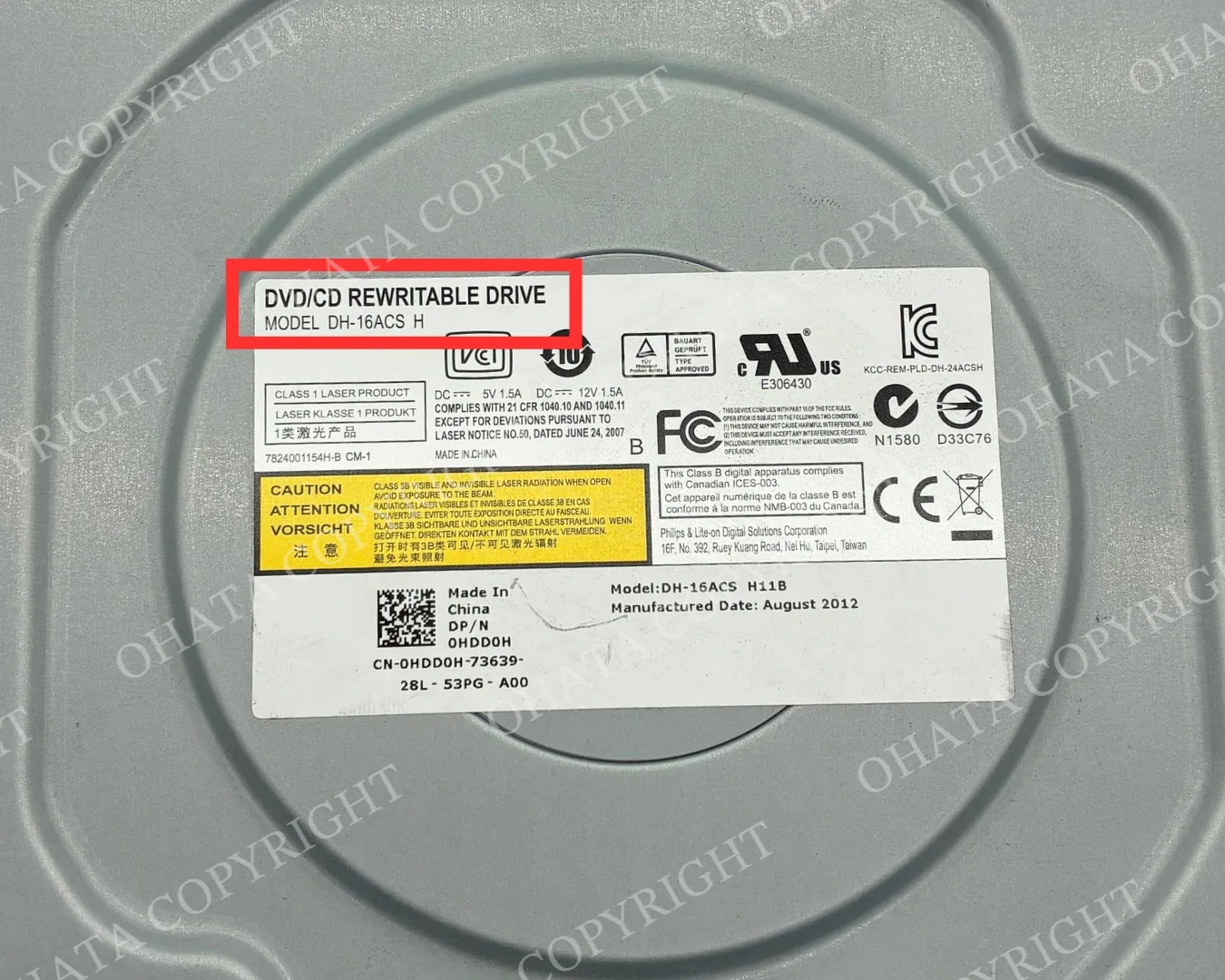
Start with the Label
A metal computer component can be difficult to identify at first glance. The manufacturer’s label often provides the clearest clue.
Look for wording such as:
CD-ROM
CD-RW
DVD-ROM
DVD-RW
DVD/CD Rewritable Drive
Optical Drive
You may also see a manufacturer name, model number and manufacturing date. These details help our team understand what you have, especially when the front panel is missing or the drive has an unfamiliar shape.
Keep the label attached and photograph it clearly. There is no need to peel it off or clean the housing aggressively.
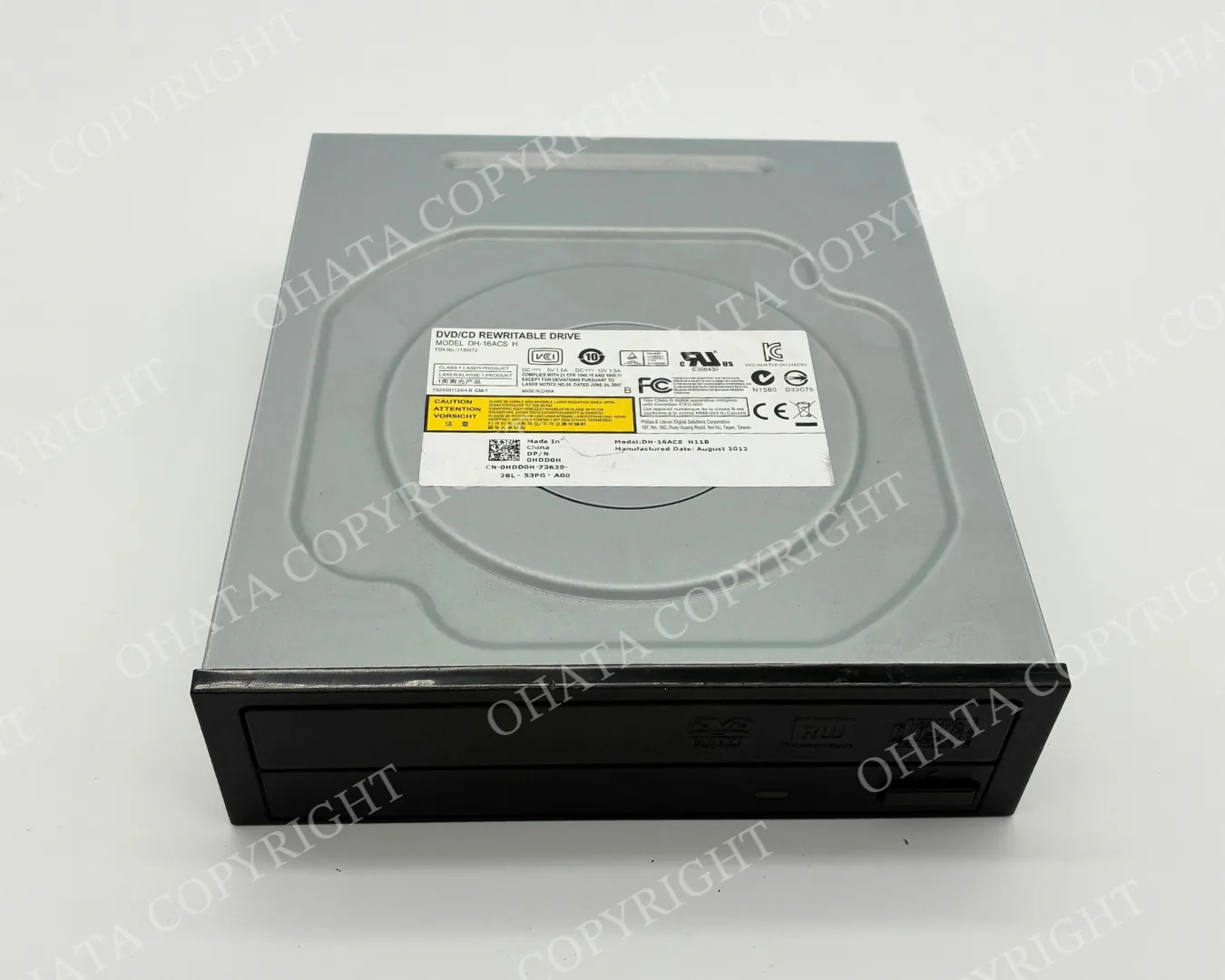
CD-ROM, DVD-ROM and Rewritable Drives
The names describe different capabilities, but they all refer to optical drives.
A CD-ROM drive reads CDs. A DVD-ROM drive reads DVDs and commonly supports CDs as well. Drives marked CD-RW, DVD-RW or DVD/CD Rewritable support recording or rewriting compatible discs, depending on the model.
For an initial inquiry, you do not need to test every function or list every supported disc format. Share the label and describe the drive’s known condition.
If you have not tested it, simply tell us that it is untested. That is more useful than assuming it works because the exterior looks complete.
You can compare your equipment with the examples on our CD/DVD Drive category page.
Desktop and Slim Optical Drives
A typical desktop optical drive has a rectangular metal enclosure, a front disc-loading mechanism and connections at the rear. Many have a tray and an eject button.
Slim optical drives are thinner and may have different mounting points or connectors. Older examples may also look different from the full-size DVD drives commonly found in desktop towers.
Size and age alone do not determine the buying category. The item still needs to be identifiable as a qualifying computer optical drive, and its remaining components and condition matter.
If you have several styles, group similar drives together. Keep unfamiliar units separate and send us a photo rather than trying to force everything into one category.
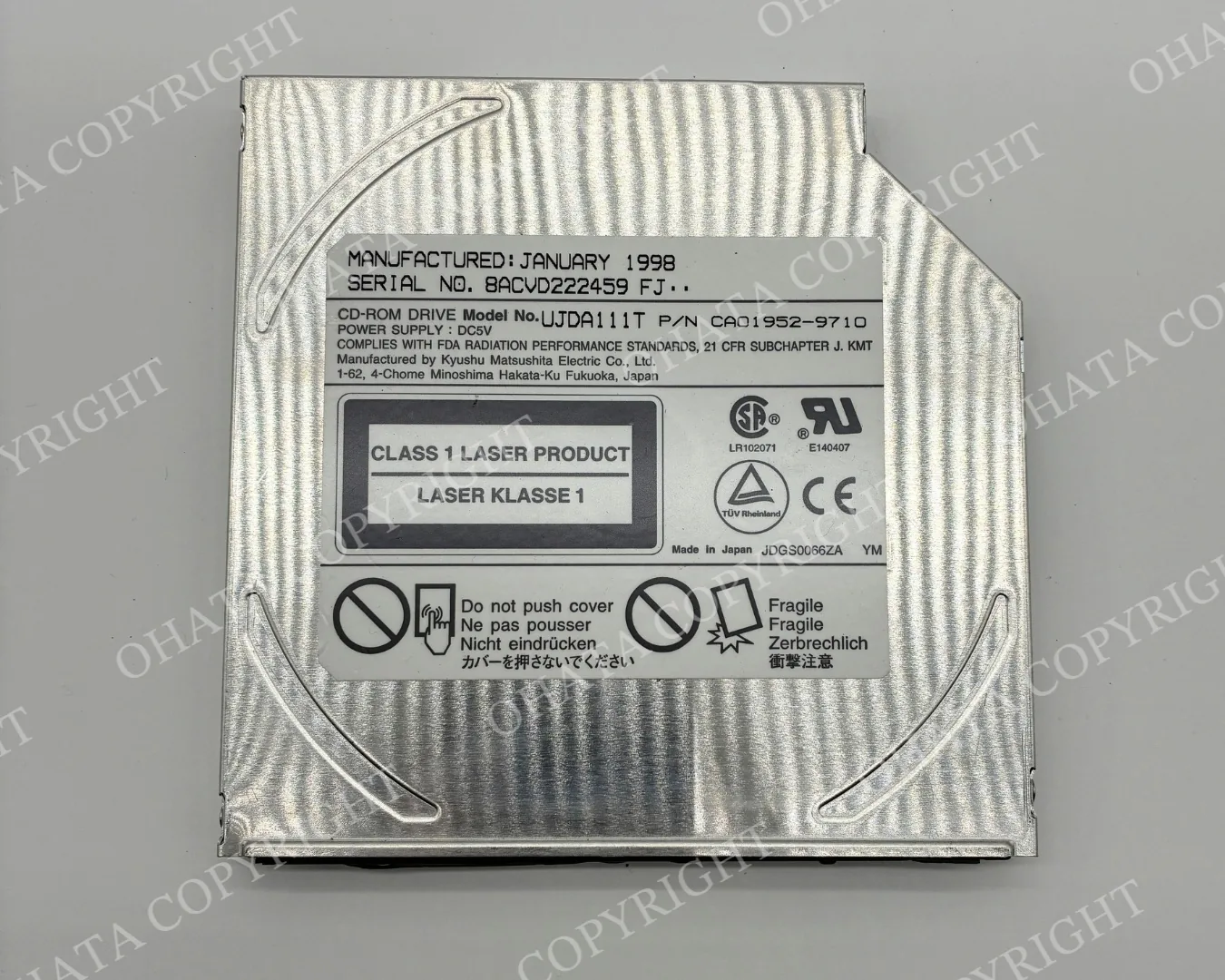
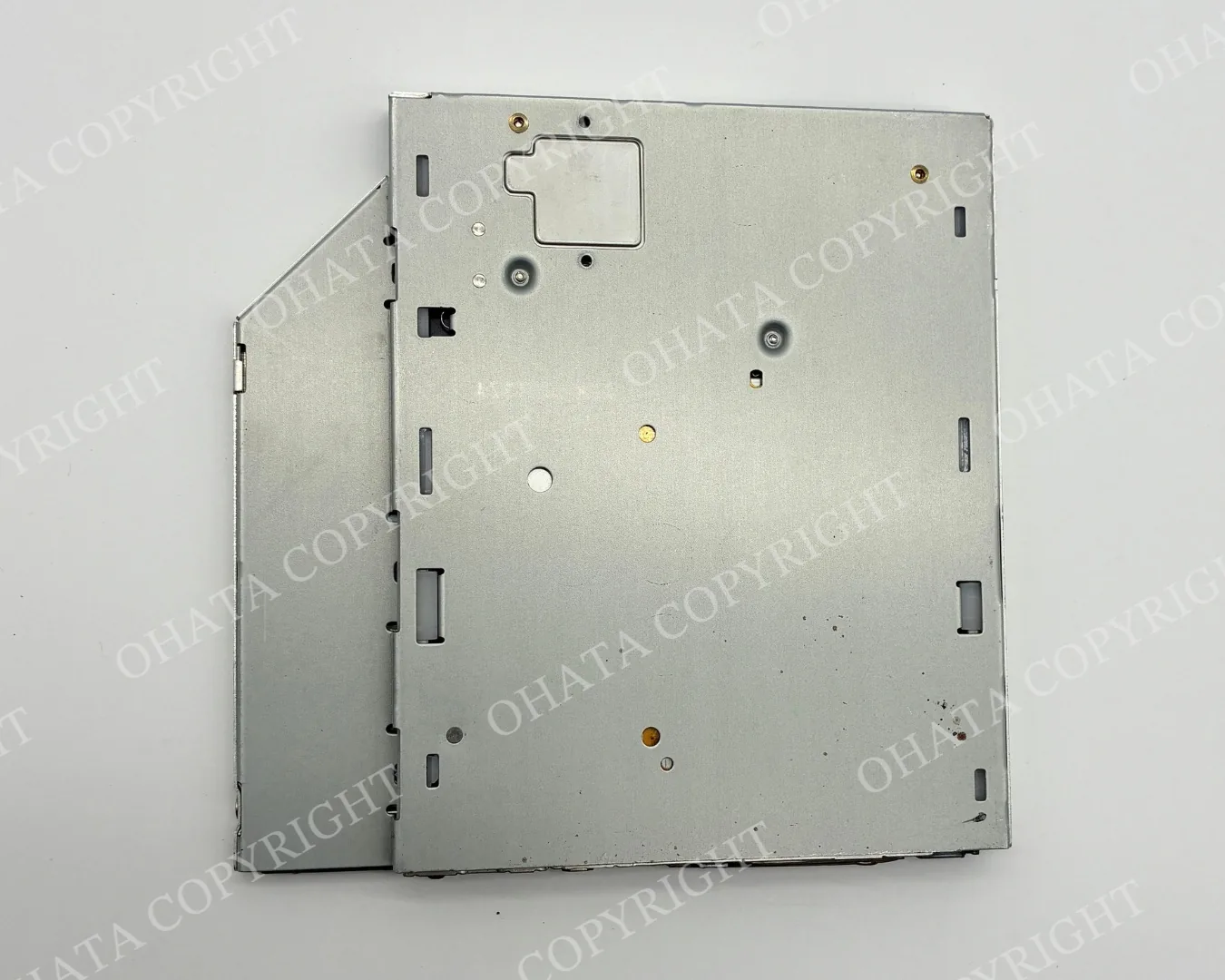
What Can the Rear Connectors Tell You?
The back of the drive provides another useful view.
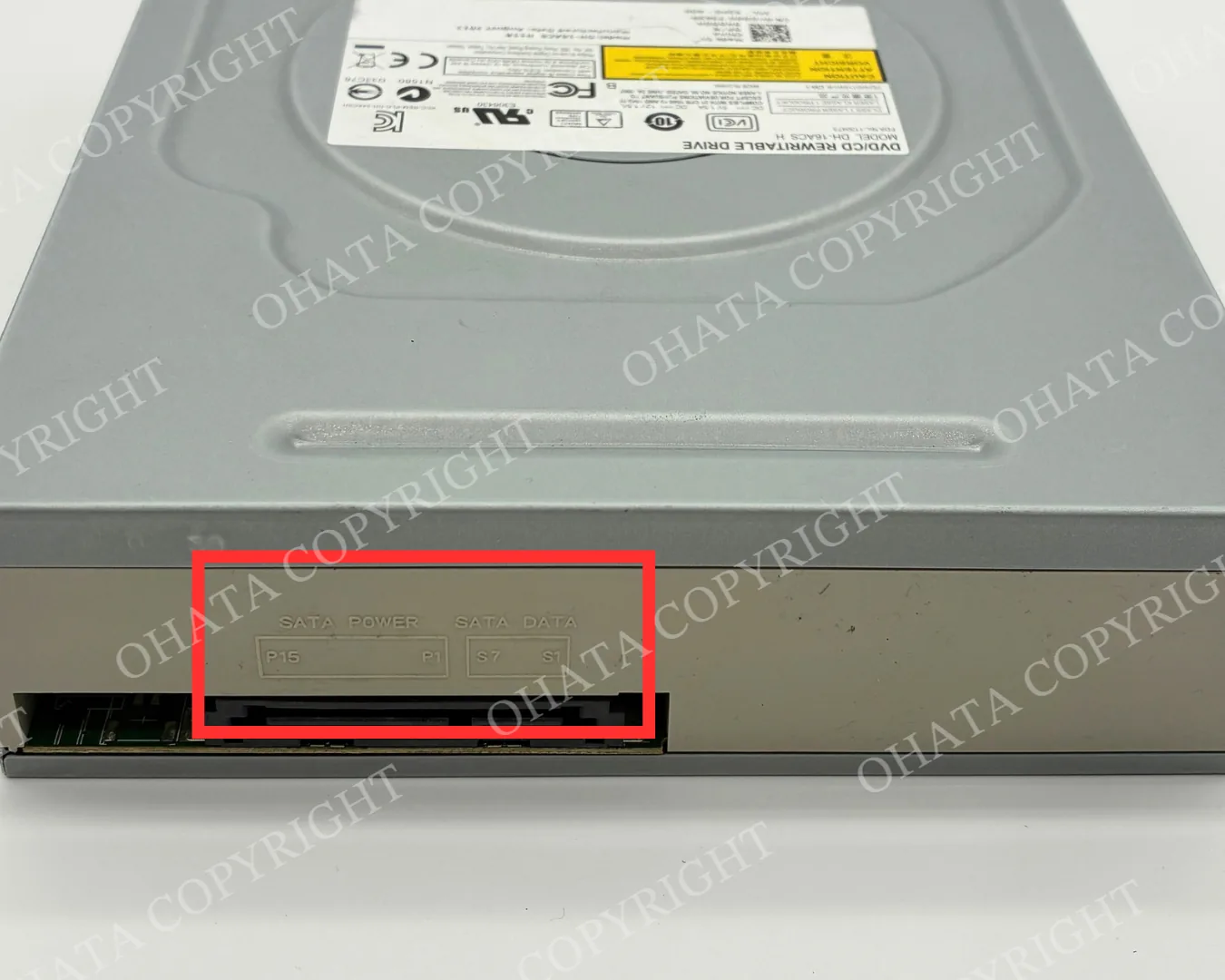
Many desktop optical drives use SATA power and data connectors. Older drives may use a different interface, and slim drives may have a smaller connection arrangement.
The connector type helps describe the equipment, but it does not establish the final buying category on its own. Hard drives can also use SATA connections, so it is important to look at the whole item.
For a photo inquiry, include:
The complete drive
The manufacturer and model label
The front loading mechanism
The rear connectors
Any visible damage or missing parts
A CD/DVD Drive Is Different from a Hard Drive
Both components may come from the same computer, but they serve different purposes.
A CD/DVD drive uses removable optical discs. It normally has a tray, slot or another disc-loading mechanism.
A hard disk drive, or HDD, stores information internally on magnetic platters. It does not take removable CDs or DVDs.
When sorting computer parts, keep optical drives separate from whole hard drives and loose HDD controller boards. These materials have different buying categories and preparation conditions.
Our Canadian scrap buying list is a useful place to compare the available categories. If the item is unfamiliar, a photograph is enough to begin the conversation.
What About a Home CD or DVD Player?
A standalone DVD player from a living room is different from an internal computer optical drive.
A home entertainment player usually has its own enclosure, controls and audio or video connections. It may contain an optical mechanism, but the complete player should not automatically be treated as a computer CD/DVD drive.
Please send a photo before assuming the same buying conditions apply. There is no need to dismantle a home player just to ask whether we can receive it.
Our free electronics drop-off guide explains how eligible free-drop-off items differ from material offered for purchase. You can also contact our Richmond team to check your particular item.
Preparing Your Drives Before Visiting
A little sorting helps, but extensive dismantling is unnecessary.
Keep the drive substantially complete. Leave the enclosure, labels and internal components in place. Do not open it solely to remove its circuit board.
If a drive is already incomplete, tell us what has been removed. A missing front panel, damaged connector or opened enclosure gives our team useful information before inspection.
Group optical drives separately from other computer parts and pack them in a manageable container. Keep them dry during transport, and avoid placing heavy equipment on exposed connectors.
Working condition is not the only consideration. A non-working drive may still qualify, while a severely burned, heavily corroded, contaminated or extensively dismantled unit may fall outside this category.
Before leaving, review the current CD/DVD Drive buying conditions. For a large load, please contact us in advance with photos and an approximate weight.
Frequently Asked Questions
1. Can I sell an old CD-ROM drive?
CD-ROM drives are included among the optical-drive types described on our CD/DVD Drive page. Acceptance depends on the drive’s actual condition and completeness.
2. Does the drive have to work?
No. Working and non-working drives may qualify. Let us know whether the equipment has been tested and mention any known faults.
3. Do you accept slim optical drives?
Certain slim optical drives may qualify. Send a photo of the whole drive, its label and connections if you are unsure.
4. Should I remove the internal circuit board?
No, keep the drive together for this category. If it has already been dismantled, describe the remaining material and ask us which buying category applies.
5. Is a home DVD player included in the same category?
Not automatically. A standalone home entertainment player is different from a computer optical drive. Send us a photo so we can help you check.
6. What is the minimum quantity?
The item page currently lists 1 lb. If you have one lightweight drive or several small groups of electronics, contact us before visiting to discuss what you plan to bring.
7. Can you confirm the price from photographs?
Photos help with an initial review. Final acceptance, classification, measured weight and buying price are confirmed after physical inspection. Check the current buying page for reference pricing.
Finding Our Richmond Yard
You’re welcome to ask for help before bringing your computer parts to us.
Ohata Resource Canada Inc.
11220 Voyageur Way, Unit 7
Richmond, BC V6X 3E1
Phone and WhatsApp: +1 (236) 888-1086
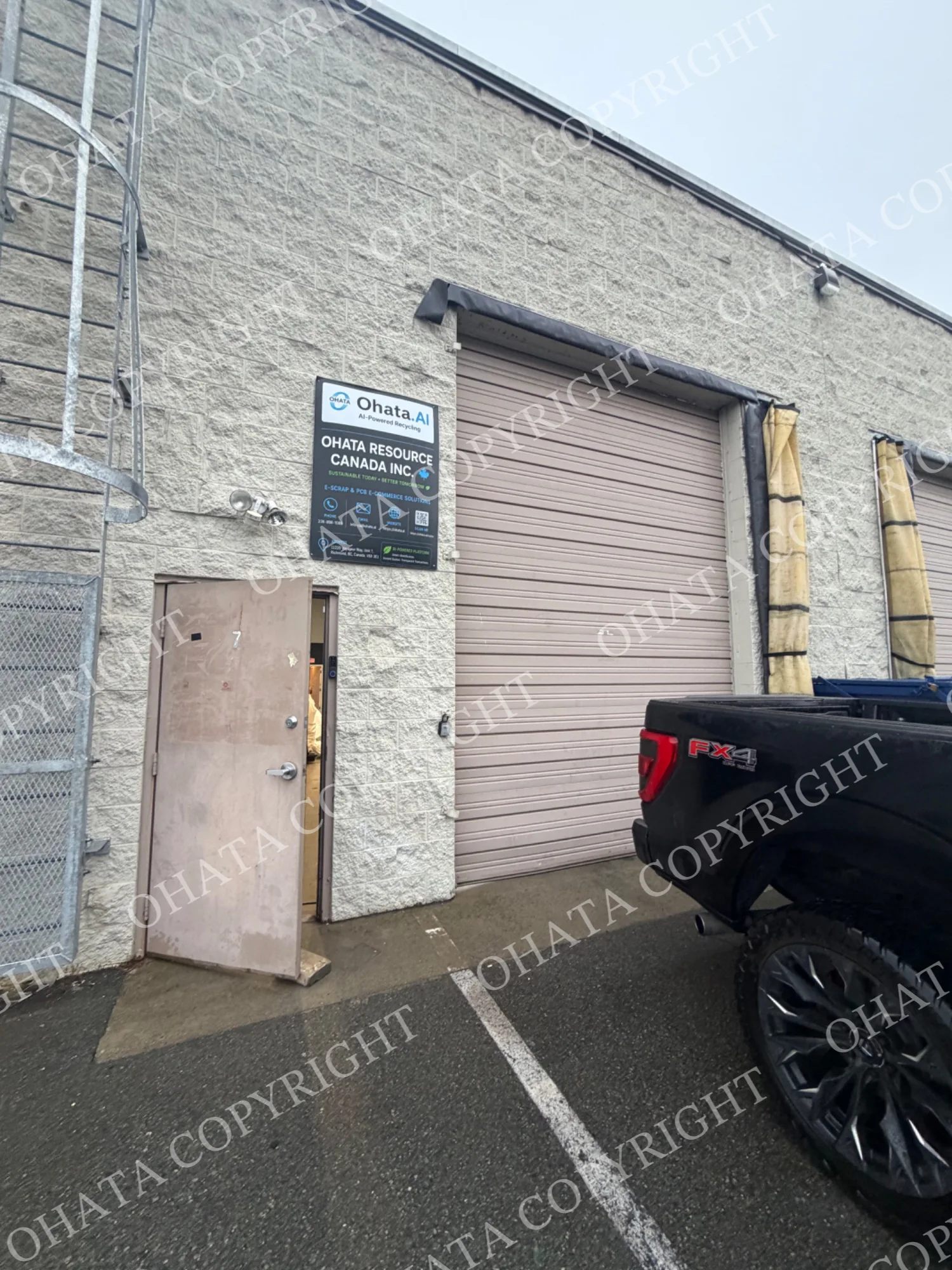
If you’re driving with material, look for the Ohata sign on the building, then continue around to the rear parking and warehouse receiving area. The vertical Ohata sign helps identify the entrance. Speak with our team before unloading.
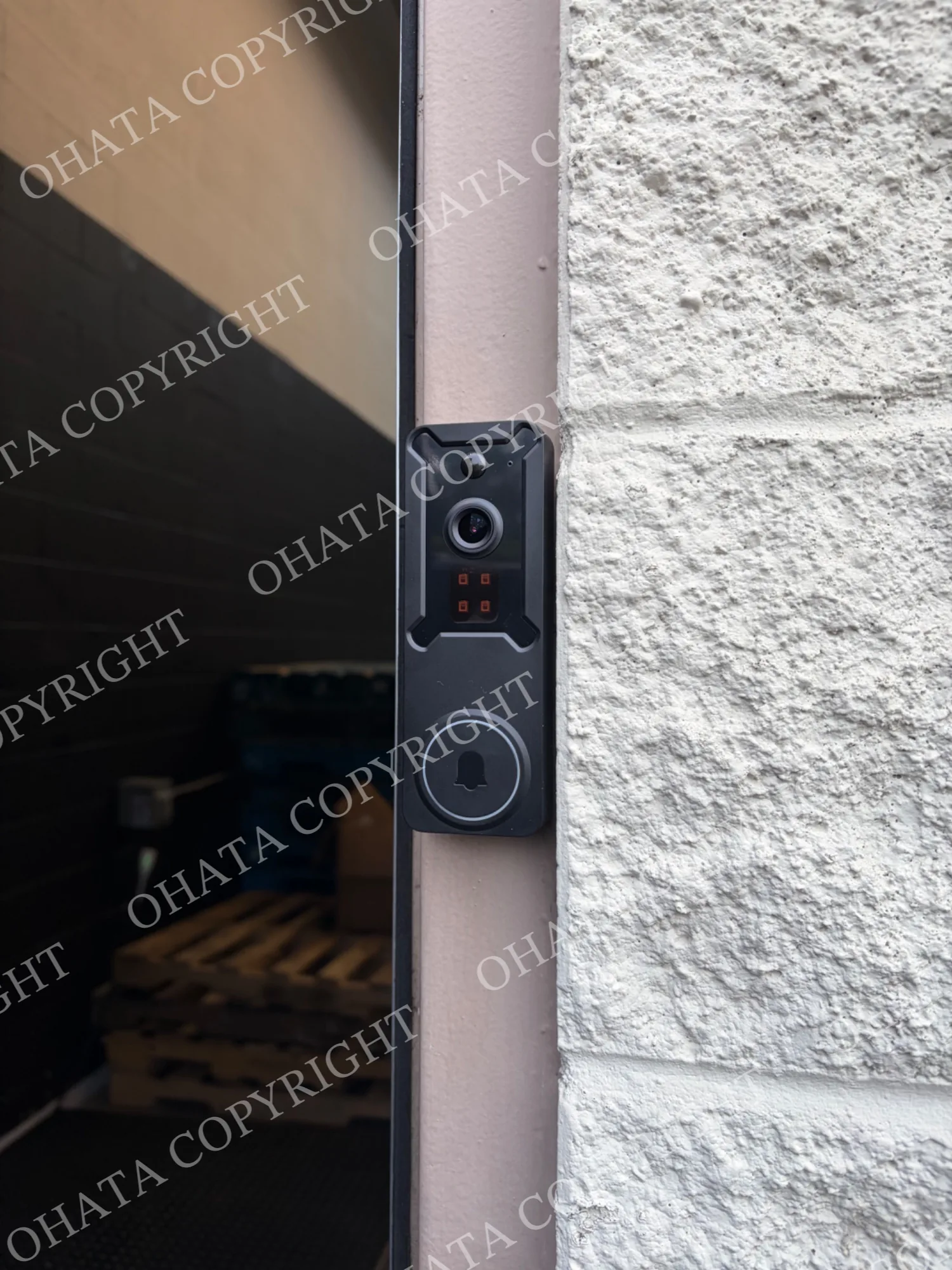
Visitors on foot can use the front office entrance. We’ve also added a doorbell! If you don’t see a team member during business hours, give it a ring! We’ll be happy to help.
Check our Richmond yard access page for directions and our contact page for current hours. Please arrange large or palletized deliveries with us in advance.
Not Sure What You Found?
You don’t need to become a computer hardware expert to sort a box of old parts.
Start with the label, keep the drive intact and take a few clear photos. Browse our CD/DVD Drive buying information, check the full scrap price list, or send our Richmond team a message.
We’re happy to help you figure out the next step, and make a little more room in that cupboard of old computer equipment!

Comments
0 comments