

Hello! I’m Tomona from Ohata Resource Canada’s Richmond yard.
It’s Sunday, September 27, 2026. Richmond is enjoying a sunny afternoon, with Environment Canada reporting about 16°C at Vancouver International Airport at 4 p.m. Earlier today, the Richmond Carvers Showcase was on the local Culture Days calendar at Britannia Shipyards.
Back at our yard, I’d like to share a recent purchase that included two different types of equipment: all-in-one computers and whole towers.
On September 24, we purchased 108 lb of electronic scrap across these two categories. If you have similar equipment waiting to leave your home or office, this update can help you understand what to keep together and what information to share before visiting.
Here’s What Came In
The confirmed net weights were:
Total: 108lb
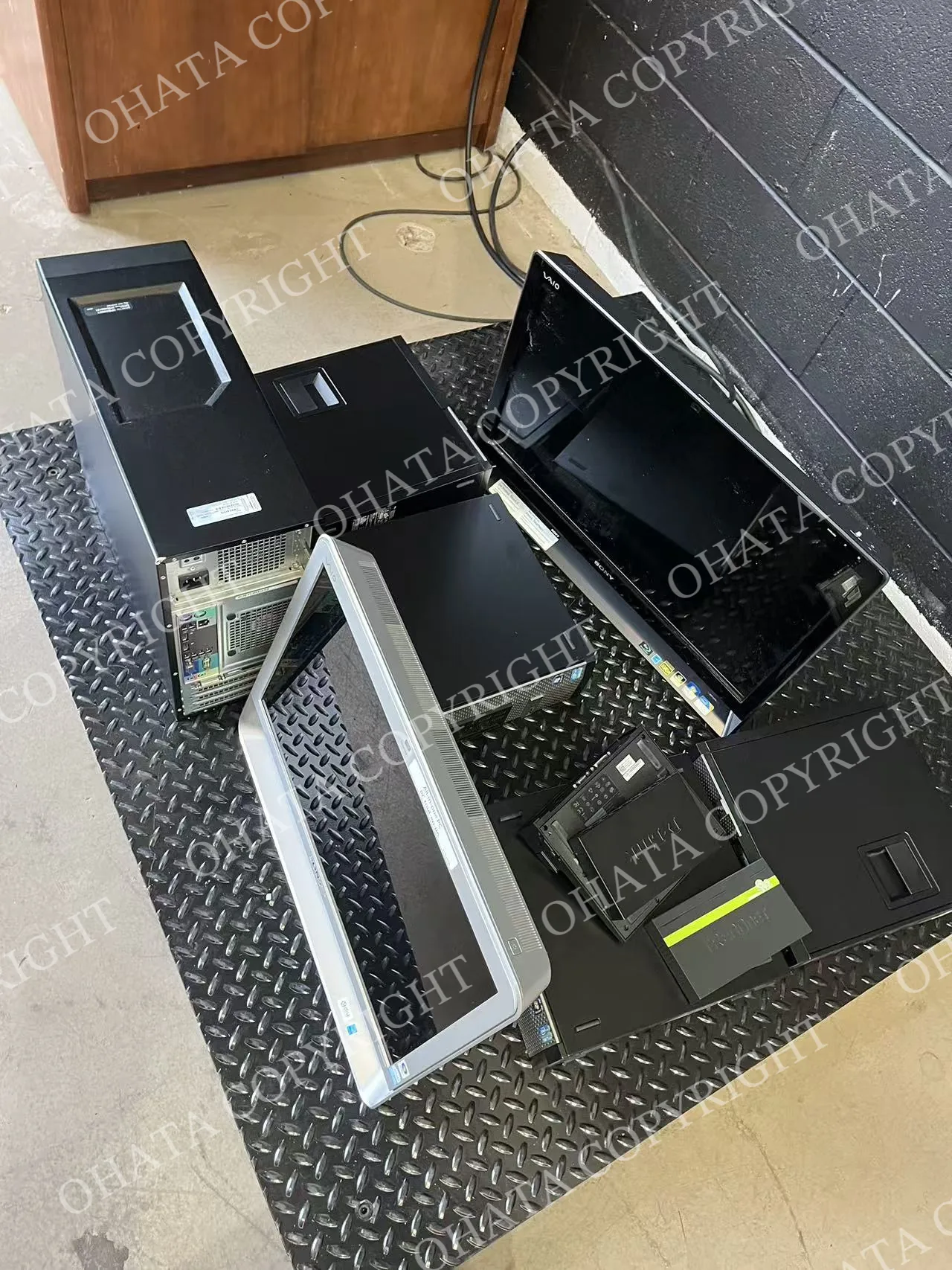
These are category weights, rather than individual unit weights or item counts. Each group was recorded separately in the purchase.
That distinction matters when you’re preparing a mixed load. Equipment that once sat together on a desk can belong to different categories when it comes time to sell it.
A Closer Look at the Two Groups
1. All-in-One Computers: More Than a Display
An all-in-one computer combines the display and computer hardware in one assembly. It may resemble a monitor from the front, but the computer itself is housed behind or within the display enclosure.
This purchase included 42 lb recorded as all-in-one systems with motherboards.
For this category, the motherboard should stay inside the original housing, with the display and computer assembly together. Removing the board can change how the remaining equipment is classified.
A photo of the back and the model label can help us distinguish an all-in-one computer from a standalone monitor before you bring it in.
2. Whole Towers: Storage Removed, Motherboard Retained
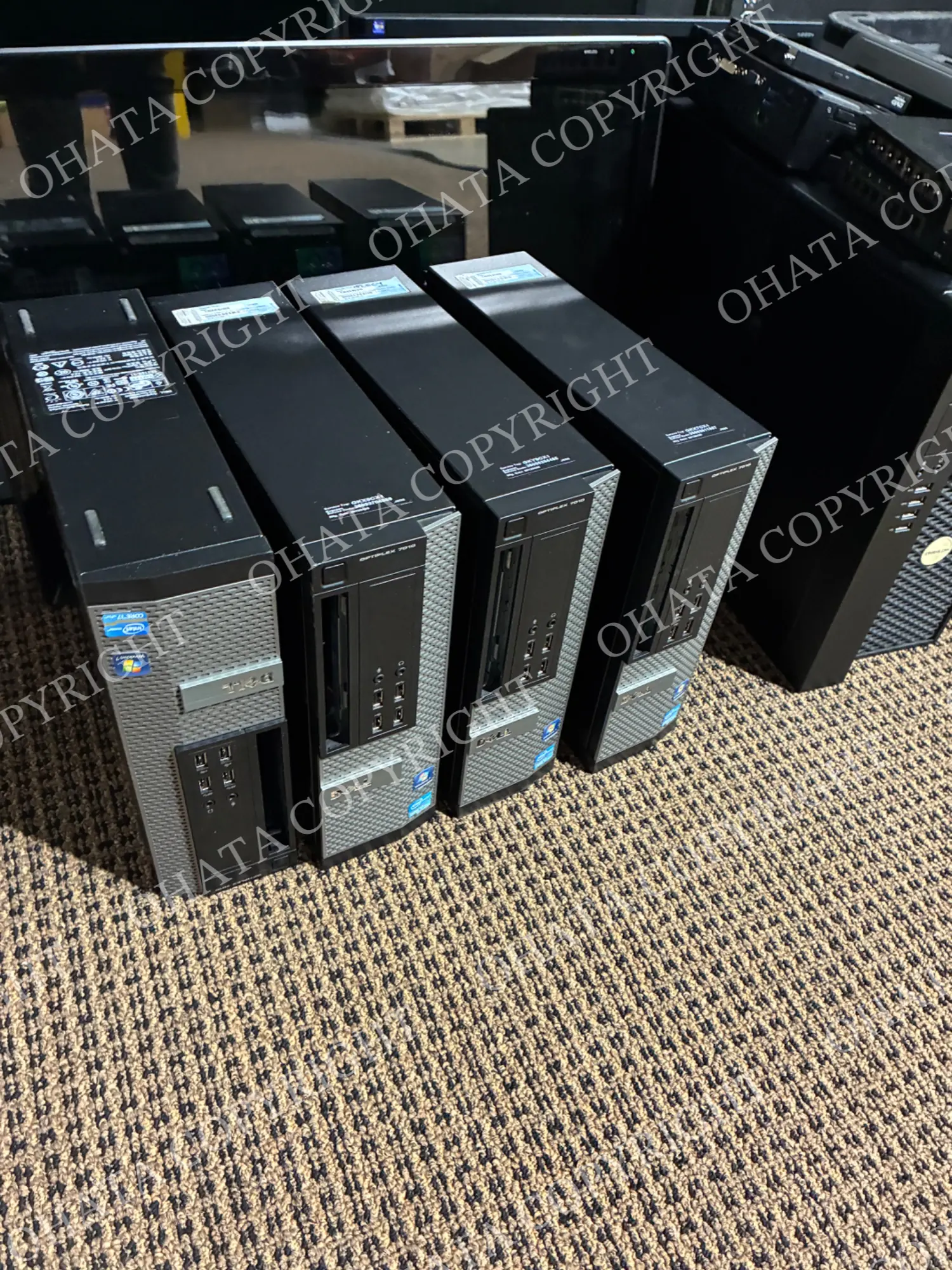
The largest group was 66 lb of whole towers recorded without hard drives, with their motherboards still inside.
For sellers, that illustrates a useful point: removing a storage drive does not automatically make a desktop tower ineligible. The motherboard and remaining hardware still matter.
You may remove the HDD or SSD and keep it before bringing in the tower. Leave the motherboard and other required original components installed.
Before handing over a computer, back up anything you need and manage any personal or business data according to your requirements.
A Little Organization Helps Us Understand Your Load
You don’t need to know every component name before contacting us.
Start with the equipment you can recognize. Identify all-in-one computers as their own group, and note which towers have had storage drives or other parts removed. Put loose components in separate containers so they’re easy to identify.
This helps us see what belongs to each system and reduces confusion between assembled equipment and loose parts.
When you send an inquiry, useful details include the equipment type, approximate quantity, model labels and any known missing parts. Clear photos of the front and back give us a better starting point.
Frequently Asked Questions
1. Can I bring different equipment types in the same delivery?
Yes. This purchase included two categories. Organize the groups where practical, and contact us before bringing a large or palletized load so we can discuss receiving arrangements.
2. Does a desktop computer need to turn on?
A non-working tower can still be evaluated. Its remaining hardware and condition determine the applicable category; working status alone does not decide acceptance.
3. Is an all-in-one computer the same as a monitor?
No. An all-in-one includes the computer hardware as part of the display assembly. If you’re unsure, send the model information rather than opening the unit to find out.
4. Can photos confirm the final category?
Photos help us prepare, but the equipment still needs an in-person check.
If you also have loose circuit boards, Ohata.AI Vision can provide preliminary identification guidance. There’s no need to dismantle a computer just to photograph its board.
5. How is the final evaluation confirmed?
Our team reviews the material presented, its category, completeness and condition, together with its measured weight and current purchasing requirements.
Final acceptance, classification and price are confirmed after physical inspection.
Finding Us at the Richmond Yard
If you haven’t visited recently, our office is now near the building’s front entrance, connected to the warehouse by an interior door.
Visitors on foot can come through the front office entrance. If you’re driving with equipment, head around to the back, where parking and the warehouse receiving entrance are located.
Look for the vertical Ohata sign, and ask our team for help when you arrive.
Ohata Resource Canada Inc.
11220 Voyageur Way, Unit 7
Richmond, BC V6X 3E1
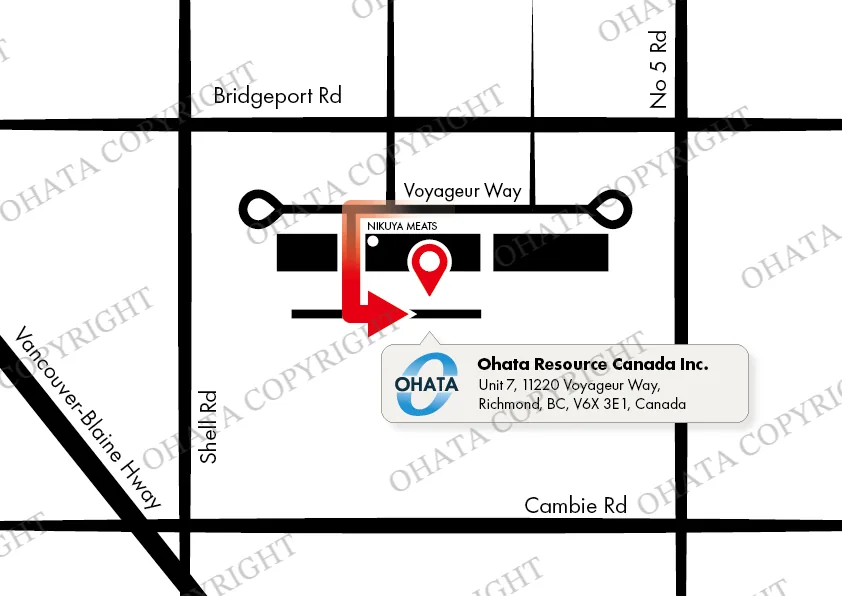
View directions to our Richmond yard
We’re open 8 a.m.–5 p.m. on Monday, Tuesday, Thursday, Friday, Saturday and Sunday, and closed on Wednesdays and holidays.
Thank You for Reading!
It’s always helpful to see real examples of equipment accepted at the yard. If this purchase looks similar to the items you’ve been meaning to clear out, send us a few photos. We’ll help you work out the next step.

Comments
0 comments