

Hello! I’m Tomona from Ohata Resource Canada’s Richmond yard.
It’s Sunday, October 4, 2026. It’s been a misty morning in Richmond, with Environment Canada reporting about 13°C at Vancouver International Airport at 11 a.m. The forecast calls for a mix of sun and cloud, with a high near 17°C. Culture Days wraps up today, so we hope you find a little time to enjoy the final day of local arts and activities.
At the yard, we’ve been putting together examples to make electronic scrap easier to recognize. Today, let’s take a closer look at scrap CPUs, the small processors you might find while clearing out old computers or organizing spare parts.
Our recent Google post introduced a few useful sorting clues: package color, pins or contact pads, and metal covers. Here, we’ll walk through those details using photos so you can prepare your material with more confidence.
You don’t need to know every processor model or assign a final grade yourself. A few clearly separated groups and good photos give our team a helpful starting point.
Start with the Package, Then Look at Both Sides
The green, brown or black base supporting the processor is part of its package. You may hear it called the substrate, or see terms such as “green fiber” and “black fiber” in scrap buying guides.
Start by grouping processors that look noticeably different. Then check the contact side and the opposite side.
One side may show projecting pins or flat contacts. The other may have a metal cover, an exposed chip surface, printed markings or a combination of these features.
That second view matters. Two processors can look similar underneath while having different construction on top.
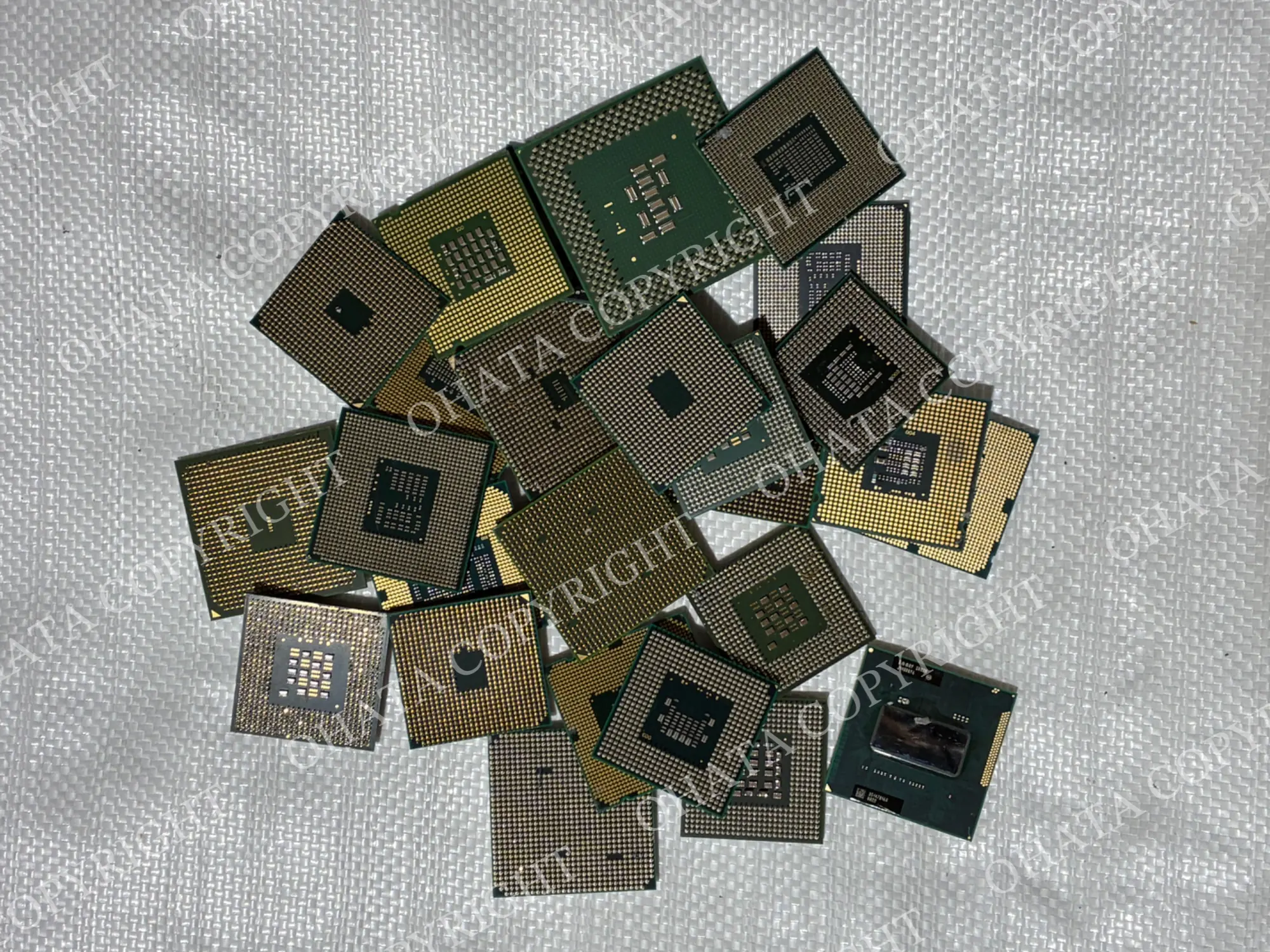
Printed manufacturer and model information can help identify the original processor. For scrap evaluation, our team also examines the package itself and its condition. You can browse our CPU buying categories for examples and explore the Ohata Scrap Wiki for additional identification guidance.
Pins, Pads and Balls: Three Connection Styles
These terms describe how a processor connects to other hardware. They do not determine its scrap grade on their own.
Connection style | What to look for |
|---|---|
PGA — Pin Grid Array | A grid of projecting pins on the processor |
LGA — Land Grid Array | An array of flat contact pads rather than projecting processor pins |
BGA — Ball Grid Array | Small solder balls used to connect the package to a circuit board |
Looking straight down at short pins can make them appear like dots. An angled photo helps show whether the contacts project from the surface.
Also, “no pins” is only a starting description. A processor with flat LGA contacts is different from a BGA package or a damaged processor with missing pins.
Green and Brown CPUs Without a Metal Cover
The green and brown examples in our photos show why it helps to look at both sides.
On the pin side, you can see the contact layout and the color of the surrounding package. On the opposite side, the central chip surfaces and manufacturer markings are visible.
Some processors were manufactured with an exposed die—the small chip surface in the centre—instead of a large metal lid. An exposed die does not automatically mean somebody removed a cover.
The label “No Metal” is shorthand used in sorting. Here, it refers to the absence of a large metal heat spreader, rather than an absence of all metal. The pins and other electrical connections still contain metal.
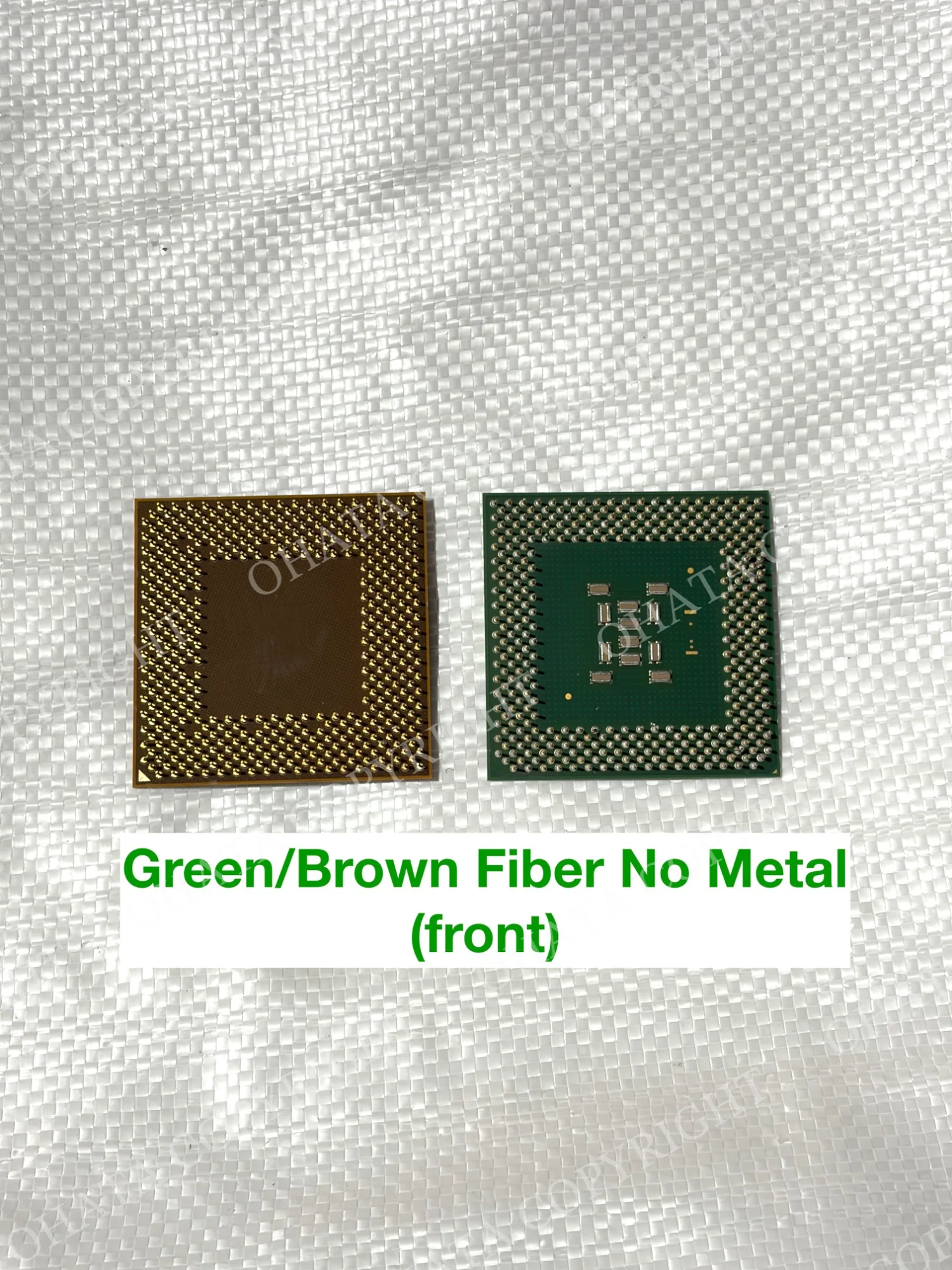
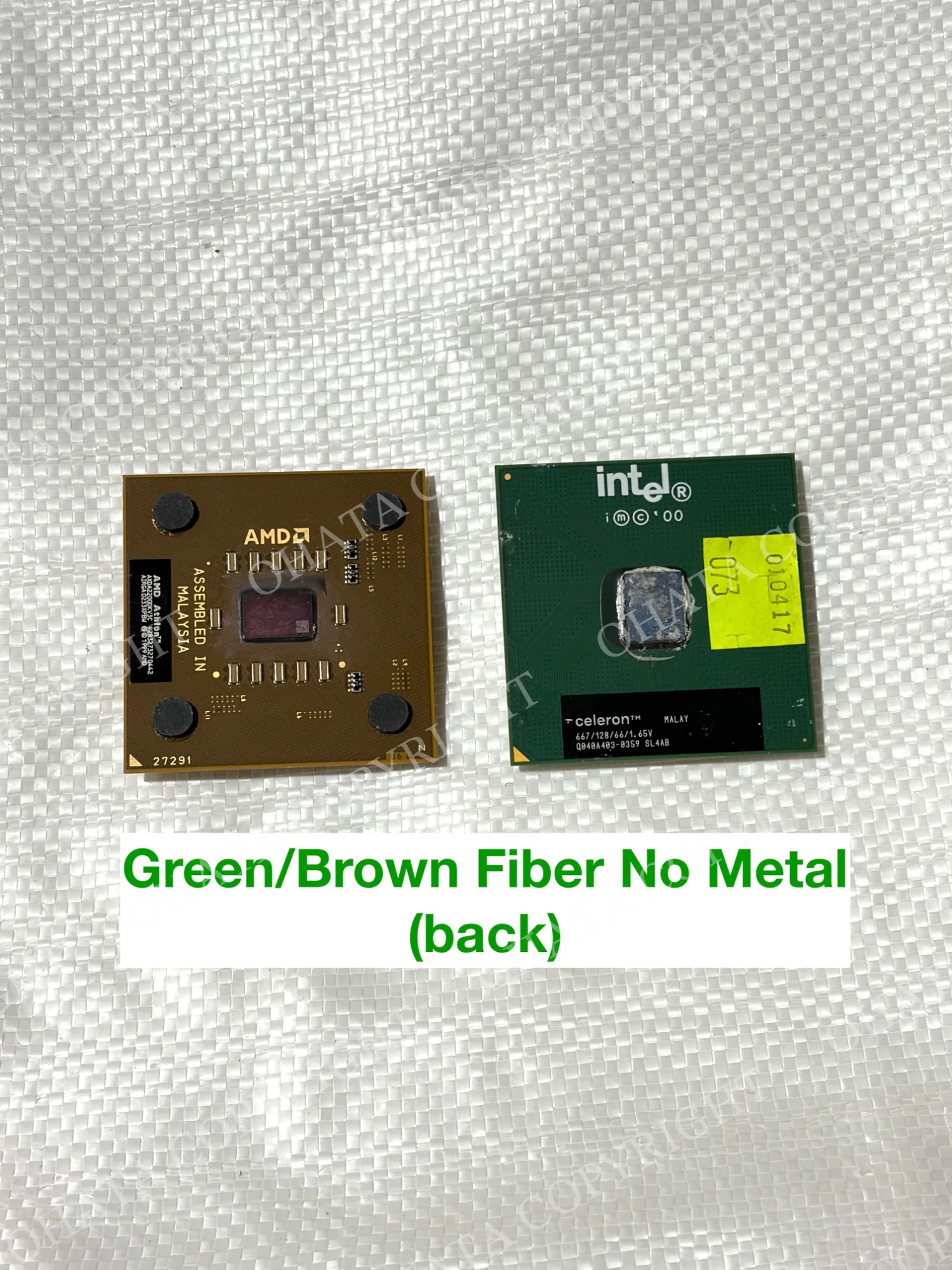
Ohata’s CPU-C Grade page covers qualifying green and brown fiber processors, along with certain other package styles. Keep these examples separate from processors with noticeably different construction.
Black CPUs
Our black CPU photos show a different style, with projecting pins, central markings and a metal area visible in the opposite-side view.
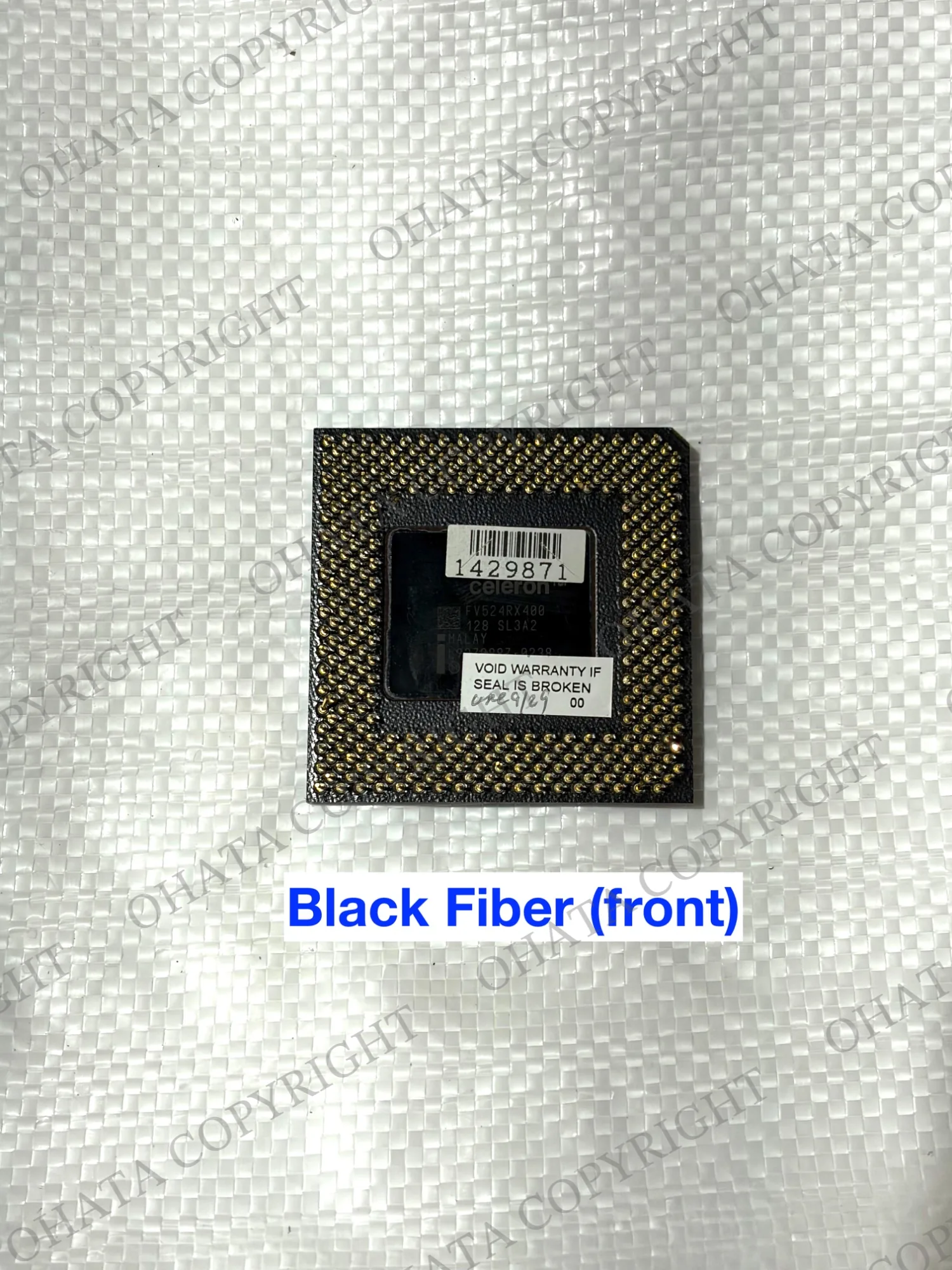
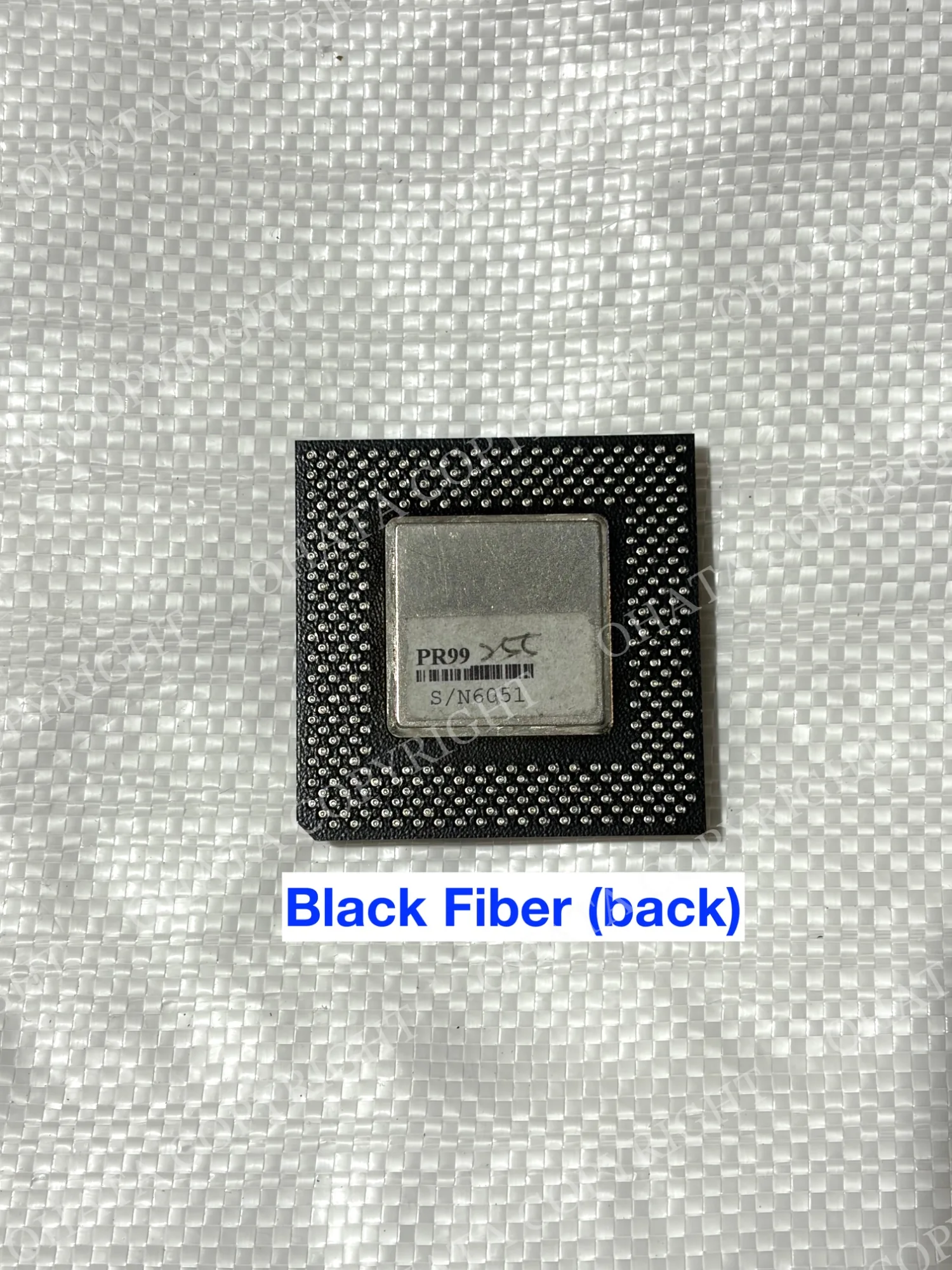
These details are useful together. Seeing a black package (or seeing a metal plate) does not establish the grade by itself.
Ohata’s CPU-A Grade page describes the black fiber CPU category. When comparing your material, look at the complete package, its contacts and any missing or damaged parts.
Photograph both sides so the team can review more than the color alone.
Green CPUs with Metal Covers
The photo labelled “Green Fiber With Metal” shows the pin sides of three green processor packages.
It is useful for comparing contact layouts, but this view does not show the metal covers. Check the opposite side as wellwhen comparing your own processors.
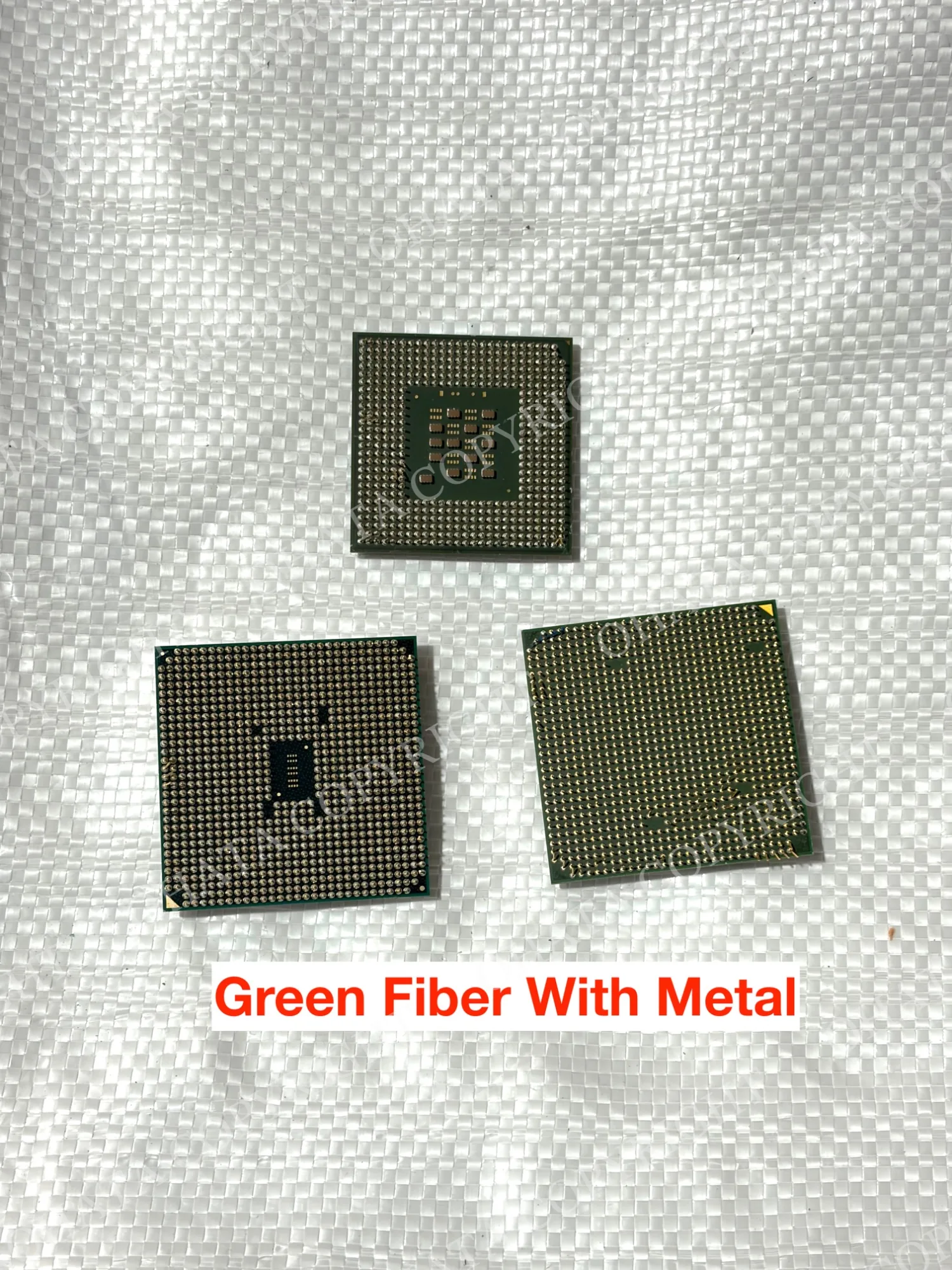
A processor’s integrated heat spreader is the metal lid attached to its package. It is different from the larger external heatsink or fan assembly used to cool a computer.
Leave the integrated lid attached. Removing it changes the processor’s condition and does not automatically move it into another grade.
Ohata’s CPU-D Grade page includes qualifying fiber-based processors with integrated metal heat spreaders, as well as modern LGA processors.
Recognizing the Flat Contacts on LGA Processors
In the photo labelled “No Pin CPU,” the two processors have arrays of flat contact pads.
Those pads are the useful identification feature. They help distinguish this connection style from the projecting pins shown in the other photos.
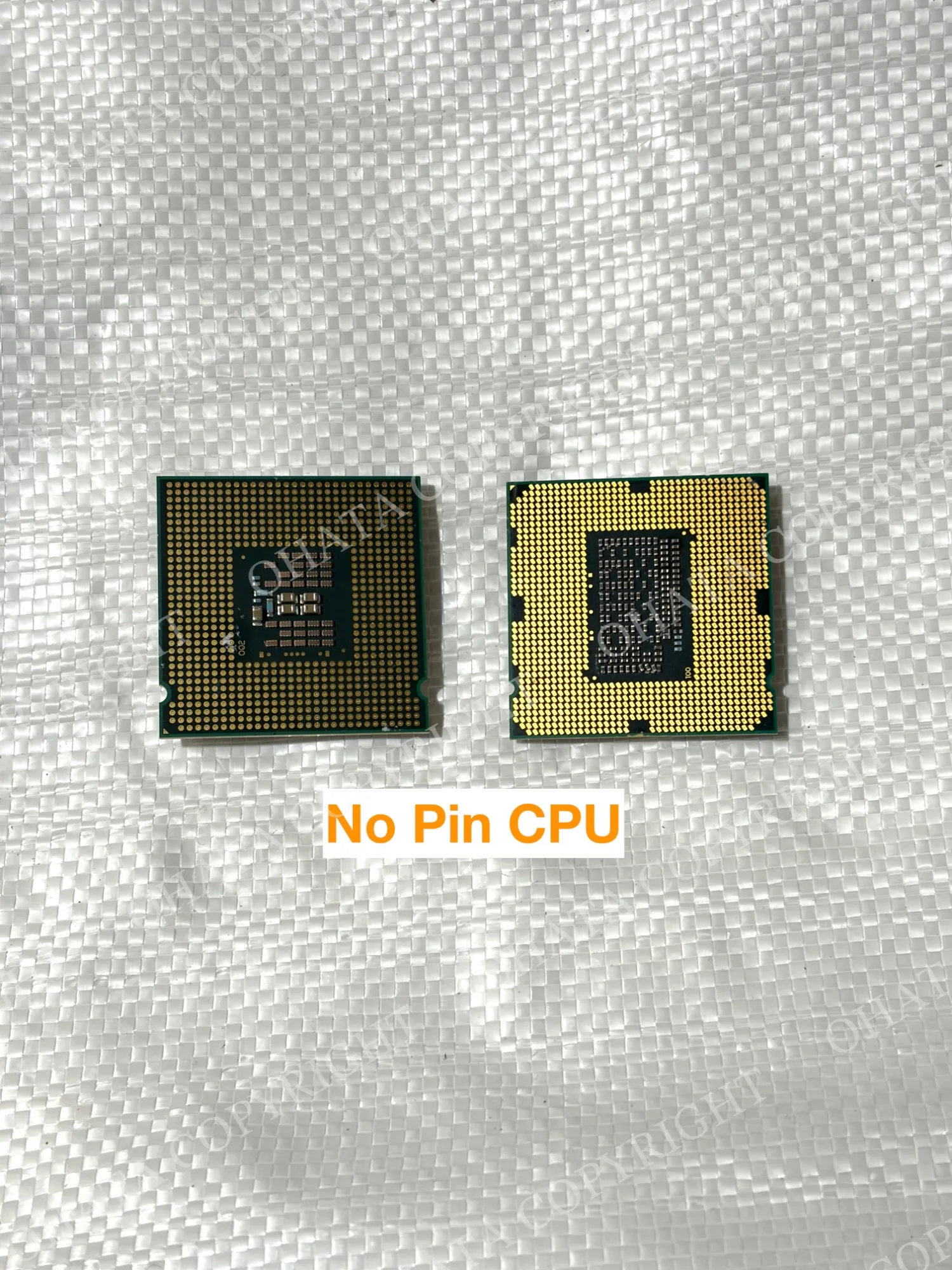
Keep these processors together as a preliminary sorting group, then photograph their opposite sides as well. The complete package and its condition still need to be checked before a final category is confirmed.
Find the Relevant Ohata Category
These pages provide starting points for comparing different CPU styles. They cover several categories, including ceramic and BGA examples that are not shown in this photo collection.
Category | Examples described on the current item page |
|---|---|
Gold-cap ceramic ICs without gold legs and qualifying standard ceramic CPUs | |
Black fiber CPU packages | |
Ceramic CPUs with metal plates and qualifying large BGA chips with gold tabs | |
Qualifying green/brown fiber processors, no-metal slot CPU cards and plastic ICs with gold legs | |
Modern LGA processors and qualifying fiber packages with integrated metal heat spreaders |
Other listed categories include CPU-SSS, CPU-SS, CPU-E and CPU-F.
Check the relevant pages for current reference prices and preparation conditions. One visible feature is not enough to confirm a match.
Published prices and conditions may change. Final acceptance, classification, measured weight and buying price are confirmed after physical inspection.
A Simple Way to Prepare Your CPUs
Use separate containers for visibly different package types. Keep unfamiliar processors in their own group rather than guessing where they belong.
Leave original pins, contact pads, metal lids and small package components intact. If processors are still attached to external heatsinks or board sections, send our Richmond team a photo before attempting anything you are unsure about.
Keep the material dry, protect projecting pins from pressure, and separate loose CPUs from RAM modules, computer motherboards and unrelated parts.
For an inquiry, a group photo plus clear images of both sides of representative processors is usually more useful than a long list of model names. An approximate weight also helps us understand the size of your load.
Before leaving, check the current Canadian e-scrap buying list and the preparation conditions for your material.
Frequently Asked Questions
Do I need to identify the final grade before visiting?
No. Separating obviously different types is helpful, but our team confirms the category after examining the material. The CPU category list can help you get started.
Are all green CPUs in the same category?
No. Green packages can have different contacts, covers and overall construction. Compare the examples on our CPU-Cand CPU-D pages. Color is one clue among several.
Does every processor without pins count as LGA?
No. Look for flat contact pads. BGA packages use solder balls, and damaged processors may have missing pins.
Should I remove a metal lid to match another category?
No. Keep the original integrated lid attached. If an external cooling assembly remains attached, ask us about preparation before forcing it apart.
What if some pins are bent or missing?
Keep those processors separate and tell us about the damage. Clear photos can help with an initial review, but acceptance and classification require inspection. Our CPU-F Grade page provides information about damaged, dirty and mixed CPU material.
Do all BGA chips qualify as CPU-B?
No. Ohata’s CPU-B Grade page describes particular package types, including qualifying large BGA chips with visible gold tabs. The term “BGA” alone does not confirm the grade.
What is the minimum quantity?
The CPU-S, CPU-A, CPU-B, CPU-C and CPU-D pages linked above list a minimum of 1 lb. Contact the team if you have several small groups and need help planning your delivery.
Can I bring a large mixed load?
Please contact our Richmond team in advance with photos, approximate quantities and weights so we can discuss receiving arrangements.
Visit Our Richmond Yard
You’re welcome to ask for help before bringing your CPUs to us!
Our office is near the building’s front entrance. Visitors on foot can use the front office entrance, while customers driving with material should head around to the back for parking and warehouse receiving.
You can find directions and arrival information on our Richmond yard access page.
We’ve also added a doorbell! If you don’t see a team member when you arrive during business hours, give it a ring—we’ll be happy to help.
Ohata Resource Canada Inc.
11220 Voyageur Way, Unit 7
Richmond, BC V6X 3E1
Review our current CPU buying information, check the Richmond yard visitor information, or contact the team before your visit.
A little sorting helps us understand what you have. Bring your questions along with your CPUs, and we’ll help you work out the next step.

Comments
0 comments