

Hello! I’m Tomona from Ohata Resource Canada’s Richmond yard.
I stepped outside during my lunch break on Wednesday, August 5, 2026, and immediately felt how strong the sunshine was. Richmond’s official forecast calls for mainly sunny conditions with local smoke. If you’re working outside or moving electronic equipment, please drink water and take time to cool down.
Over the weekend, the Vancouver Pride Parade brought 2SLGBTQIA+ communities, organizations, and allies together downtown. The August 2 parade was followed by celebrations in Davie Village, creating a meaningful weekend of visibility, inclusion, and community.
Back at the yard, my focus is on a familiar e-scrap item: the desktop motherboard. If you have motherboards to sell, identifying the board type and keeping it intact can make our buying evaluation much easier.
Quick answer: A desktop motherboard usually has one CPU socket, two or more memory slots, expansion slots, a main power connector, storage connectors and rear I/O ports arranged around a rectangular board. Confirm the complete layout rather than relying on one feature.
Does It Have the Familiar Desktop Layout?
A motherboard is a printed circuit board, usually shortened to PCB. The PCB is the base that supports the components and allows them to communicate electrically.
If you placed a desktop motherboard in front of me, I would first look for:
One main CPU socket
Two or more long memory slots
Several expansion slots
SATA storage connectors
Large power connectors
A row of external ports along one edge
Mounting holes around the board
Storage connections depend on the board’s age. Modern motherboards commonly use SATA, while the MSI OEM MS-7148 shown in our photographs uses older IDE/PATA ribbon-cable connectors.
Size helps, but it isn’t enough by itself. Desktop boards may use full-sized ATX or smaller microATX layouts. Laptop and all-in-one boards can be compact or irregular, while server boards may have multiple CPU sockets and considerably larger memory sections.
You can compare the pictured older board with published examples such as the MSI Z87 MPOWER Desktop Motherboard and ECS Desktop GeForce6100SM Motherboard.
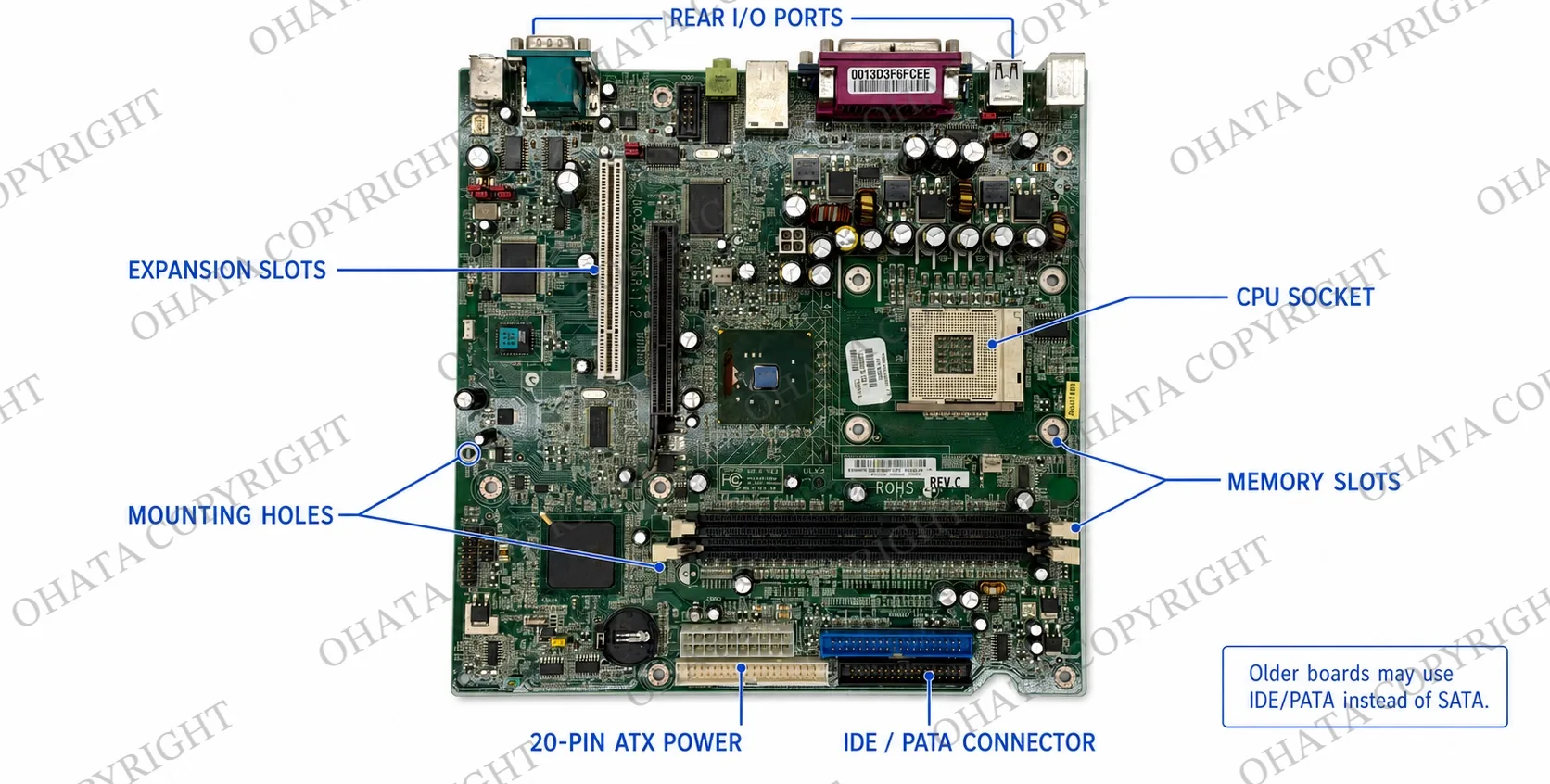
Read the Motherboard Like a Map
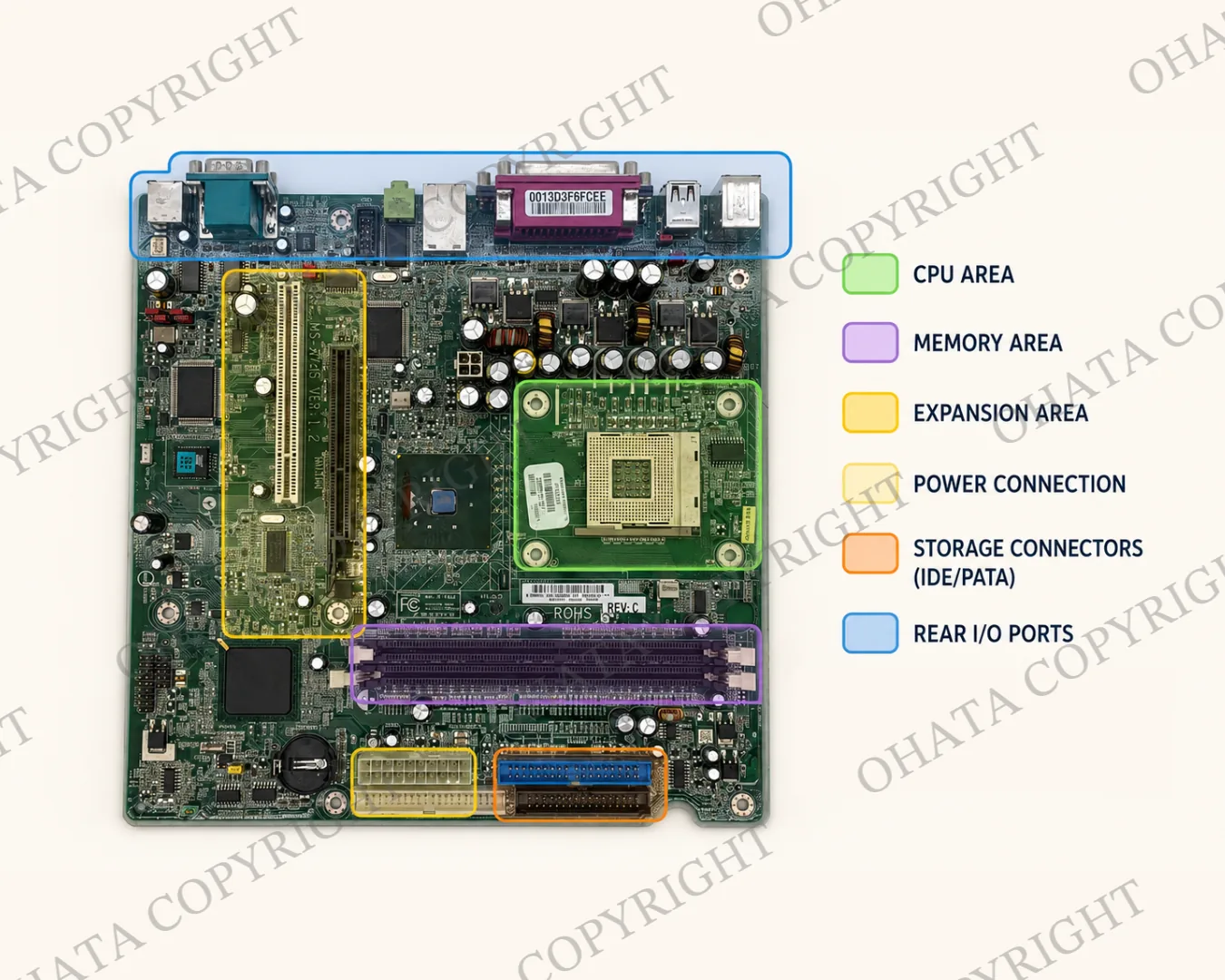
I like to look at how the components are organized before searching for a model number.
The CPU socket is usually surrounded by small power-control components. Two or four memory slots often sit beside it. Expansion slots occupy another section, while SATA and power connectors are usually closer to the edges.
USB, network, audio, and display connections are grouped along one side so they can face through the back of the computer case.
When these areas form a familiar desktop arrangement, you probably have a desktop motherboard rather than a controller or expansion card. A readable manufacturer and model number can then support the identification.
What Can Affect the Buying Price?
Once the item has been identified as a desktop motherboard, I check its completeness and physical condition.
A complete board is easier to evaluate when its CPU socket, chipset, memory slots, expansion slots, ports, power connections and major integrated circuits remain in place. An integrated circuit, or IC, is a soldered component that performs a processing, memory or control function.
Cut connectors, removed ICs, broken PCB sections, corrosion, fire damage, water exposure or heavy contamination may affect the category or buying price.
Processors and memory modules are removable components and may have separate buying categories. Their absence isn’t necessarily the same as a removed CPU socket or missing soldered component. If you’re uncertain about an attached part, leave it in place and ask first.
Higher-performance desktop boards can also resemble workstation equipment.
The Ohata Circuit Board Scrap Classification Guide explains how construction, components, completeness and condition contribute to classification.
Current Desktop Motherboard Price Examples
As of Ohata.ai’s August 4, 2026 Canadian price update, several examples on the current desktop-motherboard buying listwere published at CAD 2.30 per lb.
This doesn’t mean that every desktop motherboard, including the MSI MS-7148 pictured here, will receive CAD 2.30 per lb. The applicable category, completeness, attached or missing components, condition, sorting and measured weight must first be confirmed.
Prices may also change with market conditions. Check the current Canadian e-scrap buying list before visiting.
Published prices are references. Final acceptance, classification and buying price are determined after physical inspection.
Use Ohata.AI Before Requesting a Buying Evaluation
Ohata.AI can compare visible patterns in a photograph with reference information and suggest a possible board type or buying category.
Photograph one board at a time from directly above. Keep the complete outline and all four edges visible. If the first result is uncertain, add a photograph of the back and a close-up of the CPU socket or rear-port area.
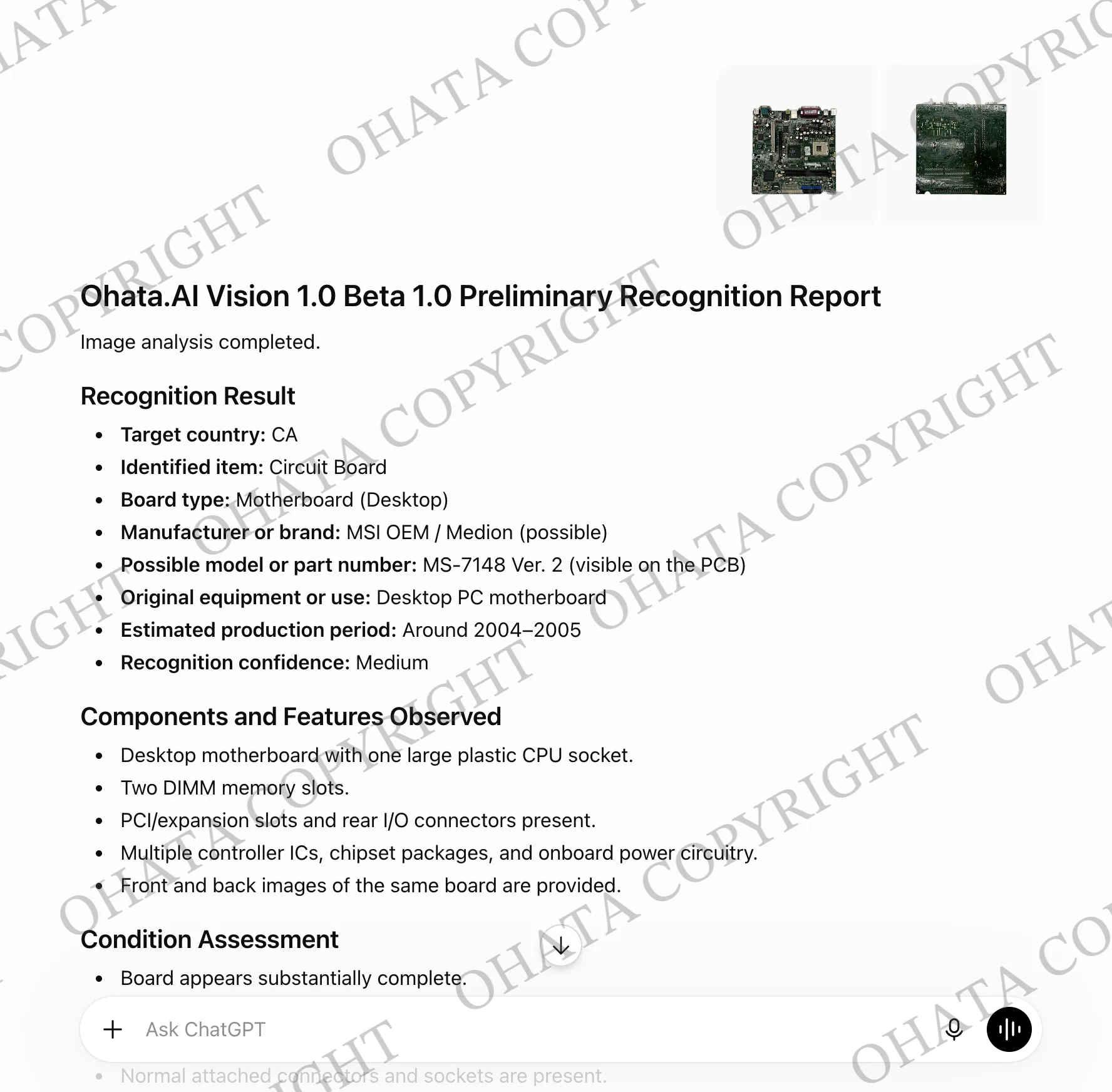
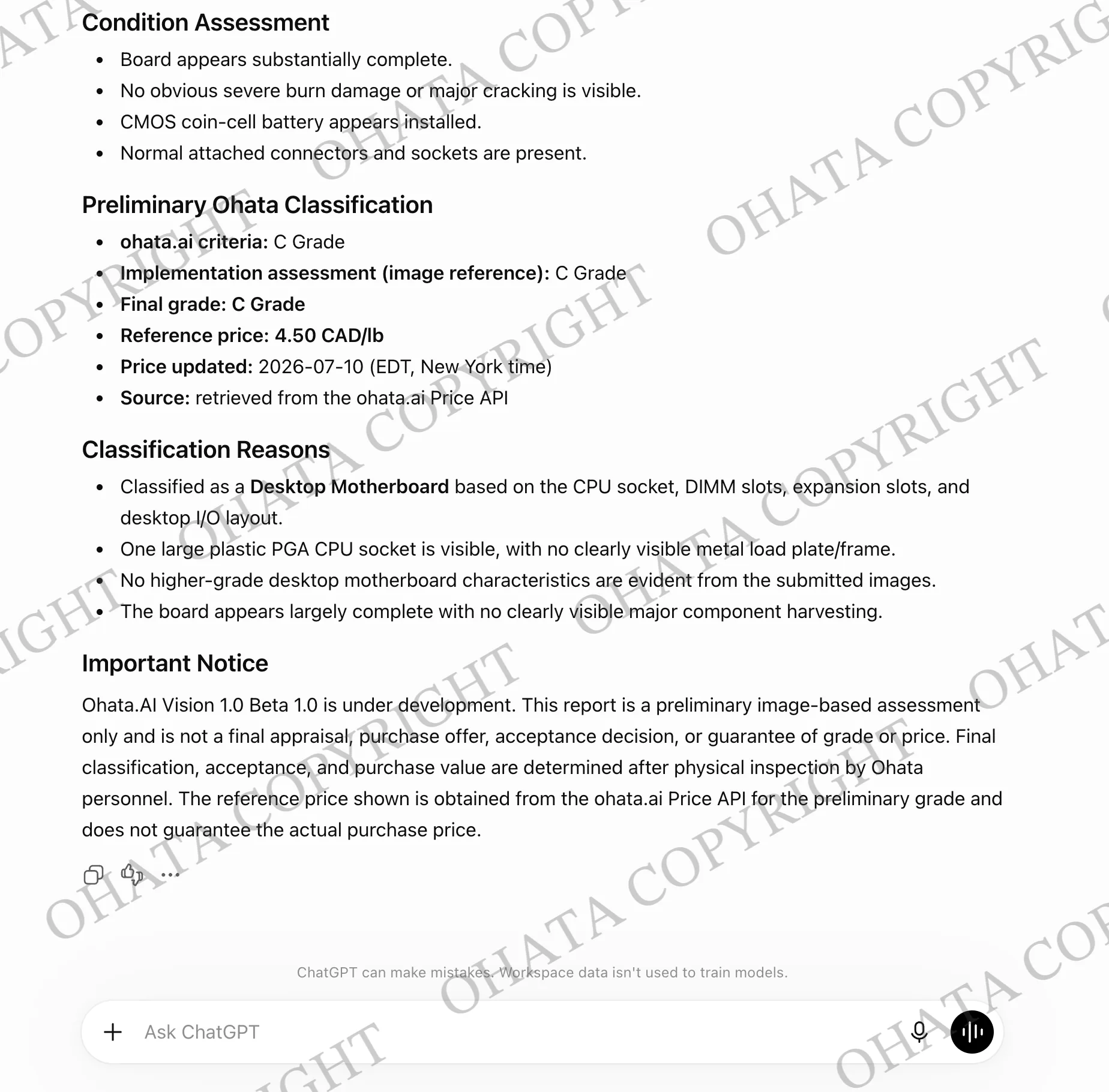
Ohata.AI is an identification aid. Final acceptance, classification, and buying price depend on physical inspection, weight, completeness, condition, and current buying requirements.
Create a Small Reference Set
For an initial buying review, prepare:
One clear front photograph
One clear back photograph
One useful close-up
The number of matching boards
Their approximate combined weight
A note describing damage or missing parts
Keep the boards dry and avoid washing, cutting, or stripping them. You’re preserving information needed for identification—not preparing the boards for display.
You can review published examples, reference prices and item-specific requirements on the current e-scrap buying list. Final buying prices are determined after physical inspection.
Desktop Motherboard Questions
Does one CPU socket prove it’s a desktop motherboard?
Not by itself. Check the memory slots, expansion interfaces, power connections, rear ports, and overall layout together.
Can Ohata.AI help without a readable model number?
It may suggest a possible category from the visible structure, but it can’t guarantee an exact identification.
Can a non-working motherboard still be evaluated?
It may qualify. Functionality is only one detail; category, completeness, condition, weight, and current requirements must also be checked.
Should I remove the CPU and memory?
If you aren’t sure, leave them attached. They may require separate identification.
Does ordinary dust reduce the grade?
Ordinary dust isn’t the same as severe contamination. Don’t wash the board; simply keep its actual condition visible.
Should identical models stay together?
Yes, but separate any examples that are cut, stripped, corroded, or noticeably different in condition.
Bringing Desktop Motherboards to Our Richmond Yard
Once your motherboards are photographed and grouped, you’re welcome to bring them to Ohata Resource Canada Inc. in Richmond. Our yard works with individuals and businesses from across Metro Vancouver.
You’ll find us at Unit 7, 11220 Voyageur Way, Richmond, BC, V6X 3E1. We’re open Monday through Friday from 8:00 a.m. to 5:00 p.m. and closed on weekends and holidays.
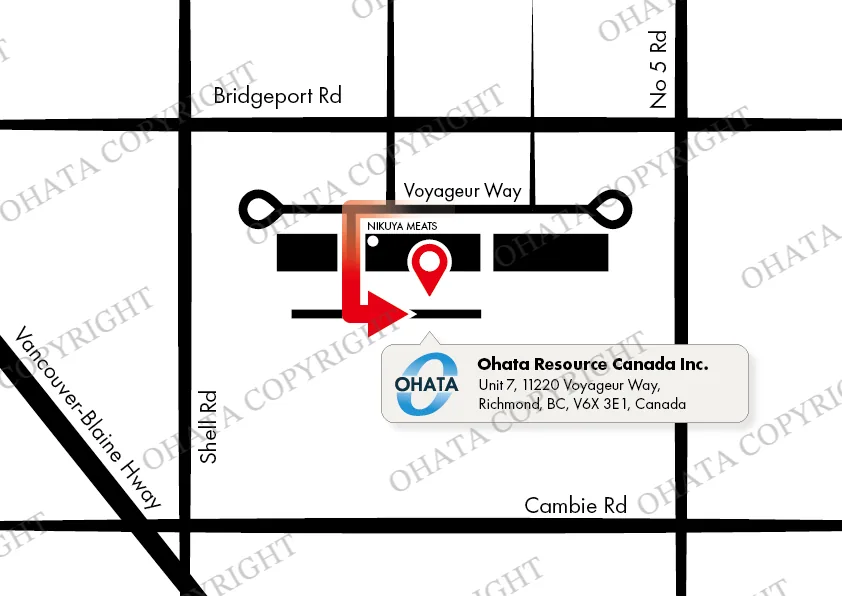
Walk-ins are welcome during regular hours. If you’re preparing a commercial, palletized, or unusually large load, please call or message us in advance so the team can plan for its arrival.
Telephone and WhatsApp: +1 (236) 888-1086
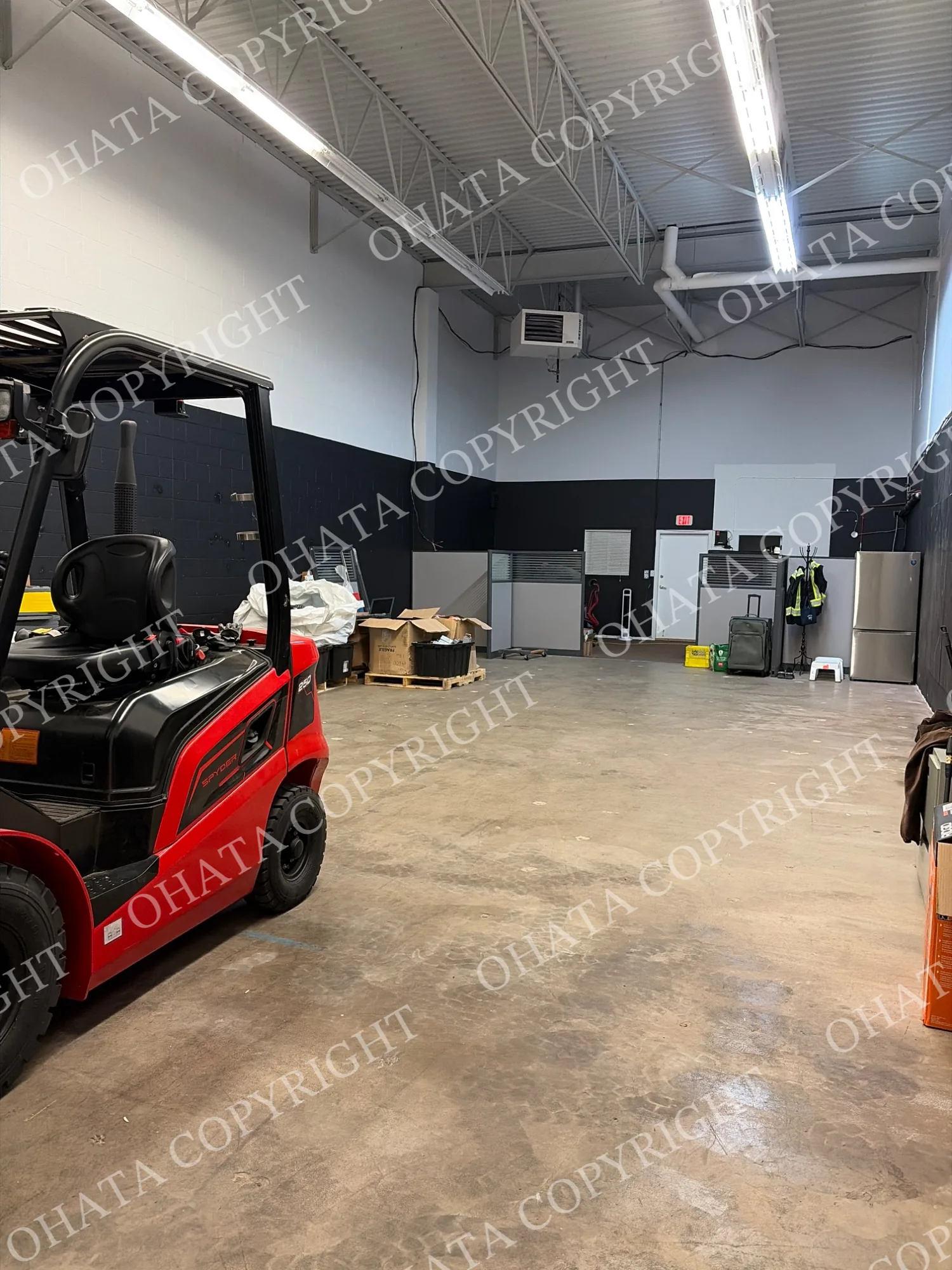
Buying requirements may vary by category, so check the relevant current item listing or contact us before travelling. Our Richmond yard access page includes the location and route information.

Comments
0 comments