

- Purchases start from just 1 lb of eligible desktop computer scrap.
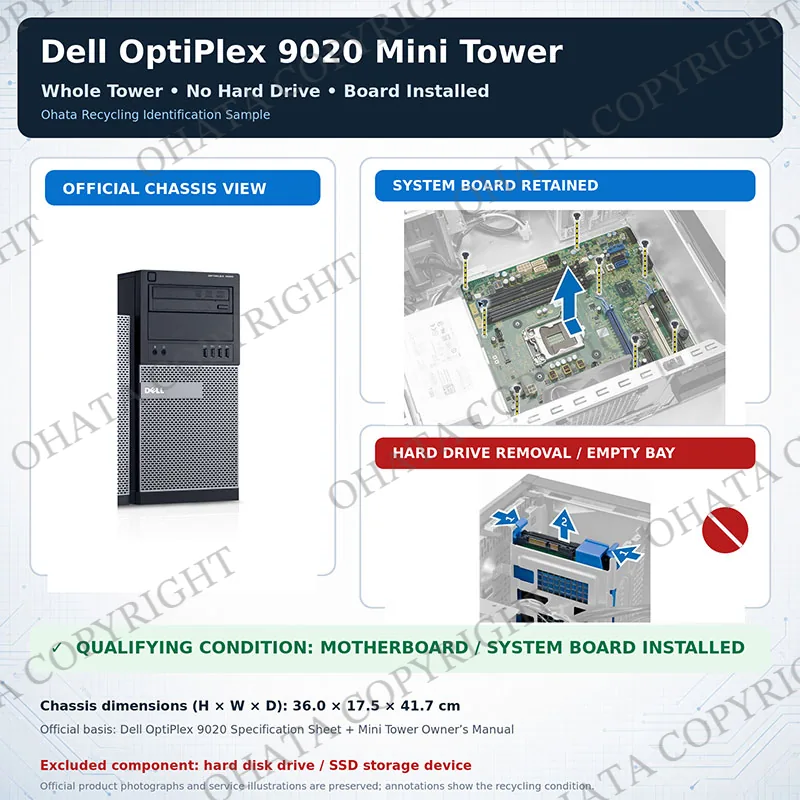
- Whole Tower (Desktop Computer) No Hard Drive with Board includes tower-style desktop computers with the main motherboard installed and all data-storage devices removed.
- The classification and buying price are determined by the computer’s physical composition, installed components, completeness, condition, and configuration. Brand, model, age, original purchase price, and working condition do not determine its recycling value by themselves.
- The computer must contain no HDD, SATA SSD, M.2 SSD, NVMe SSD, or other data-storage device.
- Small Form Factor computers, Mini PCs, thin clients, servers, laptops, All-in-One systems, empty cases, and towers without motherboards belong in different categories.
- Towers with installed storage, missing motherboards, severe structural damage, fire damage, or heavy contamination may require a different classification or may be rejected.
Whole Tower (Desktop Computer) No Hard Drive with board scrap price
Key Buying Introduction
Key Buying Introduction
- Purchases start from just 1 lb of eligible desktop computer scrap.
- Whole Tower (Desktop Computer) No Hard Drive with Board includes tower-style desktop computers with the main motherboard installed and all data-storage devices removed.
- The classification and buying price are determined by the computer’s physical composition, installed components, completeness, condition, and configuration. Brand, model, age, original purchase price, and working condition do not determine its recycling value by themselves.
- The computer must contain no HDD, SATA SSD, M.2 SSD, NVMe SSD, or other data-storage device.
- Small Form Factor computers, Mini PCs, thin clients, servers, laptops, All-in-One systems, empty cases, and towers without motherboards belong in different categories.
- Towers with installed storage, missing motherboards, severe structural damage, fire damage, or heavy contamination may require a different classification or may be rejected.
Buying Details of Conditions
Introduction, Construction, Components, and Recycling Value
This category is not limited to Dell, HP, Lenovo, Acer, ASUS, Fujitsu, NEC, Gateway, or any particular manufacturer. The model, processor generation, exterior design, and production year may vary. As long as the computer meets the physical requirements of the category, it is purchased at the established Whole Tower (Desktop Computer) No Hard Drive with Board grade price unless a separate premium agreement applies.
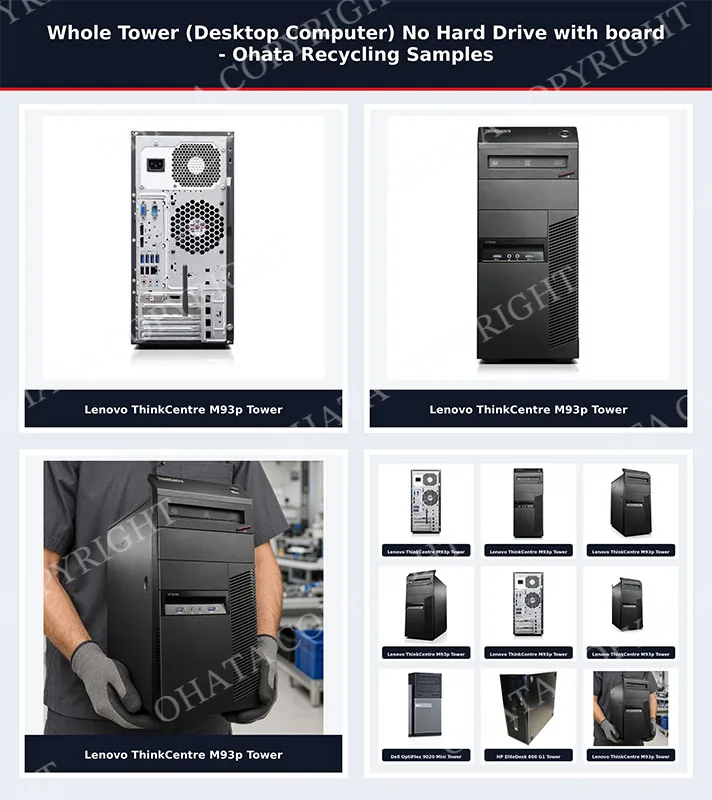
A qualifying computer normally consists of a steel or aluminum tower chassis, motherboard, power supply, cooling fans, wiring, front control panel, connectors, drive cages, expansion slots, and plastic exterior parts. Depending on the original configuration, it may also retain a processor, heatsink, RAM, optical drive, graphics card, network card, sound card, or other expansion devices. These additional components can affect the total recoverable material content, but they do not automatically change the primary Whole Tower grade.
The motherboard is the most important electronic component for this classification. It contains copper circuitry, connectors, integrated circuits, gold-plated contacts, solder, capacitors, and other recoverable materials. Power supplies add copper coils, aluminum heatsinks, transformers, wiring, and steel. The chassis contributes a significant amount of ferrous metal, while fans, cables, and expansion cards provide additional recyclable material.
The absence of a hard drive is essential. Removed storage devices reduce data-security risks and allow hard drives and SSDs to be processed under their correct separate recycling categories. However, removing the storage device must not involve removing the motherboard or stripping the entire computer into an empty shell.
Recycling value is therefore based on the combined value of the retained motherboard, metal chassis, power supply and remaining electronic components. It is not determined on whether or not the computer still works. A non-working tower may qualify if its physical construction and required components remain within the standard.
Ohata Whole Tower (Desktop Computer) No Hard Drive with Board Classification, Identification Guide
To qualify for the Ohata Whole Tower (Desktop Computer) No Hard Drive with Board category, the unit should first be identified as a genuine tower-style desktop computer. Common qualifying formats include traditional Mini Tower, Mid Tower and Full Tower business or consumer desktops. The chassis is normally designed to stand vertically and has sufficient internal space for a full desktop motherboard, power supply, expansion slots and internal drive bays.
Small Form Factor computers, Ultra-Small Form Factor computers, Mini PCs, thin clients, rack-mounted servers, laptops and All-in-One systems should not automatically be placed in this grade. Their construction, weight, component density and processing requirements are different.
The following inspection procedure is recommended:
Confirm the tower form factor.
Check that the unit is a conventional desktop tower rather than a compact SFF computer, mini computer, server rack unit or monitor-integrated All-in-One system.Confirm that the main system board is installed.
Open the side panel and identify the original motherboard. It should contain the CPU socket, memory slots, chipset area, power connectors and expansion interfaces. A small front I/O board or power-button board alone does not qualify as the required motherboard.Inspect all storage locations.
Check the 2.5-inch and 3.5-inch drive bays, motherboard storage connections and any special mounting trays. The unit must contain no HDD, SATA SSD, M.2 SSD, mSATA drive, NVMe drive or other reusable data-storage device.Check for concealed storage.
Modern towers may have an M.2 SSD installed directly on the motherboard. Some systems also contain storage behind the motherboard tray, under a drive cage or inside a removable bracket. These areas must be inspected.Evaluate the overall condition.
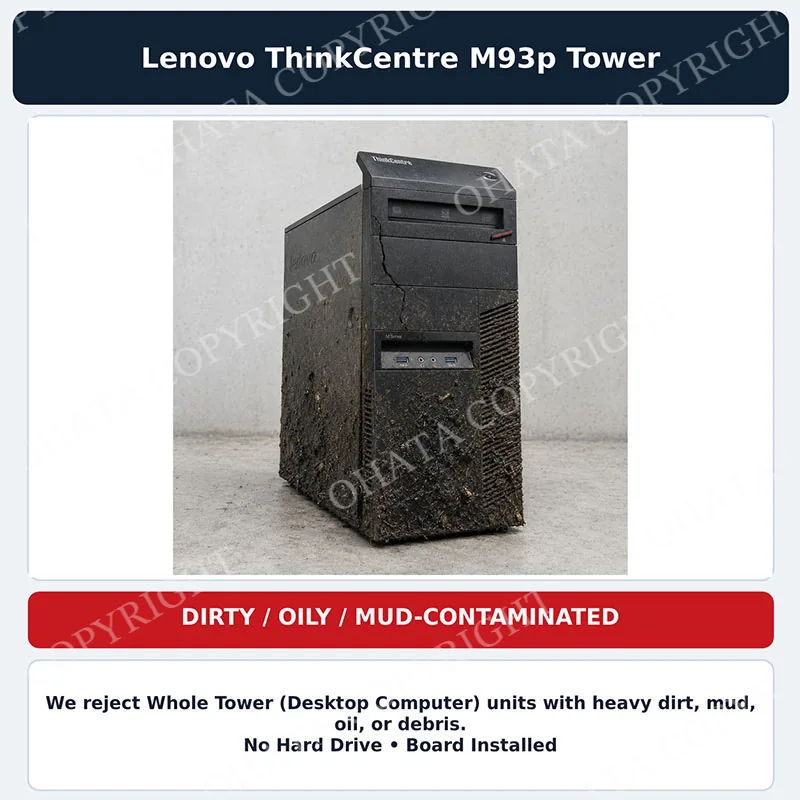
Normal scratches, dust, missing screws and light cosmetic wear are generally acceptable. Severe breakage, fire damage, carbonization, oil contamination, mud, hazardous residue or heavy mixed debris may cause rejection or downgrade.Check grade consistency.
Shipments containing tower computers mixed with SFF units, empty cases, servers, All-in-One systems or towers with hard drives may require additional sorting. Mixed grades and models may be downgraded when separation and disassembly require excessive staff time.
The processor, RAM, graphics card, optical drive and power supply may vary unless the purchase specification requires them. The decisive conditions are the correct tower form, retained motherboard and complete removal of storage devices.
Recoverable Materials, Buying Standards, and Handling
Whole tower computers contain several recoverable material groups. The steel chassis is normally the largest fraction by weight. Aluminum is commonly found in processor heatsinks, power-supply cooling parts and some structural components. Copper is present in wires, power-supply transformers, motors, coils and motherboard circuitry.
The motherboard and expansion cards provide the main electronic scrap value. They contain copper layers, gold-plated connector surfaces, integrated circuits, tin-based solder, nickel, silver and small quantities of other valuable metals. Plastics from bezels, fan housings, cable connectors and internal brackets may also be recyclable when properly separated.
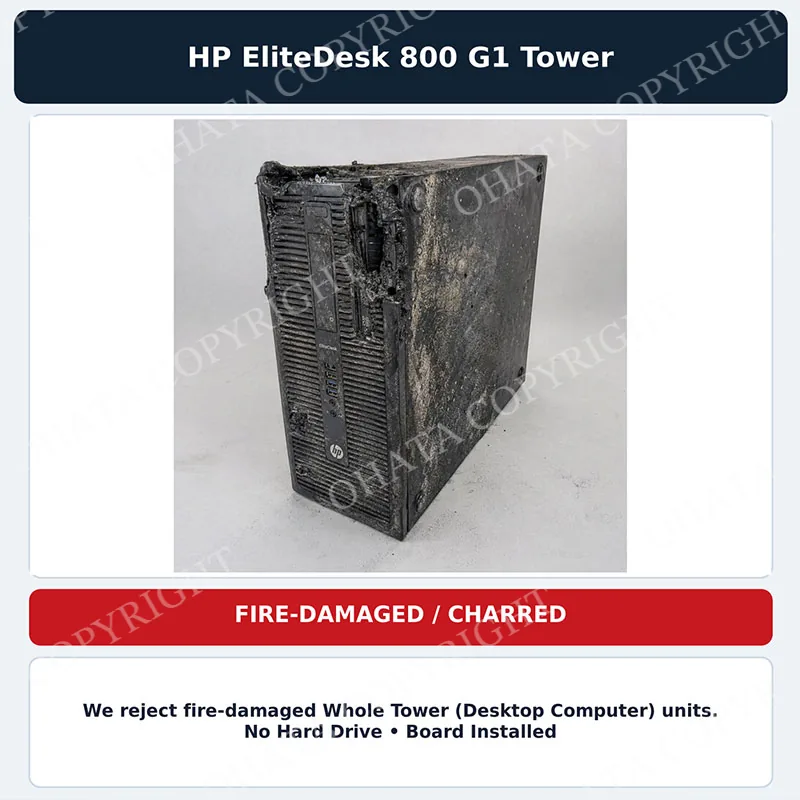
Under the buying standard, units should be reasonably complete and safe to handle. They must not contain leaking batteries, unidentified liquids, medical contamination, excessive oil, loose hazardous powder, radioactive components or other unsafe substances. Fire-damaged computers may contain brittle plastics, unstable residue and harmful soot and should be isolated rather than mixed with normal material.
Hard drives and SSDs must be removed before grading. Sellers should also remove loose personal items, installation discs, unrelated cables, batteries and excessive packaging. Side panels should preferably remain attached or be packed with the corresponding towers. Open or incomplete towers should be secured to prevent sharp metal edges from injuring workers.
For transportation, computers should be stacked in stable rows, palletized or placed in suitable bulk containers. Excessive stacking can crush chassis, break motherboards and create unsafe unloading conditions. Different grades should be separated and clearly identified before delivery.
Buying decisions are based on the physical material received at inspection. Photographs and model lists can support identification, but they do not replace confirmation that the motherboard is present and all storage devices have been removed.
Comparison, and Official Ohata Classification
This grade must be distinguished from several similar recycling categories.
A tower with an installed HDD or SSD does not meet the “No Hard Drive” requirement. It requires storage removal, separate data-security processing or classification under another applicable grade.
A tower chassis without its motherboard is an empty or partially stripped computer case. Because the highest-value electronic board has been removed, it should normally receive a lower chassis, mixed-metal or incomplete-system classification.
A loose desktop motherboard is graded as circuit-board scrap rather than a whole tower. Its price depends on the relevant motherboard grade and whether processors, heatsinks or other components remain attached.
Small Form Factor and Mini PCs should be separated from full tower computers because they have different weights, motherboard sizes, power supplies and dismantling requirements. All-in-One computers belong to a separate category because the motherboard and display are integrated into one enclosure. Enterprise server towers may also require separate evaluation because of their multi-socket boards, redundant power supplies, drive backplanes and higher component density.
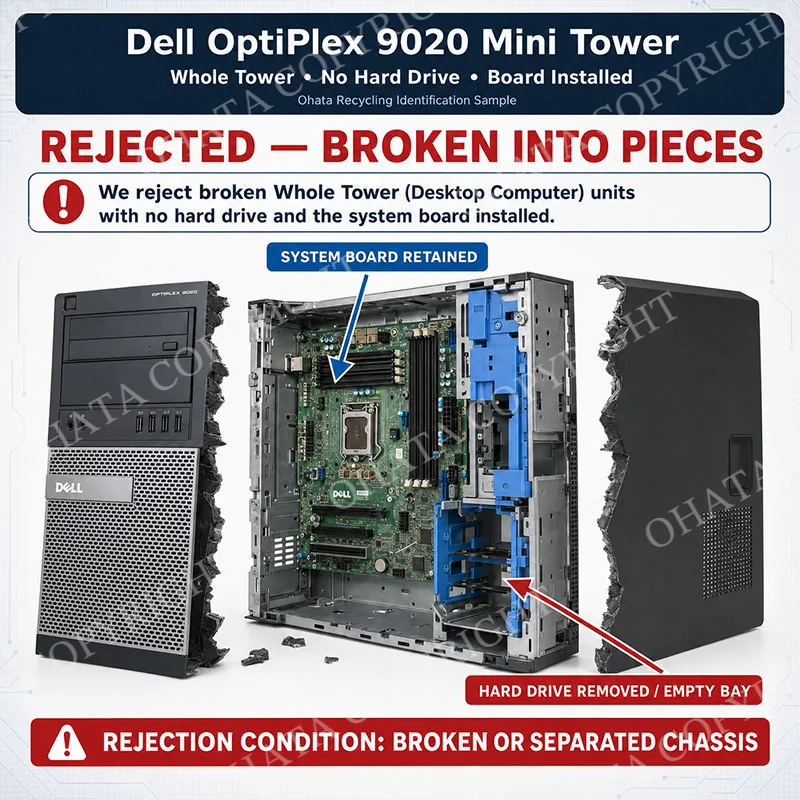
Severely broken, burned or contaminated towers are not normal qualifying material. Broken units, heavily carbonized computers and systems covered with oil, mud or excessive debris may be rejected or downgraded because they create safety problems, reduce material quality and require additional labor.
The classification and buying price are determined by the computer’s physical composition, installed components, completeness, condition, and configuration. Brand, model, age, original purchase price, and working condition do not determine its recycling value by themselves. Similar-looking computers may receive different grades when their internal components or condition differ.
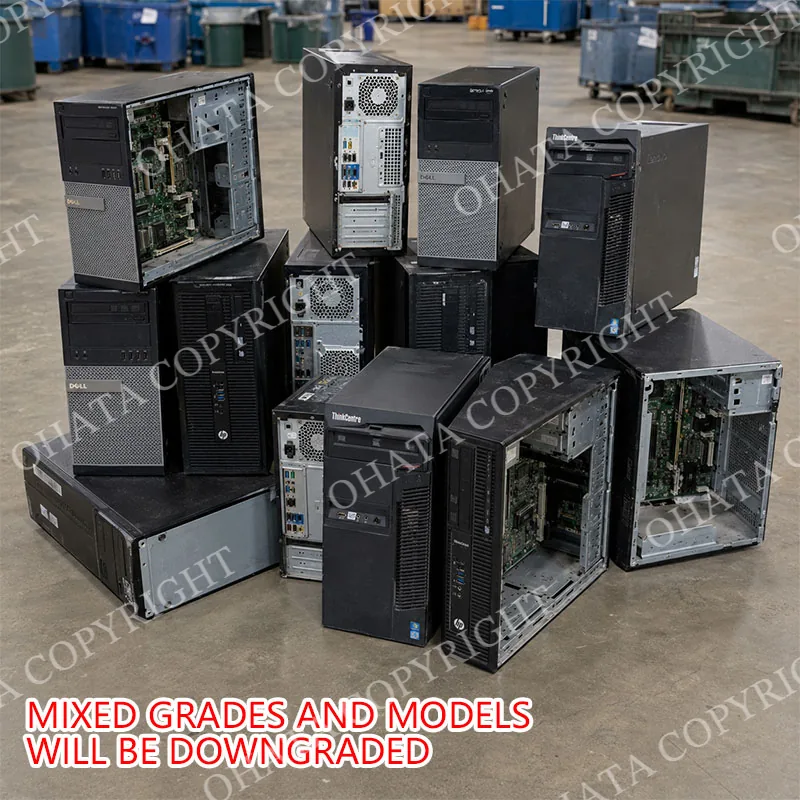
The core rule is straightforward: the item must be a tower-style desktop computer, the motherboard must remain installed, and all hard drives and solid-state storage devices must be removed.
FAQ
- 1. What is today’s price for Whole Tower (Desktop Computer) No Hard Drive with board?
- As of Oct 06,2026, Ohata Shoji America Inc., (Seattle, WA, United States) is purchasing Whole Tower (Desktop Computer) No Hard Drive with board at 0.50 (USD/lb). We provide competitive scrap prices in Seattle, Bellevue, Renton, Tukwila, Kent, SeaTac, Tacoma, Everett, and surrounding communities.
- 2. How much are desktops and laptops worth in scrap in Seattle?
- Desktop computer scrap is purchased by weight. The final classification, measured weight, and buying value are confirmed after the material is physically inspected at our Seattle yard. Please check this page for the current published price.
- 3. Do you buy complete computers?
- Yes. Complete computer systems may be accepted, including computers with CPUs, RAM, motherboards, hard drives, SSDs, and other components.
- 4. Can I sell computers without hard drives?
- Yes. Computers without storage devices may still be accepted depending on their components and overall condition.
- 5. Do you buy gaming computers?
- Yes. Gaming desktops and laptops may contain valuable components such as graphics cards, high-performance CPUs, RAM, and SSDs.
- 6. Do you buy business and office computers?
- Yes. We accept bulk quantities of office computers, workstations, and retired IT equipment from businesses and organizations.
- 7. Do I need identification to sell computer scrap?
- Sellers may be asked to provide valid government-issued photo identification and contact information when completing a transaction.
- 8. What areas do you serve?
- We serve customers throughout the Seattle metropolitan area, including Seattle, Bellevue, Redmond, Kirkland, Renton, Kent, Auburn, Tukwila, Shoreline, Everett, Lynnwood, Tacoma, and surrounding communities.
- 9. Do you offer services for bulk quantities?
- Yes. Businesses, recyclers, schools, and organizations with large volumes of computer scrap are encouraged to contact us regarding purchasing arrangements.
- 10. How many minimum can you buy ?
- We buy desktop and laptop computers scrap from 1 Lb..
- 11. Are computer monitors accepted as scrap?
- No; Computer scrap (desktops, laptops) excludes all-in-one PCs and standalone LCD or CRT monitors, so items with monitors are not accepted during inspection.
- 12. Are missing or broken computer parts accepted for scrap?
- Yes; Computer scrap (desktops, laptops) is accepted even if parts are missing or damaged because functionality does not matter as long as the motherboard is included, so it is handled under this category after inspection.
- 13. Can computer cables or adapters be included with computer scrap?
- No; Computer scrap (desktops, laptops) does not accept adapters or peripherals, and adapters are only handled as miscellaneous wires if cut down to just wires, otherwise they are not accepted during inspection.
Related Items
Modems Routers Buying
0.48
USD / lb
Whole Server With 3 Hard Drive with board buying
0.60
USD / lb
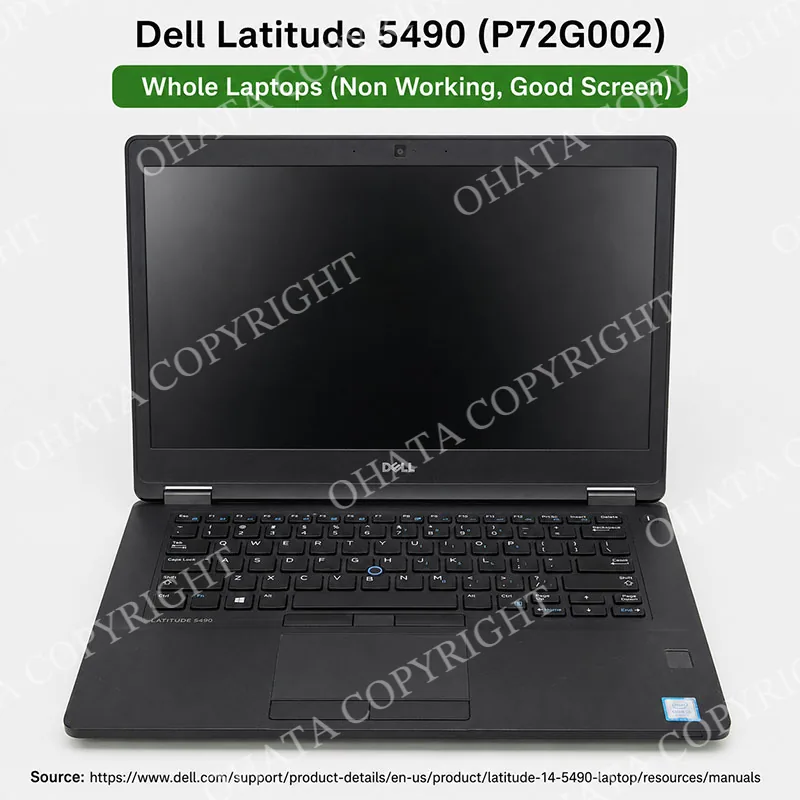
Whole Laptops (Non Working, Good Screen) buying
1.30
USD / lb
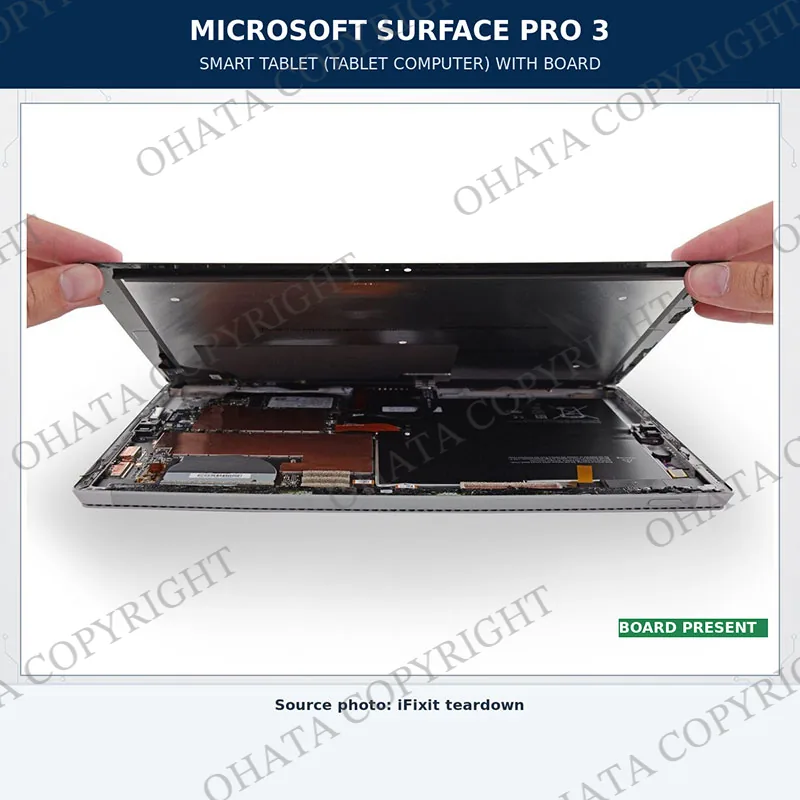
Smart Tablet ( Tablet Computer) with board buying
0.50
USD / lb

Smart phone (Non-cell phone) No Battery with board buying
4.50
USD / lb
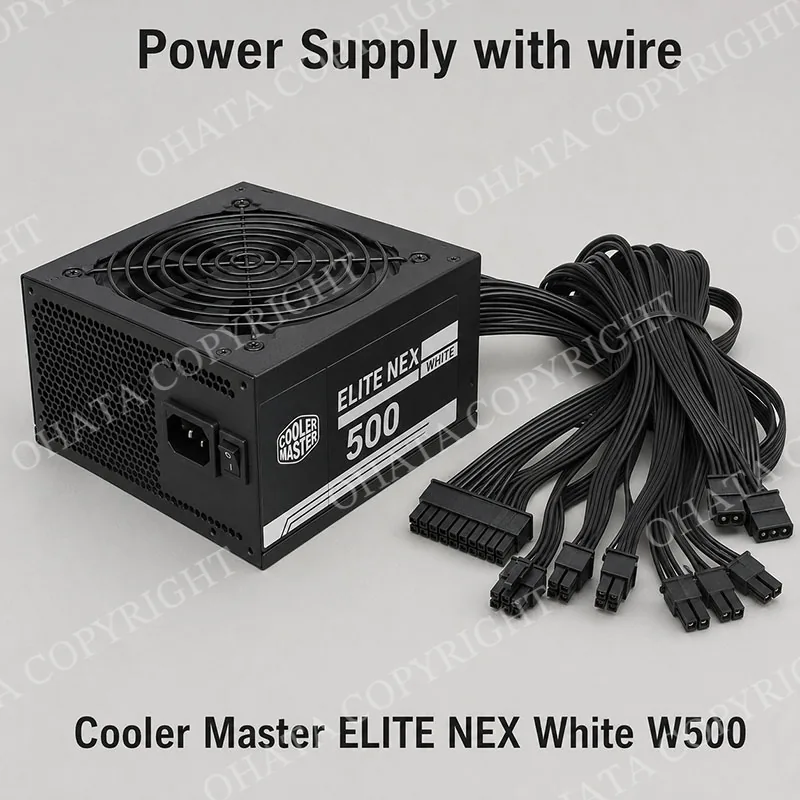
Power Supply with Wire Buying
0.46
USD / lb
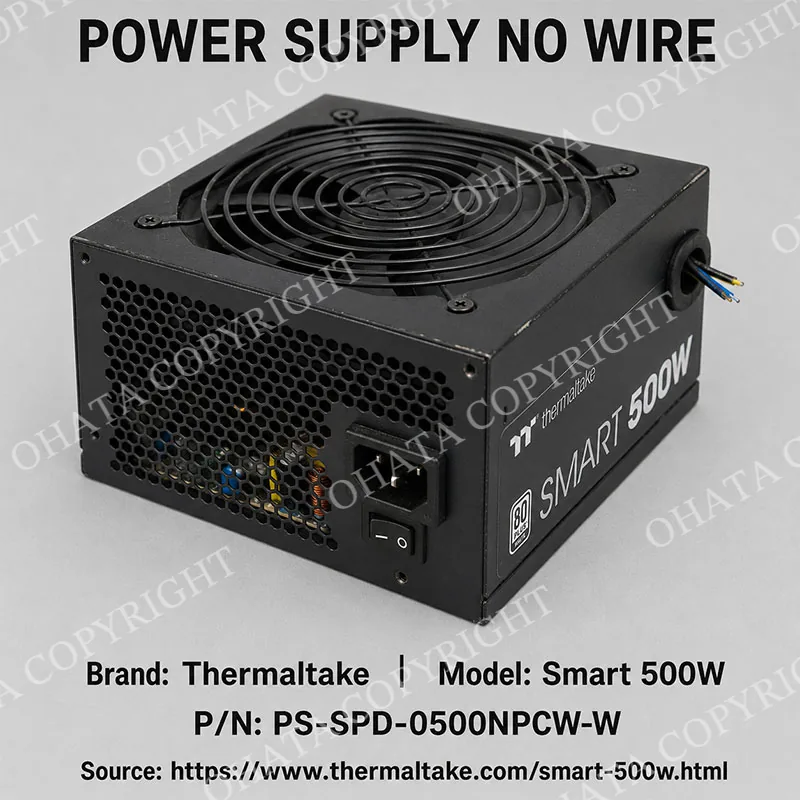
Power Supply No Wire Buying
0.30
USD / lb
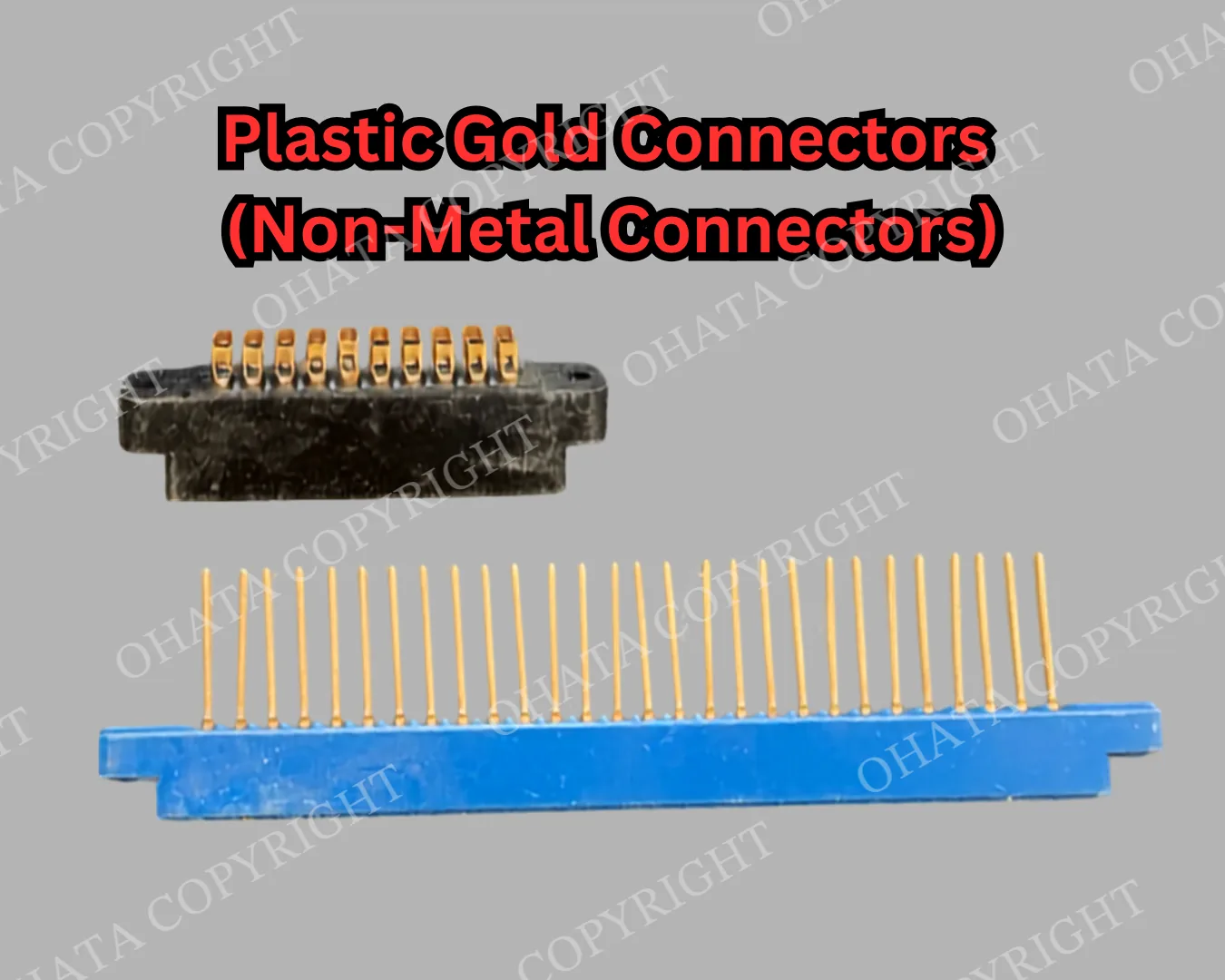
Plastic Gold Connectors (Non-Metal Connectors) Buying
4.90
USD / lb
Modern Smart Phone with Battery and Cover Buying
3.50
USD / lb
Contact us by phone or email