

How Ohata AI Identifies and Grades a Scrap Motherboard in Seattle
Good morning, I'm Han Han. Today is Monday, August 3, 2026. In this guide, I'll walk you through scrap motherboard identification using Ohata AI, with an ASUS P5GD1 as a practical example.
Seattle was around 67°F (20°C) under mostly cloudy skies when this article was updated. Conditions were expected to clear through the evening, with temperatures falling into the mid-50s Fahrenheit (about 13°C) overnight. Check the latest [National Weather Service Seattle forecast] before heading out.
In Seattle, [Lionel Richie and Earth, Wind & Fire] perform at Climate Pledge Arena tonight, August 3, at 7:30 p.m. If you are travelling near Seattle Center, allow extra time for traffic and event parking.
Now, let's look at the motherboard. I'll show you how Ohata AI suggests a model, highlights useful inspection areas, and connects those observations to an [Ohata circuit-board grade]
Start with a Clear Photograph
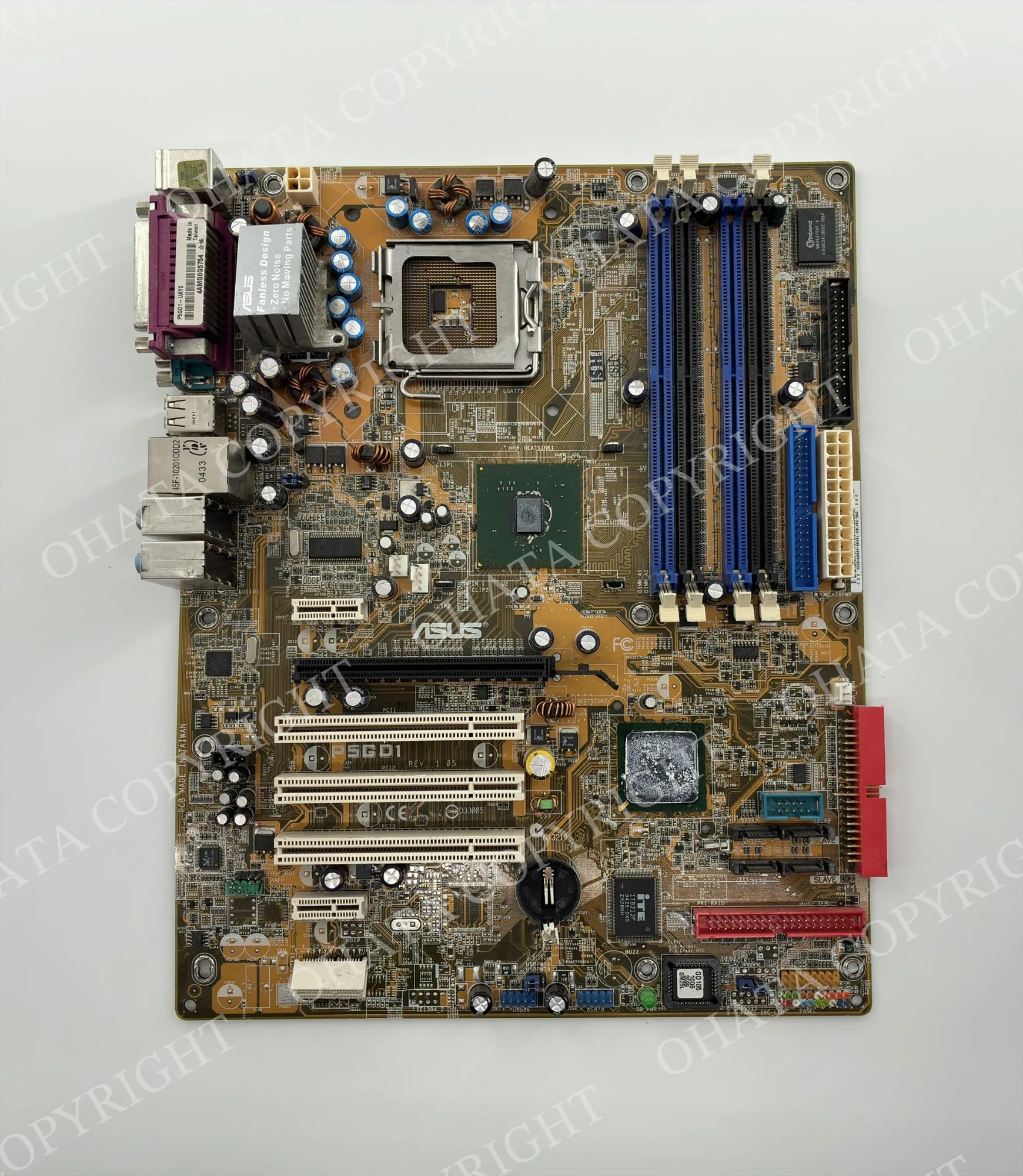
Place the complete board on a plain surface and photograph it from directly above. Keep the full outline visible and avoid glare over printed markings.
The ASUS branding, P5GD1 marking, and layout suggest an ASUS P5GD1, PCB Revision 1.05. The [official ASUS manual] helps confirm the model and specifications.
The board has an Intel LGA775 CPU socket, four DDR memory slots, a PCI Express x16 slot, two large chipsets, and several controller chips. Removable parts are missing, but the main soldered components remain attached.
What the Ohata AI Result Shows
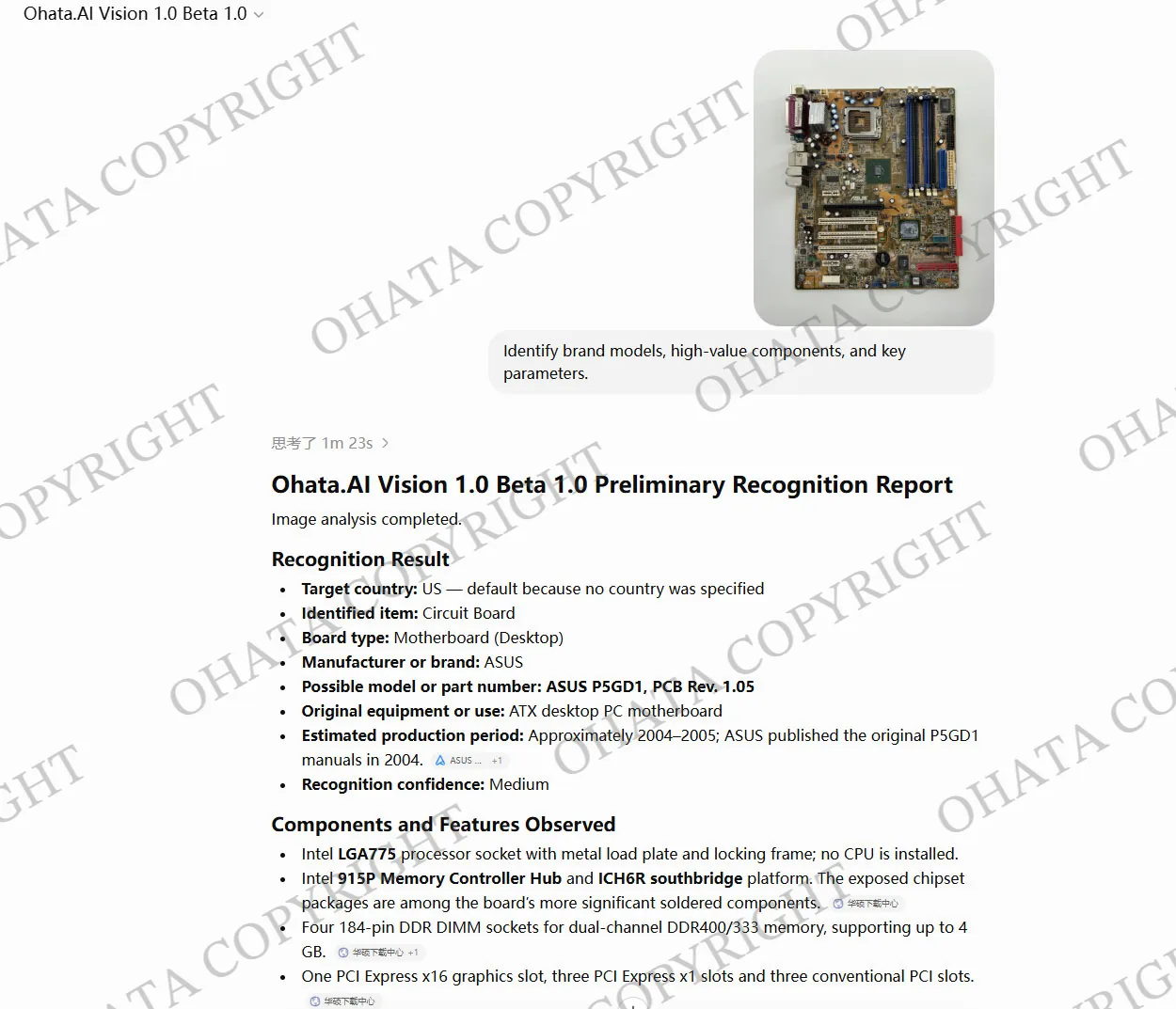
Ohata AI identifies a desktop motherboard and suggests ASUS P5GD1 as the likely model. It also finds an LGA775 socket, Intel 915P and ICH6R chipsets, and four DDR memory slots.
Recognition confidence is medium, so use the result to guide inspection rather than as a final buying grade. Add a clear back photograph and close-ups if markings are blurred or parts are hidden.
How Ohata AI Reads a Scrap Motherboard
Ohata AI compares shapes, printed text, positions, and visible condition:
- Board type: The outline, CPU socket, memory slots, and rear input/output area identify a desktop motherboard.
- Brand and model: Optical character recognition, or OCR, reads markings such as ASUS and P5GD1.
- Components: It locates sockets, chips, slots, controllers, and connectors.
- Visible condition: It flags missing parts, cracks, burns, corrosion, and water damage.
PCB means printed circuit board. BGA is a flat chip package soldered to the board, while LGA describes the CPU socket. No single component determines the final grade.
Inspection Areas Worth Checking First
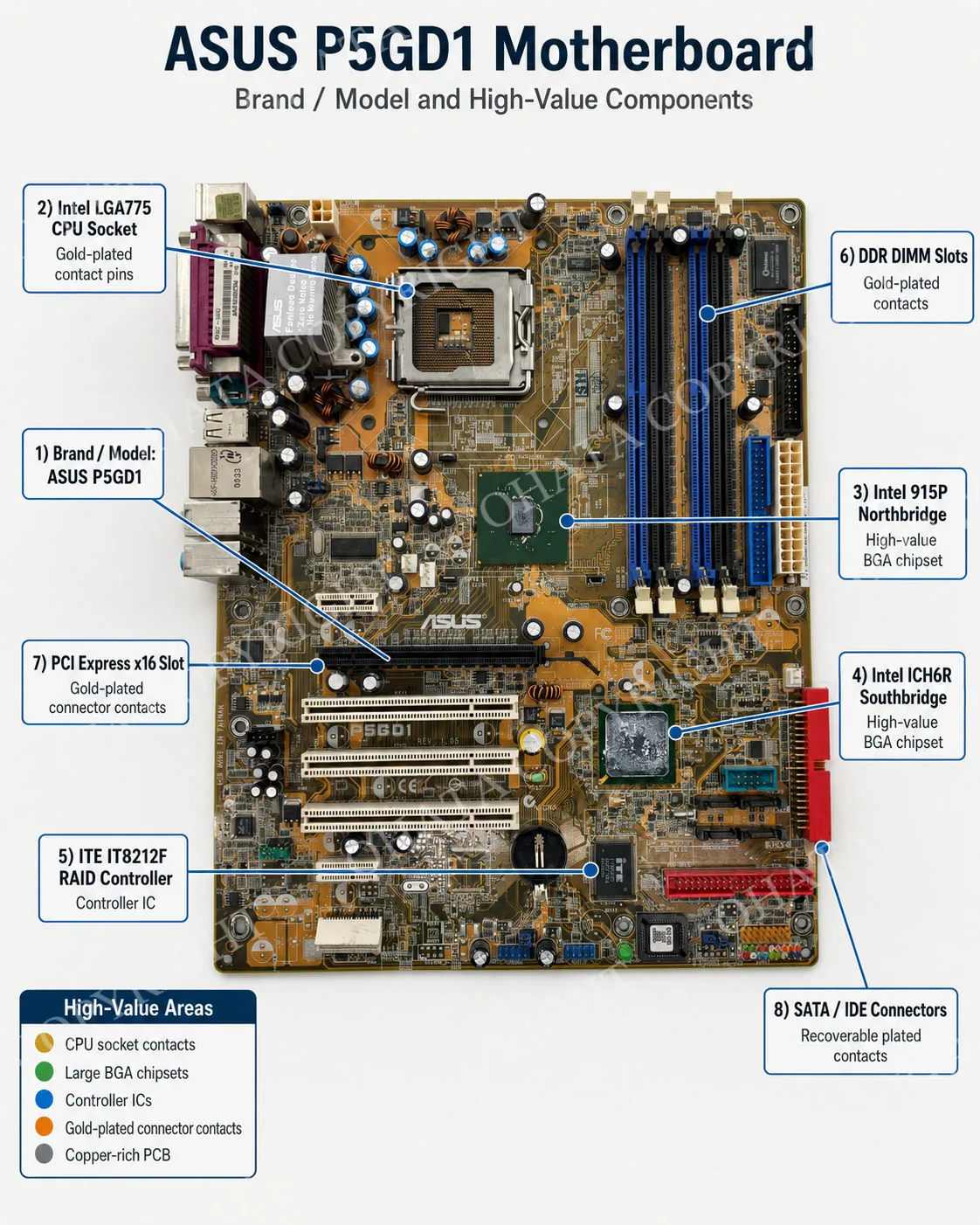
If you are checking a similar motherboard, start with the CPU socket and readable model marking. These areas usually provide the fastest clues about the board family and construction.
- LGA775 CPU socket: Its dense contacts may have a thin gold-finished surface, but they are not solid gold.
- Intel 915P and ICH6R chips: These packages help confirm the platform, but do not determine the whole-board grade.
- ITE controller and other chips: Their number and distribution provide grading clues. Leave them attached.
- Connectors: DDR, PCI Express, PCI, SATA, and IDE connectors contain small plated areas, but a photograph cannot confirm plating thickness.
- PCB and power section: Copper is generally the main recoverable metal by mass.
For related examples, see the [CPU scrap classification guide] and [RAM scrap classification guide].
Is This ASUS P5GD1 an Ohata D Grade Board?
Based on the visible board type, metal LGA retention frame, moderate integrated-circuit density, and connector layout, this ASUS P5GD1 is a likely Ohata D Grade candidate. The final decision should be based on the complete board, its construction, attached components, and physical condition.
No single feature determines the grade. Check the [Ohata Board Scrap Classification Guide] and the [D Grade Circuit Board Scrap Guide], then confirm the result through physical inspection before preparing a shipment.
How to Take Better Board Photographs
Use bright, even lighting, keep the camera steady, and do not crop the board edges.
For an unknown board, provide three views:
A complete front view.
A complete back view.
Close-ups of the model number, CPU socket, large chip packages, and plated contacts.
Avoid overlapping boards. Photograph them individually or in separated groups of similar items.
Preparing Scrap Boards for the Seattle Yard
Ohata Shoji America Inc.'s Seattle yard is located at [423 S Horton St, Unit B, Seattle, WA 98134]. Check the current receiving schedule and traffic conditions before travelling, especially on weekends and holidays.
For a large or palletized load, contact +1-206-602-9022 or info-us@ohata.ai in advance.
Before delivery:
- Separate likely D Grade boards from other board types.
- Keep sockets, soldered chips, and connectors attached unless instructed otherwise.
- Separate damaged boards, handle batteries safely, and save reference photographs.
Ohata AI and Human Inspection Work Better Together
Ohata AI can suggest a model, identify components, flag visible damage, and propose an initial grade. Treat it as a first review; a trained inspector should confirm the complete board and final buying decision.
Frequently Asked Questions
1. Can Ohata AI identify every scrap circuit board?
No. Custom, modified, or badly damaged boards may require manual research.
2. Can a photograph show the exact amount of gold in a motherboard?
No. Exact content requires technical data, sampling, or metallurgical analysis.
3. Why is this ASUS motherboard considered a likely D Grade board?
Its design, metal LGA frame, component density, and connectors match D Grade examples. Physical inspection is still required.
4. Do the two large chipset packages have recycling value?
They have processing value, but do not determine the whole-board grade by themselves.
5. Should I remove the chipsets before selling the board?
Usually not. Removal can damage the PCB and reduce its accepted value.
6. Does a missing CPU change the motherboard grade?
A removable CPU is normally evaluated separately. Removing soldered parts may affect the board's grade.
7. Can Ohata AI identify burned or corroded areas?
It can flag visible damage, but a person should confirm its location and severity.
8. Can Seattle-area businesses submit several boards together?
Yes. Individual photographs or separated groups are more reliable than an overlapping mixed pile.
Next Step
Before transporting an unknown circuit board, take clear front, back, and model-marking photographs. You can then [try Ohata AI] to organize the material for review.
Keep each board complete and separate visibly different grades. Clear photographs and careful sorting make the final inspection faster and more consistent.

Comments
0 comments