What Is the Ohata CPU Scrap Classification?
CPU scrap includes obsolete, non-working, dismantled, or otherwise end-of-life processors and related processor chips intended for material recovery.
Although these components may all be described as CPUs, they are not constructed in the same way. A vintage ceramic processor with a gold-colored cap is physically different from a modern processor with flat contact pads. A loose BGA chip is different again because it was originally soldered directly to a circuit board.
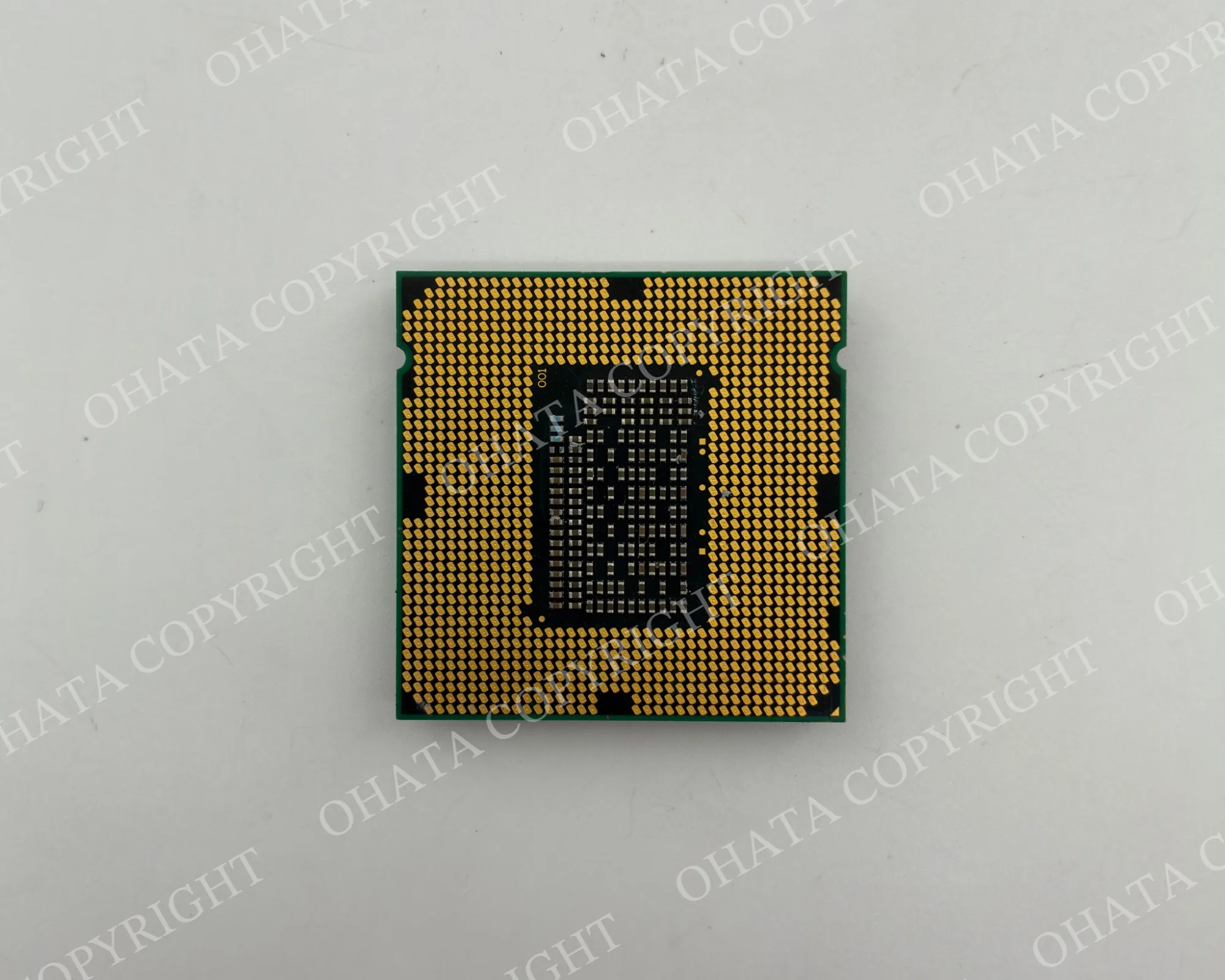
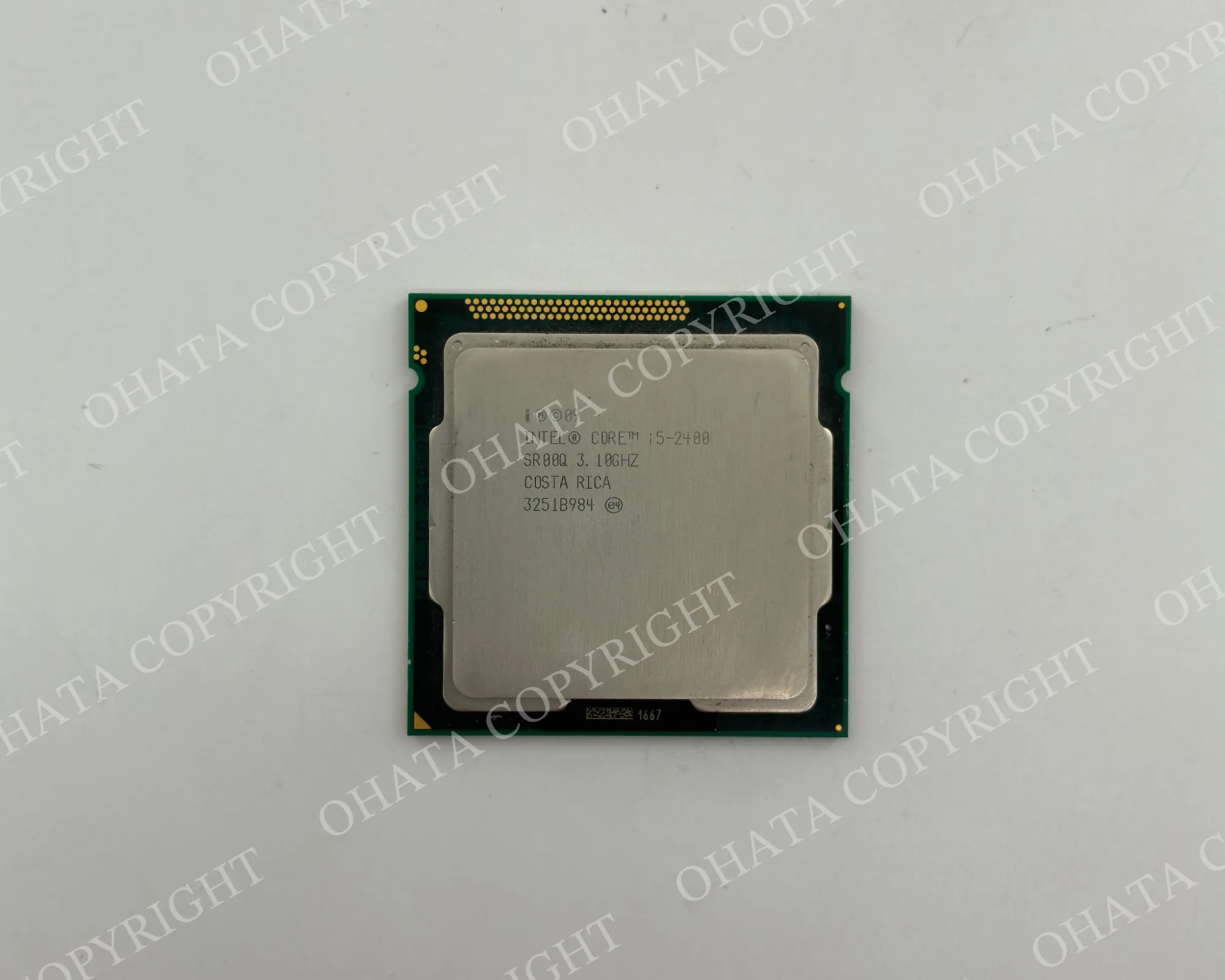
The Ohata CPU Scrap Classification separates these materials according to visible package construction, contact type, completeness, and condition. It is an internal Ohata purchasing and sorting system rather than a universal electronics-industry standard.
A model number can help identify a processor, but it should not be used alone. Some processor families were manufactured in more than one package style, and chips with similar shapes may perform entirely different functions.
How CPU Packages Differ
The top and underside of a processor provide the most useful identification clues.
Package material
Older processors may use rigid ceramic packages, while many later processors use green or brown organic fiber substrates. Small integrated circuits commonly use black molded-plastic packages.
Color alone is not enough. Ceramic packages can be white, gray, brown, purple, or another color. Lighting, residue, and surface coatings can also change how a package appears in a photograph.
Connection type
Package
What to look for
How it connects
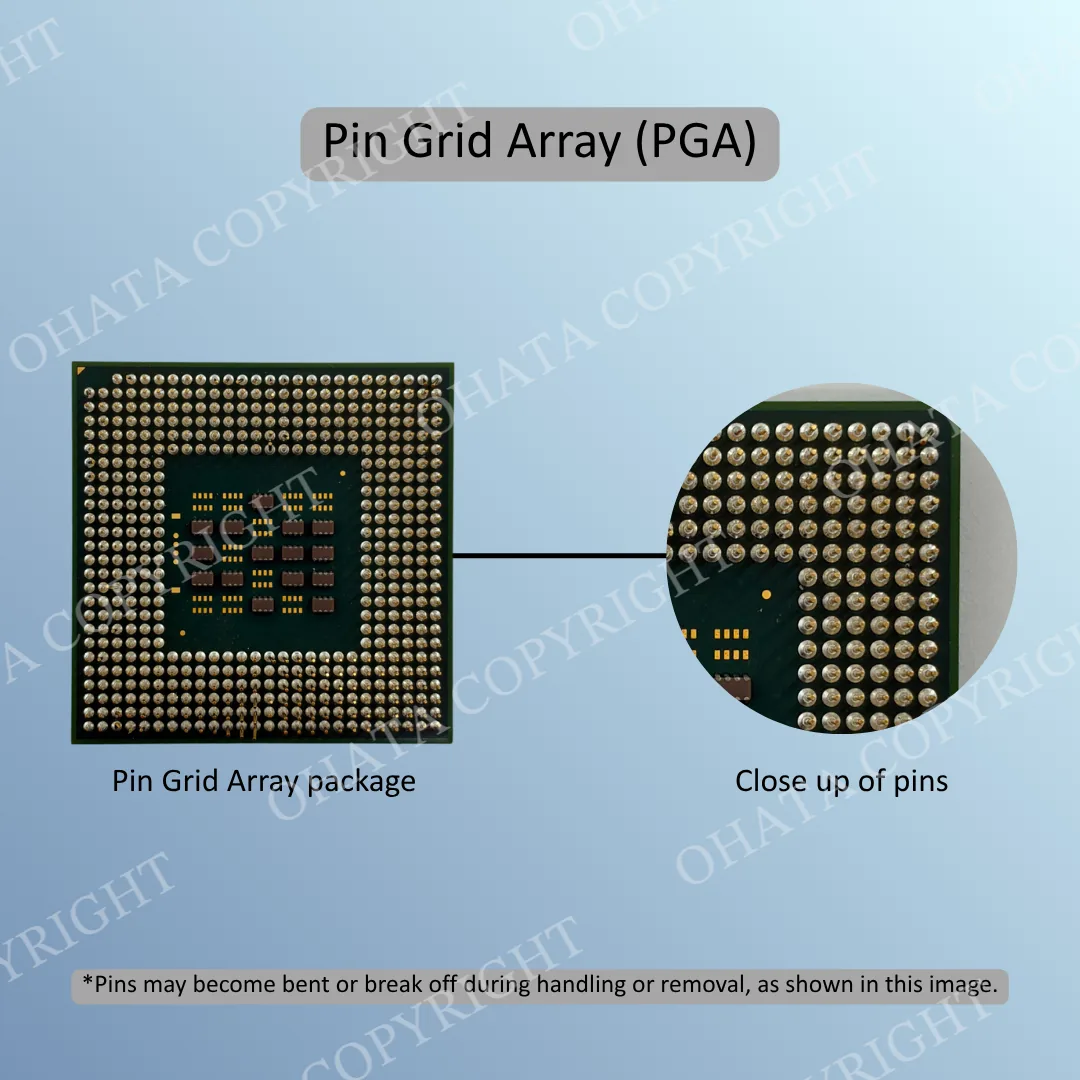
PGA
Projecting pins underneath
Inserted into holes in a CPU socket
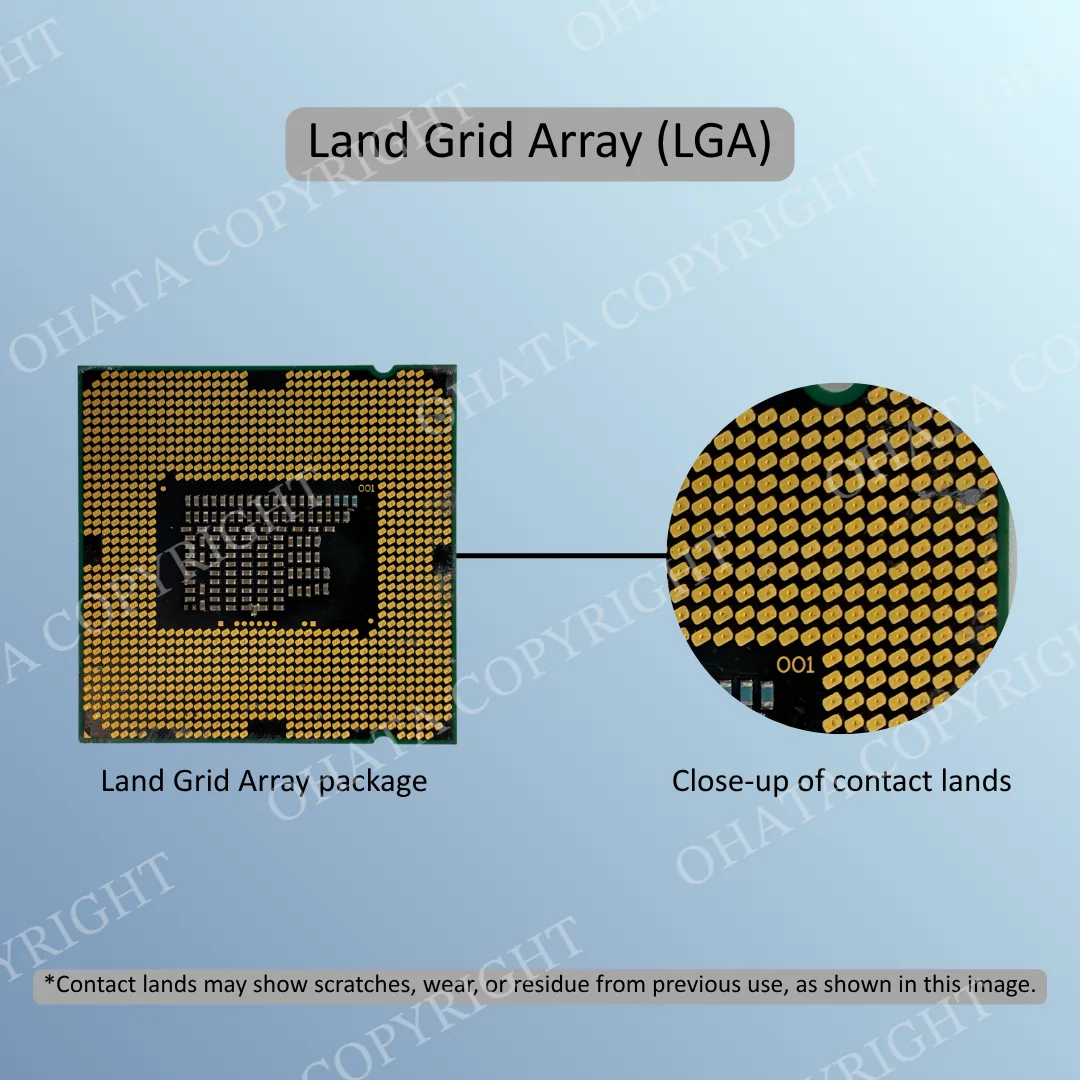
LGA
Flat contact lands underneath
Pressed against pins inside a socket
BGA
Grid of solder balls underneath
Permanently soldered to the circuit board
Slot module
Gold fingers on a narrow processor board
Inserted into a motherboard slot
Leaded IC
Metal legs extending from the sides
Soldered onto or through the circuit board
PGA, LGA, and BGA describe connection or package styles. They do not describe processing speed, generation, or recycling value by themselves.
Caps and heat spreaders
Some vintage ceramic processors have a gold-colored metal cap as part of the package. Many modern desktop and server processors instead have a silver-colored heat spreader that transfers heat away from the silicon die.
A silver heat spreader is not a gold cap. Gold-colored labels, paint, reflections, and discoloration should not be mistaken for qualifying gold-plated package construction.
Ohata CPU Grade Overview
Ohata category
General identification
CPU-SSS
Qualifying ceramic processors with a gold-colored cap
CPU-SS
Qualifying high-grade ceramic processors without the CPU-SSS gold-cap configuration
CPU-S
Qualifying gold-pin PGA processors
CPU-A
Qualifying modern LGA processors with flat contact lands
CPU-B
Qualifying BGA processors and IC chips
CPU-C
Qualifying fiber-package CPUs
CPU-D
Slot CPUs and processor modules
CPU-E
Plastic IC and processor chips
CPU-F
Damaged, dirty, contaminated, mixed, or uncertain CPU scrap
The table provides a first comparison, not a final grade. Some features overlap, so the complete package must be checked.
Ceramic CPUs
CPU-SSS and CPU-SS both contain qualifying ceramic processors.
A CPU-SSS processor has a ceramic body and the gold-colored cap construction required by the category. CPU-SS also uses qualifying ceramic construction but does not have the same gold-cap configuration.
Not every old processor is ceramic, and not every gold-colored surface is a qualifying cap. Check the package material, cap, underside, and overall condition.
PGA, LGA, and fiber CPUs
CPU-S covers qualifying gold-pin PGA processors. The easiest feature to recognize is the field of projecting pins beneath the CPU.
CPU-A covers qualifying modern LGA processors. These processors have flat contact lands instead of pins. The corresponding pins are located inside the motherboard socket.
CPU-C covers qualifying fiber-package CPUs. Fiber describes the substrate material rather than the connection type, so a fiber processor may also have pins or another contact design. A green or brown processor should therefore not be placed in CPU-C from color alone. Compare the complete item with the current Ohata CPU-S, CPU-A, and CPU-C examples.
BGA CPUs and IC chips
CPU-B includes qualifying BGA processors and integrated circuits. BGA packages use solder balls underneath and are normally soldered directly to a circuit board.
Not every BGA package is a CPU. The same package style is used for:
graphics processors
chipsets
memory devices
communication controllers
FPGAs
game-console processors
embedded and industrial ICs
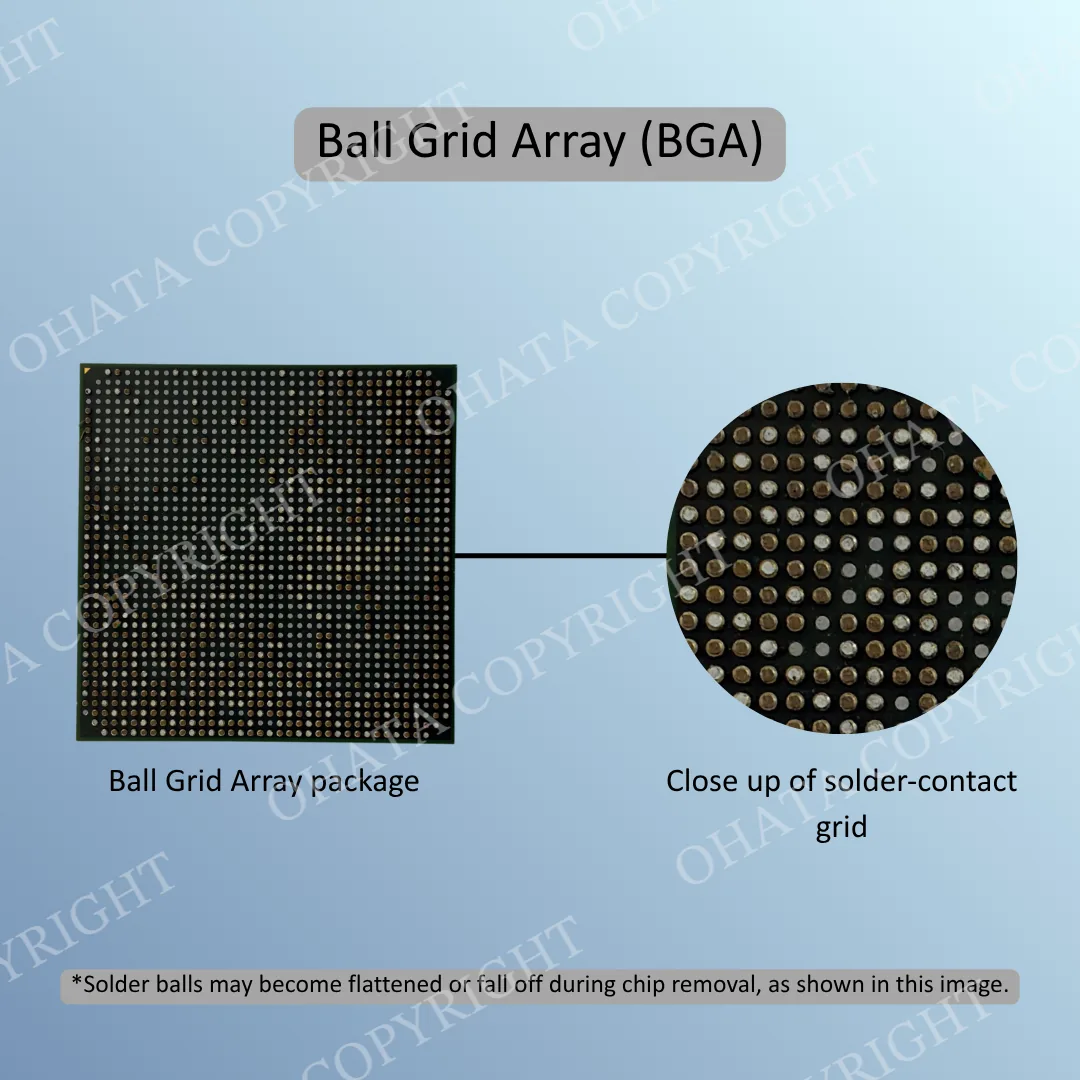
Part numbers and original equipment can help determine what the chip does. Missing solder balls may be normal after removal, but cracked substrates, removed dies, burning, or attached board fragments can affect classification.
Learn more about CPU Packages: BGA Packages and More
Slot CPUs and processor modules
CPU-D includes cartridge-style processors and CPU modules such as Slot 1 and Slot A designs.
These assemblies normally contain a processor mounted on a narrow circuit board. They may also include cache chips, supporting components, a heatsink, a plastic housing, and gold fingers.
Keep the original module complete. Empty cartridges, cut gold fingers, removed processors, and stripped circuit boards may require a different classification.
Plastic ICs and damaged material
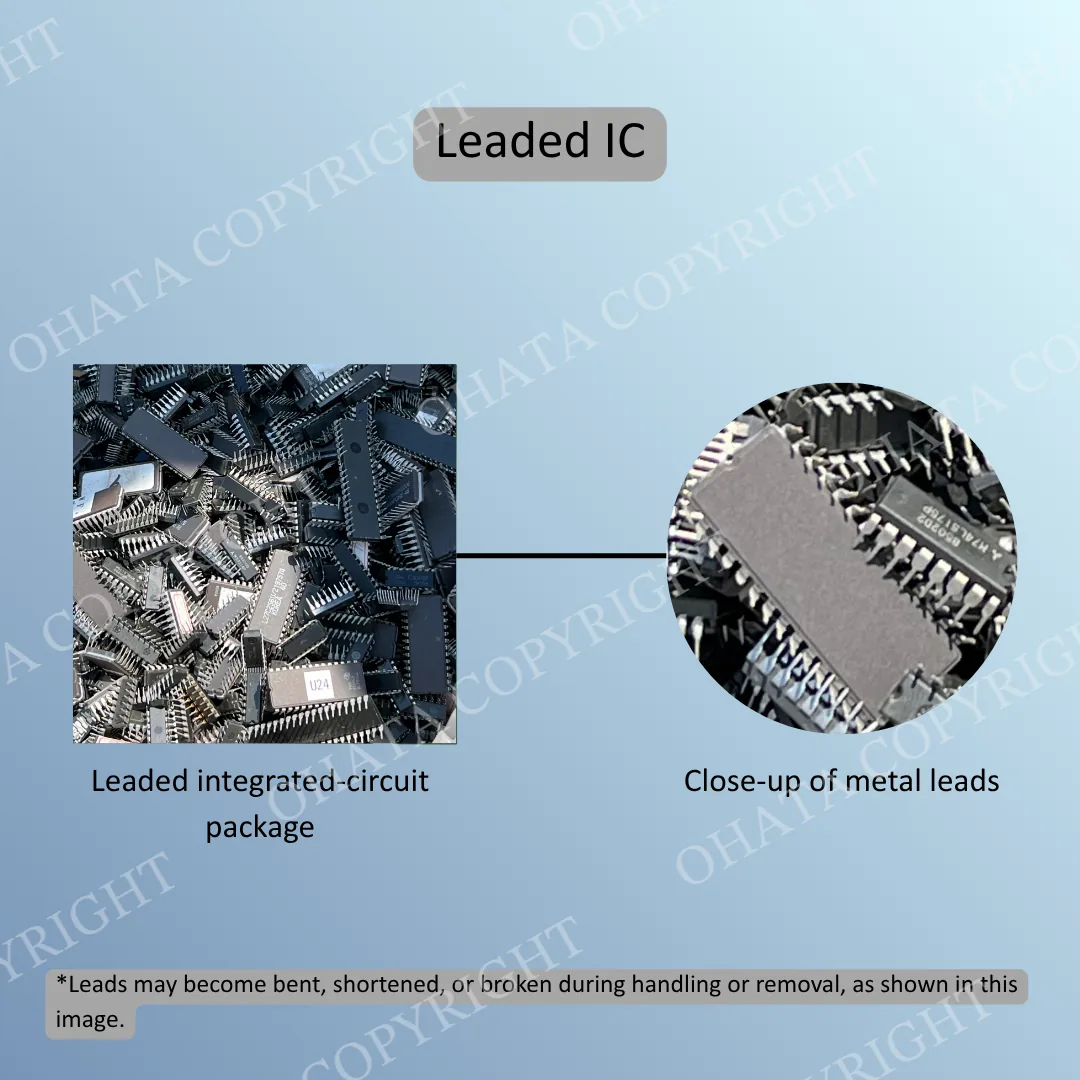
CPU-E includes qualifying plastic ICs and processor chips. These components usually have black molded packages and may include microcontrollers, embedded processors, communication chips, logic ICs, and other integrated circuits.
A black IC should not automatically be called a CPU. Its markings may identify it as memory, a controller, a logic device, or another component.
CPU-F is used for damaged, dirty, contaminated, mixed, or uncertain CPU scrap. Potential examples include broken packages, severely damaged pins, heavy corrosion, burning, removed dies, attached hardware, or mixtures of different grades.
Minor wear does not automatically make a processor CPU-F. The amount and severity of damage must be inspected.
How to Identify CPU Scrap
Begin with the complete item rather than one small detail.
Check the package
Determine whether the body is ceramic, organic fiber, molded plastic, or part of a cartridge-style module.
Turn it over
Look for:
projecting PGA pins
flat LGA contact lands
BGA solder balls
metal leads around the edges
gold fingers on a processor module
The underside often provides more useful information than the processor’s top surface.
Inspect the top
Check for a gold-colored ceramic cap, silver heat spreader, exposed silicon die, molded-plastic surface, and manufacturer markings.
Do not remove an original cap or heat spreader to inspect the inside. Altering the processor can reduce completeness and make classification more difficult.
Read the markings
Record the complete manufacturer name, part number, and other visible codes. Markings can help distinguish a CPU from a GPU, chipset, memory device, or controller.
Check the condition
Look for:
cracked ceramic or fiber substrates
missing package sections
severely bent or missing pins
removed dies
corrosion
burning
heavy thermal compound
oil, mud, or chemical residue
attached heatsinks or board fragments
When requesting preliminary identification, provide clear photographs of the top, underside, side profile, and markings.
Buying, Downgrade, and Rejection Guidance
CPU scrap should be clean, dry, identifiable, and separated from unrelated electronic material.
Keep ceramic CPUs, gold-pin processors, LGA processors, BGA chips, fiber CPUs, slot modules, plastic ICs, and damaged material in separate containers whenever practical.
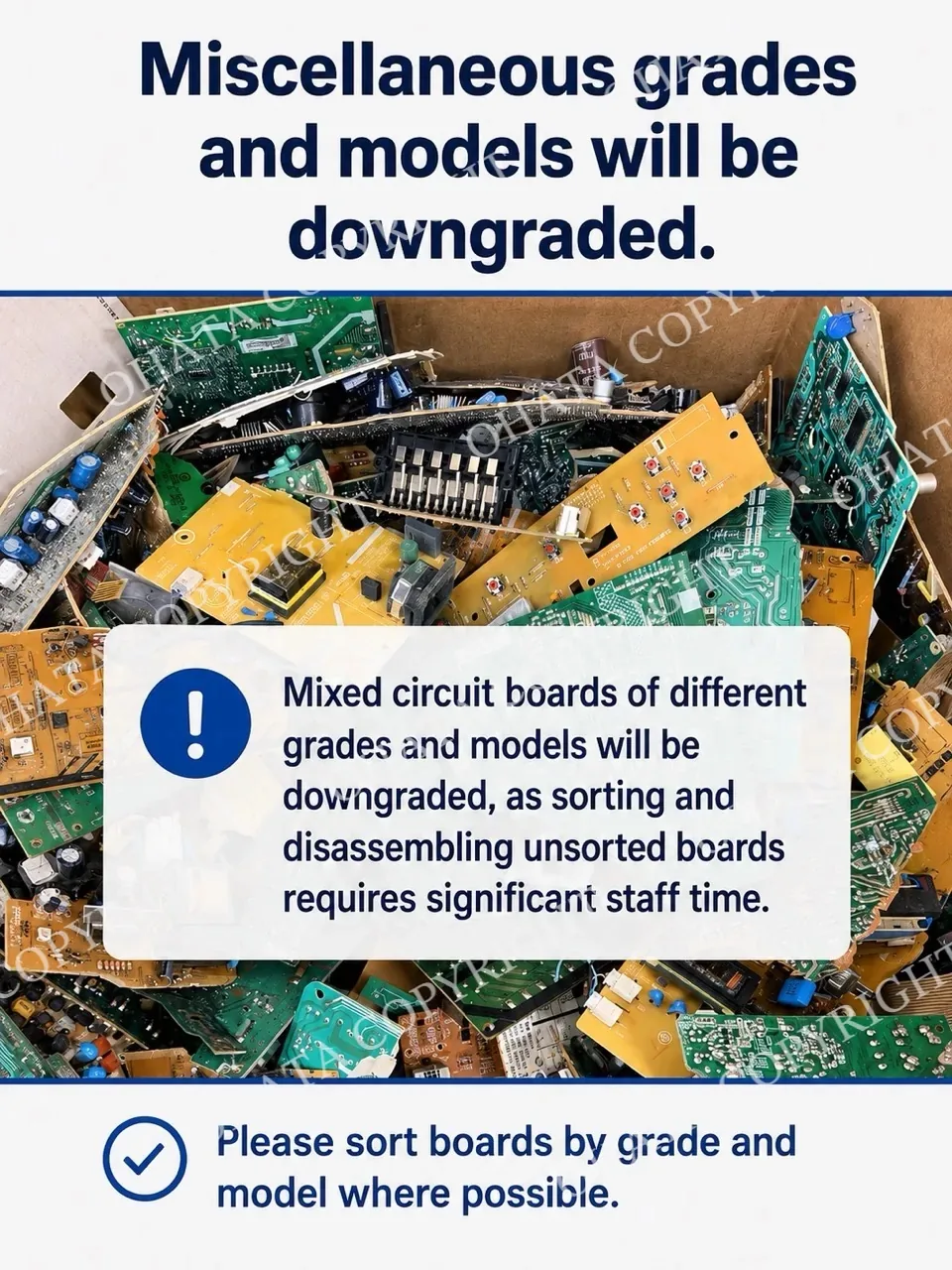
Material may be downgraded for:
mixed or unidentified processors
broken packages
extensive missing pins
removed dies or package sections
heavy corrosion
burned residue
attached PCB fragments or unrelated hardware
heavy dirt, oil, adhesive, or thermal compound
incomplete slot modules
Wet, chemically treated, hazardous, deliberately misrepresented, or severely contaminated material may be rejected.
Do not scrape contacts, cut packages, burn components, remove dies, or use chemicals to test for precious metals. These actions can damage recoverable material and create health, fire, or environmental hazards.
Clear photographs can support preliminary identification, but they cannot confirm weight, internal construction, exact metal content, or hidden damage. Final classification, acceptance, and purchasing value are determined after Ohata inspects the material.