

About This Guide
RAM is one of the most recognizable forms of electronic scrap. Memory modules are found in desktop computers, laptops, servers, workstations, network equipment, industrial systems, and many other electronic devices. They are compact, easy to remove, and relatively straightforward to sort—but modules that look similar can differ substantially in construction and recoverable material content.
The Ohata RAM Scrap Classification System provides a practical way to grade RAM by its physical and engineering characteristics. It does not use brand, memory capacity, generation, or original retail price as the main basis for grading. Instead, it considers features that can be checked during inspection, including component density, connector finish, PCB construction, module condition, and the presence of shields or heat spreaders.
This guide explains the five Ohata RAM grades, the characteristics used to distinguish them, and the basic preparation and inspection practices used when RAM is purchased for recycling.
Important: The Ohata grades are internal purchasing classifications. They are not an international standard, and a grade does not guarantee a fixed price. Final grading and payment are determined after physical inspection.
Related Guides
Learn more about RAM on YouTube: Ohata RAM Scrap Classification Guide
Part 1: RAM as a Recyclable Material
A Brief History of RAM
Computer memory has developed from early magnetic-core systems into the semiconductor modules used today. The introduction of SIMMs and, later, DIMMs made memory easier to install, replace, and upgrade. Subsequent generations—SDRAM, DDR, DDR2, DDR3, DDR4, and DDR5—improved bandwidth, capacity, power efficiency, and reliability.
Enterprise systems also adopted specialized formats such as ECC memory and Registered DIMMs (RDIMMs). Although memory technology continues to change, most removable RAM modules share a familiar construction: a multilayer printed circuit board, surface-mounted integrated circuits, passive components, and a plated edge connector.
Large numbers of computers and servers are retired every year. As a result, obsolete, surplus, and defective RAM remains a consistent source of recyclable electronic material.
Why RAM Is Recycled
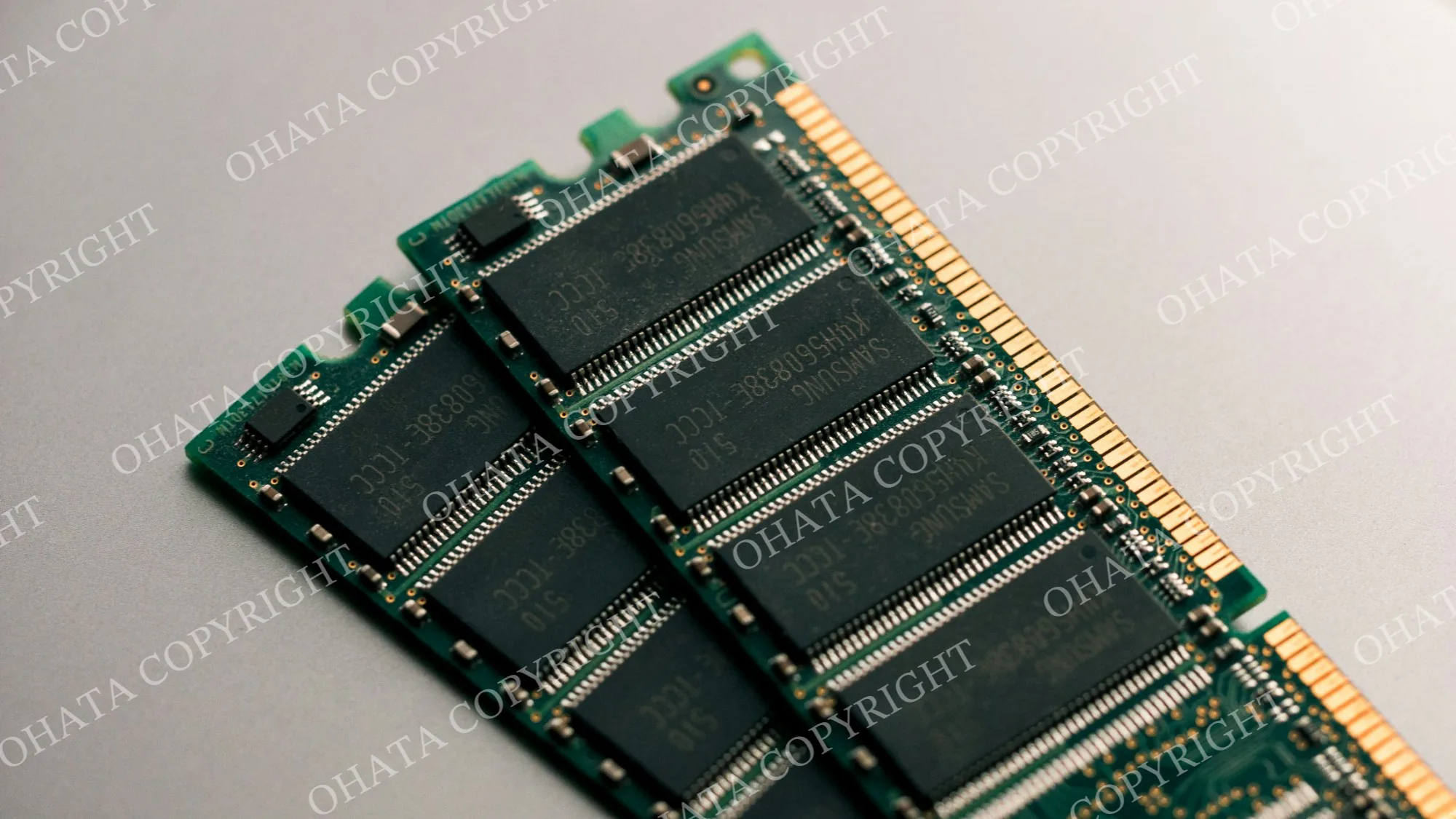
A RAM module contains several materials that can be recovered through specialized downstream processing. These may include:
plated connector contacts, commonly known as gold fingers;
copper in the PCB traces, power planes, and internal layers;
integrated circuit packages and their internal interconnections;
solder and small surface-mounted components; and
aluminum or steel when a heat spreader or shield is fitted.
The amount and economic significance of these materials vary by module design, production period, and refining process. For that reason, visual grading is best treated as a practical sorting method rather than a precise assay of metal content.
Server memory often carries more IC packages and additional control components than ordinary consumer memory. Standard desktop and laptop modules, however, still form an important and readily identifiable recycling category. Separating complete, damaged, shielded, and low-component modules helps buyers inspect loads more consistently and gives processors a cleaner input stream.
Materials Commonly Recovered
Gold
Gold is most visible on the edge connector, where it is used for corrosion resistance and reliable electrical contact. Depending on the component design and manufacturing period, small quantities may also be present in internal semiconductor connections. The visible color of a connector is not, by itself, a measurement of plating thickness or total gold content.
Copper
Copper is generally the largest recoverable metal by weight in an unshielded RAM module. It is used in signal traces, power and ground planes, plated holes, and the internal layers of the PCB.
Silver and Other Metals
Silver may occur in certain solder alloys, contacts, or electronic components. Other metals may also be present in small quantities. Their concentration depends on the age, design, and manufacturing process of the module.
Palladium
Some electronic components, including certain multilayer ceramic capacitors, may contain palladium-bearing materials. Composition varies significantly by manufacturer and production period, so palladium content should not be inferred from appearance alone.
Part 2: The Ohata RAM Grades
Ohata RAM Scrap Classification Guide
Grade
Relative Value
Typical Products
Primary Identification
Typical Condition
RAM-S
★★★★★
Enterprise Server RAM (ECC Registered)
Gold fingers, very high IC density, no heatsink, server memory
Clean, complete
RAM-A
★★★★☆
Desktop & Laptop RAM (DDR–DDR5)
Gold edge contacts, standard memory modules
Clean, complete
RAM-B
★★★☆☆
Shielded, Heatspreader, Silver/Tin, or Trimmed RAM
Metal heatspreader, silver-colored edge, or trimmed connector
Complete but modified
RAM-C
★★☆☆☆
Mixed or Damaged RAM
Broken, dirty, mixed types, contamination
Lower recovery value
RAM-D
★☆☆☆☆
Blank or Low-Component RAM
No IC chips or extremely low IC density
Lowest recovery value
The grade reflects the module presented for sale. A high-performance product is not automatically a high scrap grade, and a newer memory generation is not necessarily more valuable than an older one. Market prices, refining terms, and lot condition also affect the final purchase value.
What Inspectors Look For
No single feature should be used in isolation. During grading, an inspector considers the module as a complete assembly and checks:
the number, size, and arrangement of IC packages;
whether components are fitted on one or both sides;
the condition and finish of the edge connector;
the presence of a register, buffer, or other server-memory components;
PCB size, construction, and apparent quality;
whether a heat spreader, shield, or decorative cover is attached;
missing, broken, burned, or corroded areas;
labels, adhesive, dirt, and other contamination; and
whether the load contains one grade or a mixture of different material.
Manufacturer labels can be useful for identification, but the Ohata grade is based on the physical module rather than the name printed on it.
RAM-S: Server ECC Registered RAM
RAM-S is intended for complete, unshielded server memory with high component density. Modules in this category are commonly recovered from enterprise servers, storage systems, data-center equipment, and high-end workstations.
Server memory is designed for stability and continuous operation. Registered modules include a register or buffer between the memory controller and the DRAM devices, and ECC modules include additional capacity for error detection and correction. These design requirements often result in more IC packages and support components than are found on ordinary consumer modules.
Common RAM-S indicators include:
ECC and Registered DIMM construction;
a high number of memory ICs, often on both sides;
a register or buffer device near the center of the module;
clean, complete gold-plated edge contacts;
a complete multilayer PCB; and
no large aluminum or steel heat spreader.

RAM-S is frequently found in rack and blade servers, database and virtualization systems, storage arrays, scientific computing equipment, and high-performance computing systems. A server label alone does not establish the grade; the physical construction and condition must still match the category.
RAM-A: Standard Desktop and Laptop RAM
RAM-A covers clean, complete consumer and general-purpose memory with gold-plated edge contacts. It includes both full-size DIMMs and compact SO-DIMMs and represents much of the RAM recovered from ordinary computers.
The category may include SDRAM and DDR through DDR5. A typical RAM-A module has a standard PCB, one or more memory ICs, an SPD/EEPROM device where applicable, and no oversized shield or heat spreader.
RAM-A is commonly recovered from:
desktop and office computers;
laptops and mini PCs;
gaming computers without covered memory modules;
entry-level workstations; and
embedded or industrial computers using standard DIMM or SO-DIMM memory.

Consumer RAM generally has fewer components than Registered server memory, but complete modules remain a useful source of plated contacts, copper-bearing PCB material, and semiconductor components.
RAM-B: Shielded, Silver/Tin-Contact, or Trimmed RAM
RAM-B includes modules that remain recyclable but require additional handling or have less visible gold-bearing connector material than standard RAM-A or RAM-S modules.
Typical RAM-B material includes:
gaming RAM with aluminum heat spreaders;
modules enclosed by metal or decorative shields;
modules with silver- or tin-colored edge contacts;
RAM with part of the connector removed; and
otherwise complete modules with trimmed gold fingers.

Heat spreaders add weight and labor but contribute little to the recoverable electronic fraction of the module. Trimmed connectors reduce the amount of plated contact material presented for purchase. For these reasons, RAM-B is kept separate from clean, uncovered gold-finger RAM.
RAM-C: Damaged, Contaminated, or Mixed RAM
RAM-C is used when condition or contamination prevents a module from qualifying as a clean, complete grade. The category can include:
cracked, snapped, or badly bent PCBs;
missing ICs or connector sections;
burned or heat-damaged modules;
significant corrosion or water damage;
heavy dirt, glue, tape, or attached foreign material; and
mixed loads that cannot be graded reliably without further sorting.

RAM-C remains recyclable in many cases, but damage and contamination increase inspection and processing time. If a load contains both complete and damaged modules, separating them before delivery usually makes the evaluation faster and more consistent.
RAM-D: Blank or Low-Component RAM
RAM-D is the lowest-component category in the system. It applies to boards that resemble memory modules but carry no memory ICs or only a very small number of electronic components.
Examples include blank PCBs, unfinished or rejected production boards, display or training samples, and modules from which the principal IC packages have been removed. Because these boards contain substantially less electronic material than complete RAM, they are graded separately.

Part 3: Identifying Common RAM Types
Memory Generation
The Ohata system is independent of memory generation. SDRAM, DDR, DDR2, DDR3, DDR4, and DDR5 may fall into the same grade when their physical construction and condition are comparable.
SDRAM synchronized memory operation with the system clock and became common in the late 1990s.
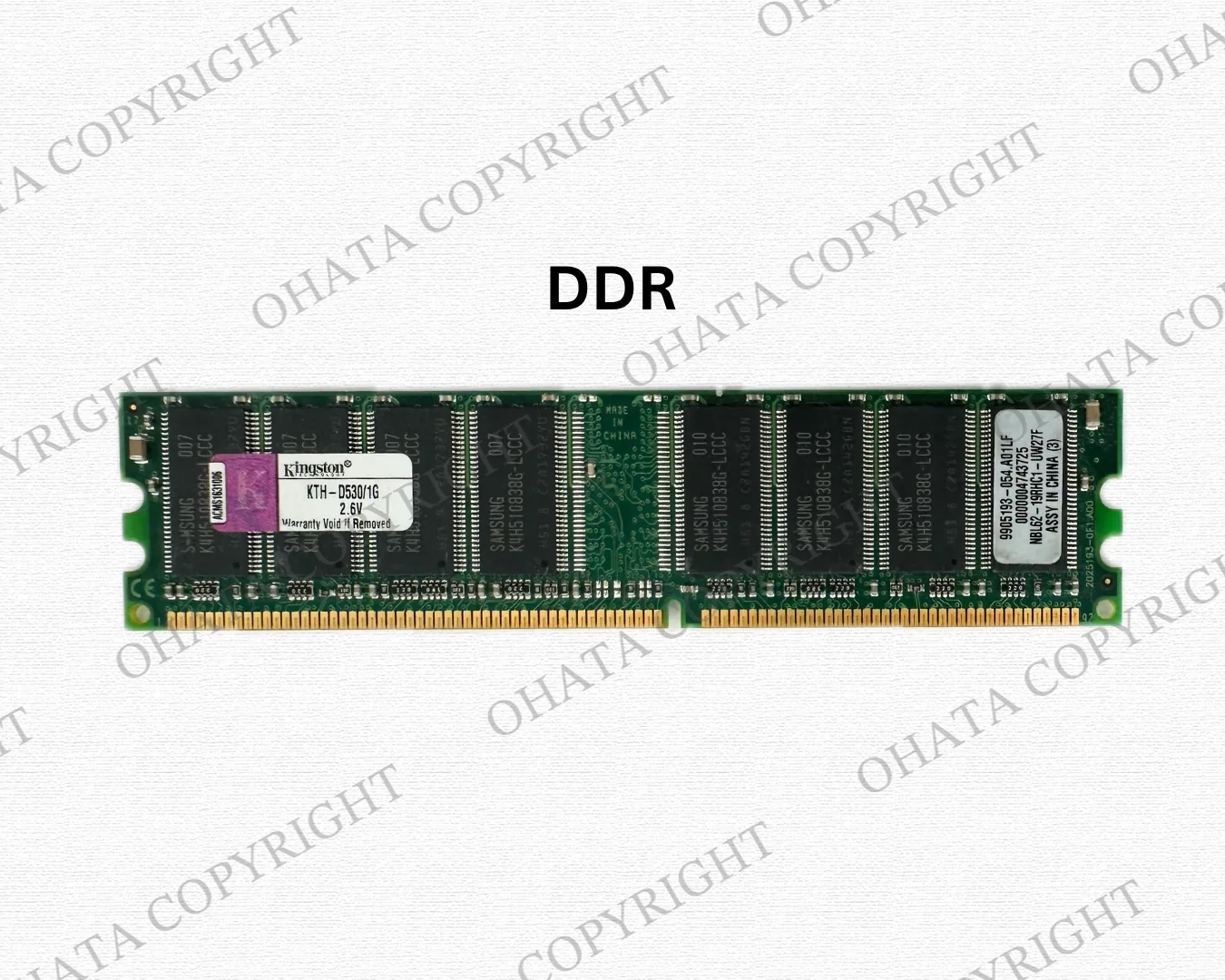
DDR transferred data on both edges of the clock signal, increasing effective bandwidth.
DDR2 increased bandwidth and reduced operating voltage compared with DDR.
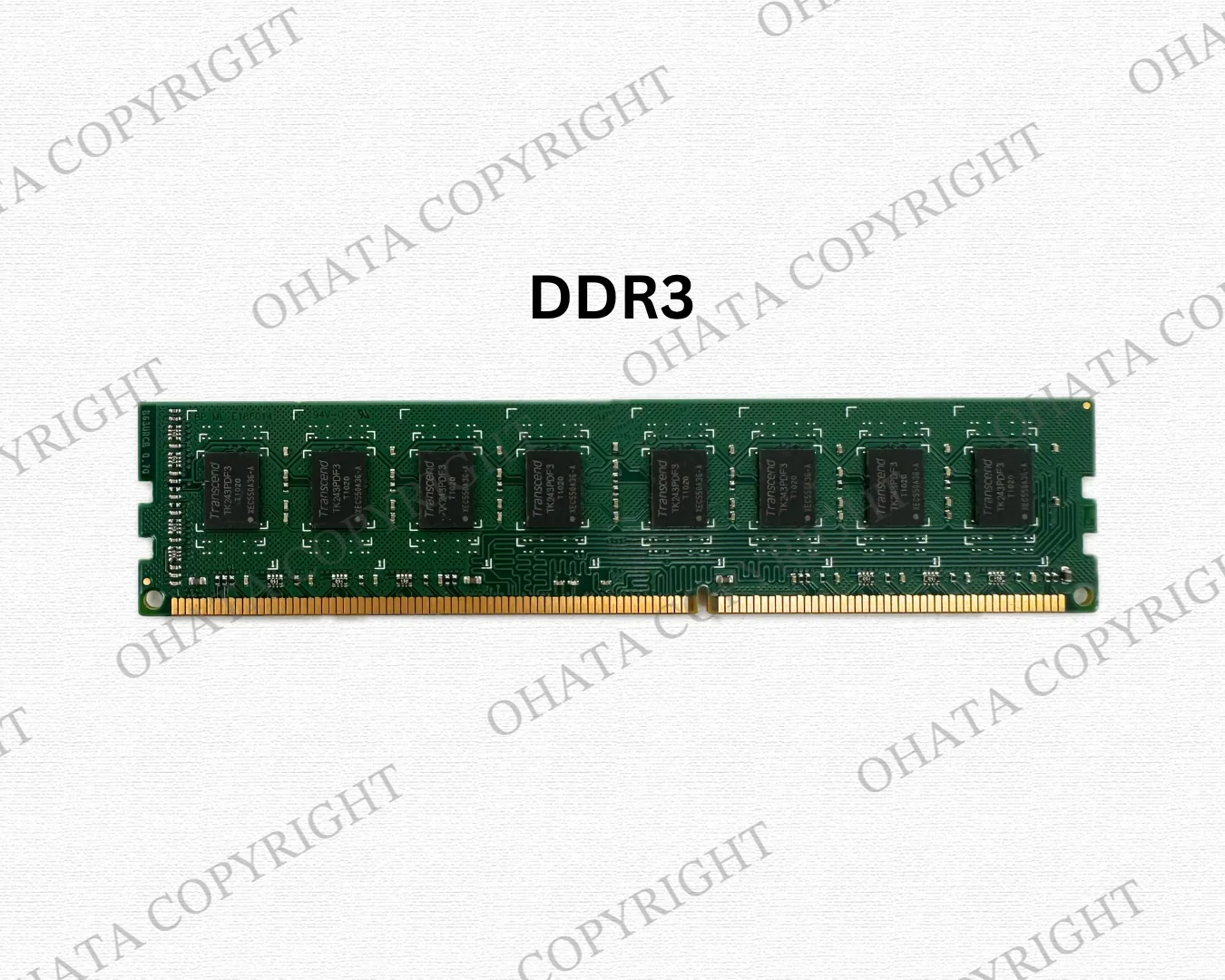
DDR3 continued the trend toward higher speeds and lower power consumption.
DDR4 became widely used in consumer and enterprise systems during the late 2010s.
DDR5 introduced greater bandwidth, higher potential module capacity, and changes to onboard power management.
These differences matter when RAM is reused as computer hardware. In scrap grading, however, generation is secondary to construction, component density, connector finish, and condition.
ECC and Non-ECC Memory
ECC memory can detect and correct certain memory errors and is widely used in servers and other systems where reliability is important. Non-ECC memory is more common in consumer desktops and laptops.
Feature | ECC memory | Non-ECC memory |
Typical application | Servers and professional workstations | Consumer desktops and laptops |
Error-correction capability | Present | Generally absent |
Component count | Often higher | Usually standard |
Common Ohata grade | Often RAM-S when Registered and otherwise qualifying | Often RAM-A |
ECC should not be identified solely by counting chips. Labels, part numbers, register components, and the overall layout should be considered together. Some ECC modules are unbuffered and may not meet the RAM-S criteria.
RDIMM and UDIMM
RDIMM (Registered DIMM) modules use a register or buffer to reduce the electrical load on the memory controller. They are designed for systems that require stability and large memory configurations and are common in enterprise servers. Complete, uncovered RDIMMs with the expected component density are commonly classified as RAM-S.
UDIMM (Unbuffered DIMM) modules connect the DRAM devices more directly to the memory controller. They are widely used in consumer desktops, office PCs, and smaller workstations. Clean modules with gold fingers typically fall into RAM-A.
DIMM and SO-DIMM
A DIMM is the full-size format widely used in desktops, servers, and workstations. A SO-DIMM is a shorter module designed for laptops, mini PCs, and compact industrial systems.
Physical size does not determine the Ohata grade. A SO-DIMM can qualify as RAM-A, while a full-size DIMM may fall into RAM-S, RAM-A, RAM-B, RAM-C, or RAM-D depending on construction and condition.

Manufacturers and Labels
Modules from Samsung, SK hynix, Micron, Kingston, Crucial, Corsair, G.Skill, ADATA, Transcend, Patriot, TeamGroup, HPE, Dell, IBM, Lenovo, Cisco, Oracle, Supermicro, Intel, Fujitsu, and many other companies may be encountered in recycling streams.
Brand is not a grading criterion. Two modules from different manufacturers may receive the same Ohata grade when their relevant physical characteristics are substantially alike. Conversely, one manufacturer may produce products belonging to several different grades.
Part 4: Practical Inspection and Sorting
A Simple Visual Inspection
For an initial assessment, inspect both sides of each module in good light.
Check the edge connector. Note whether the contacts are gold-colored, silver/tin-colored, worn, damaged, or trimmed.
Count and compare the IC packages. Look at both sides and note unusually high or low component density.
Look for server-memory components. A central register or buffer and an appropriate label may indicate an RDIMM, but identification should be based on the complete layout.
Check for covers. Separate modules fitted with heat spreaders, shields, or decorative metal parts.
Inspect the PCB. Look for cracks, missing sections, burns, corrosion, warping, or repaired areas.
Check completeness and cleanliness. Missing chips, heavy adhesive, tape, labels over the connector, or attached foreign material can affect the grade.
Sort by the lowest clearly applicable condition. If the grade is uncertain, keep the module separate for further inspection rather than mixing it into a higher-grade lot.
Common Sorting Errors
Treating Every ECC Module as RAM-S
ECC is a useful clue, but it is not enough on its own. The module must also meet the relevant construction and condition requirements. In particular, ECC UDIMMs and damaged or shielded server modules may belong in another grade.
Mixing Covered Gaming RAM with Bare RAM-A
Heat spreaders increase gross weight and normally require removal before electronic processing. Covered modules should therefore be separated as RAM-B unless the applicable purchasing specification states otherwise.
Combining Complete and Damaged Modules
Broken or contaminated modules slow inspection and may lower the evaluation of a mixed load. Sorting them into RAM-C before delivery avoids uncertainty.
Grading by Generation or Capacity
A DDR5 module is not automatically a higher scrap grade than DDR3, and a high-capacity module is not necessarily worth more as recyclable material. The system grades the physical assembly, not its former computing performance.
Confusing Blank Boards with Complete RAM
A PCB shaped like a DIMM is not necessarily a complete memory module. Boards without their principal memory ICs belong in RAM-D.
Part 5: Buying and Preparation Guide
How Purchasing Assessments Are Made
RAM purchased for recycling is evaluated according to the condition and composition of the material presented. Inspectors may consider:
completeness and physical damage;
IC and surface-component density;
connector finish and condition;
PCB construction;
server or consumer design;
attached heat spreaders or shields;
contamination and foreign material; and
the uniformity of the lot.
Published amounts are reference prices, not guaranteed offers. Check the current Richmond e-scrap buying prices before preparing a shipment, as market conditions and purchasing requirements may change.
Final acceptance, grade, weight, and payment are confirmed after physical inspection.
Complete and Incomplete Modules
A complete module generally retains its original PCB, memory ICs, edge connector, controller components, and factory-fitted passive components, with no major physical damage.
A module may be treated as incomplete when memory chips or connector sections have been removed, the PCB is broken, components are burned, or corrosion is severe. The extent of the damage determines whether the material falls into RAM-C or RAM-D.
Conditions That May Reduce Purchase Value
The following conditions commonly require additional handling or reduce the recoverable electronic fraction of a load:
large aluminum or steel heat spreaders;
decorative covers and plastic attachments;
trimmed connectors or missing PCB sections;
removed IC packages;
burns, corrosion, or water damage;
glue, heavy adhesive, tape, and excessive labels;
mixed electronic waste; and
dirt or other contamination.
Do not remove components if doing so is likely to damage the PCB or create a safety risk. Preparation requirements should be confirmed with the buyer before processing a large quantity.
Should You Remove a Heat Spreader?
Gaming and high-performance RAM often carries a clipped or bonded heat spreader. Removing it may expose the electronic portion for inspection, but some covers are secured with strong thermal adhesive.
Forcing an attached heat spreader can crack the PCB, pull off components, or bend the module. Before removing covers from a large lot, confirm the current purchasing requirements.
Modules with heat spreaders still attached can be separated and presented as RAM-B.
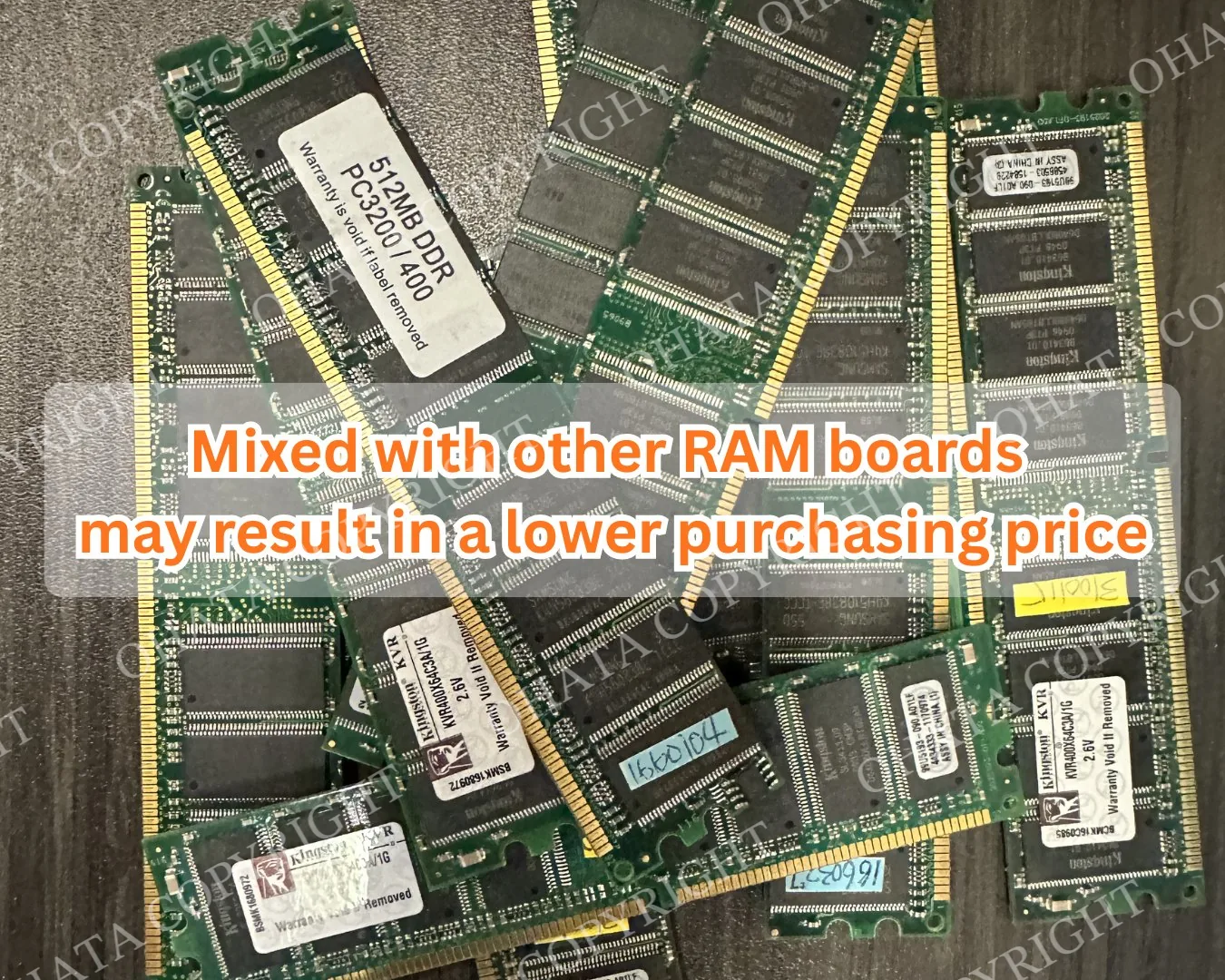
Preparing Mixed RAM Loads
Whenever practical, place RAM-S, RAM-A, RAM-B, RAM-C, and RAM-D in separate, clearly labelled containers.
Do not mix RAM with motherboards, processors, drives, cables, or loose electronic components. Uniform lots generally require less sorting and make purchasing results easier to understand.
After sorting, compare your groups with the current pages for RAM-S, RAM-A, RAM-B, RAM-C, and RAM-D.
If you plan to bring material in person, review the Richmond facility access information. Please contact the Richmond team before delivering a large commercial load or material requiring special handling.
Part 6: Image-Assisted Identification
How Image Recognition Can Help
Image-recognition software can assist with preliminary sorting when clear photographs are available. It may be used to locate the PCB outline, edge connector, memory ICs, central register or buffer, labels, and attached covers. From these visible features, a system can suggest a possible Ohata grade.
A practical workflow is:
Photograph both sides of the module against a plain background.
Confirm that the full PCB and edge connector are visible and in focus.
Detect relevant features, including IC packages, register components, covers, and damaged areas.
Compare the observed features with the RAM-S through RAM-D criteria.
Treat the result as a preliminary suggestion and refer uncertain modules for manual inspection.
Image recognition cannot establish plating thickness, internal PCB construction, hidden corrosion, contamination beneath a cover, or the full repair history of a module. It should therefore support—not replace—physical inspection by qualified personnel.
Visit Ohata.AI Vision for electronic-scrap identification resources and current purchasing information. Image assistance supports identification, but it does not replace physical inspection by authorized personnel.
Taking Useful Identification Photos
For a more reliable visual assessment:
photograph both sides at a straight angle;
use even, neutral lighting and avoid glare on the connector;
include the entire module rather than a cropped section;
keep labels legible where possible;
take close-up images of damage, corrosion, or trimmed contacts; and
photograph modules individually when a mixed pile hides important features.
Public image-based identification is educational and provisional. Final purchasing classifications may take into account characteristics that are not visible in photographs.